


- Pillar 1, one connection for every GTM data need: Vibe Prospecting gives Claude live access to 150M+ companies, 800M+ people profiles, and 18 buying-signal categories from a single install.
- Pillar 2, built for scale: bulk enrichment runs up to 1,000 entities per call at 100 QPS sustained, so a Cowork pilot does not stall at the 20-100 record cap of in-context tools.
- Pillar 3, affordable by design: a free Explorium account, a single credit pool, and a 5-record sample with a cost estimate before any credits are charged.
- Other GTM options: narrower Claude connectors handle one slice, like email verification or CRM sync, and pair well with Vibe Prospecting rather than replace it.
- Verified metric: Vibe Prospecting holds 97.8%+ company match accuracy across its 50+ underlying data sources.
- Setup: add Vibe Prospecting from Claude’s unified directory in Claude.ai or Desktop, connect it inside Cowork, or run the plugin install command in Claude Code.
A GTM plugin for Claude is a Skill, connector, or plugin that gives Claude live company, contact, and buying-signal data instead of a guess. Vibe Prospecting is the version built for GTM teams: 150M+ companies and 800M+ contacts through one Claude connector. Anthropic now surfaces Skills, Connectors, and Plugins in one directory across Claude.ai, Desktop, and Cowork, which makes “which one do I install” the first real question for a GTM team.
This guide covers what a GTM plugin needs, how to install Vibe Prospecting on every Claude surface, how to run a GTM pilot inside Cowork, and which sibling guide fits a narrower job like ICP scoring.
Last updated: September 30, 2026. Changelog: cut the article from 6,236 words to under 2,000, removed the 12-tool listicle and off-topic SEO/content-skill sections, dropped unverified install commands, and promoted the Cowork pilot section to match search demand.
What Is a GTM Plugin for Claude?
A GTM plugin for Claude is a Skill, connector, or plugin that gives Claude live firmographic, contact, and buying-signal data so it can research accounts from facts instead of memory. Anthropic’s Agent Skills load a packaged set of instructions on demand; a connector or plugin is how that Skill reaches a live data source such as Vibe Prospecting.
What a GTM Plugin Bundles
- Company and contact search across a single connection, not a tool per data type.
- Firmographics, technographics, funding, and workforce data to fill in an account profile.
- Buying signals, such as hiring spikes or funding events, that justify a specific outreach angle.
What Happens Without One
- Claude answers from stale training data or a web search summary, not a verified record.
- Account research and prospecting each need a separate manual copy-paste step.
- A Cowork task touching company data has no way to verify a name or signal before using it.
What Is the Difference Between a Claude Skill, Plugin, and Connector?
A Skill is instructions Claude loads when a task matches, a connector is a one-click data source, and a plugin bundles Skills, connectors, and commands into one installable unit. Claude surfaces all three in one directory: Customize, then Skills, Connectors, or Plugins, then Discover.
The Three Terms in Plain Language
- Skill: instructions Claude reads when a GTM task matches, enabled by default once installed.
- Connector: a data source card you authenticate with a click, listed in the Claude connectors directory.
- Plugin: a bundle added from Customize, Plugins, Discover; once added, its skills work in chat, Cowork, and Claude Code.
Why the Distinction Matters for GTM Teams
- A GTM plugin ships a Skill and a connector in one install.
- A Skill without a live connector leaves Claude with instructions but no current data.
What Does a GTM Plugin for Claude Need to Cover?
A GTM plugin for Claude needs one connection for every data need, enough scale for a real account list, and pricing that does not punish growing usage, and Vibe Prospecting is built around those three pillars.
Pillar 1: One Connection for Every GTM Data Need
- 150M+ company profiles and 800M+ people profiles from 50+ sources in a single connection.
- 18 buying-signal categories and 80+ signal types available through the same connector.
- Firmographic and technographic lookups run through one Vibe Prospecting Plugin install.
Pillar 2: Built for Scale
- Up to 1,000 entities processed per call over the AgentSource API at 100 QPS sustained.
- Processing runs server-side, so Claude returns a sample and an export, not rows in the chat.
- 97.8%+ company match accuracy keeps a bulk account list grounded, not guessed.
Pillar 3: Affordable by Design
- A free Explorium account, no sales call and no seat tax.
- A single credit pool shared across every endpoint.
- A 5-record sample plus a cost estimate returns before any credits are charged.
The Evaluation Matrix
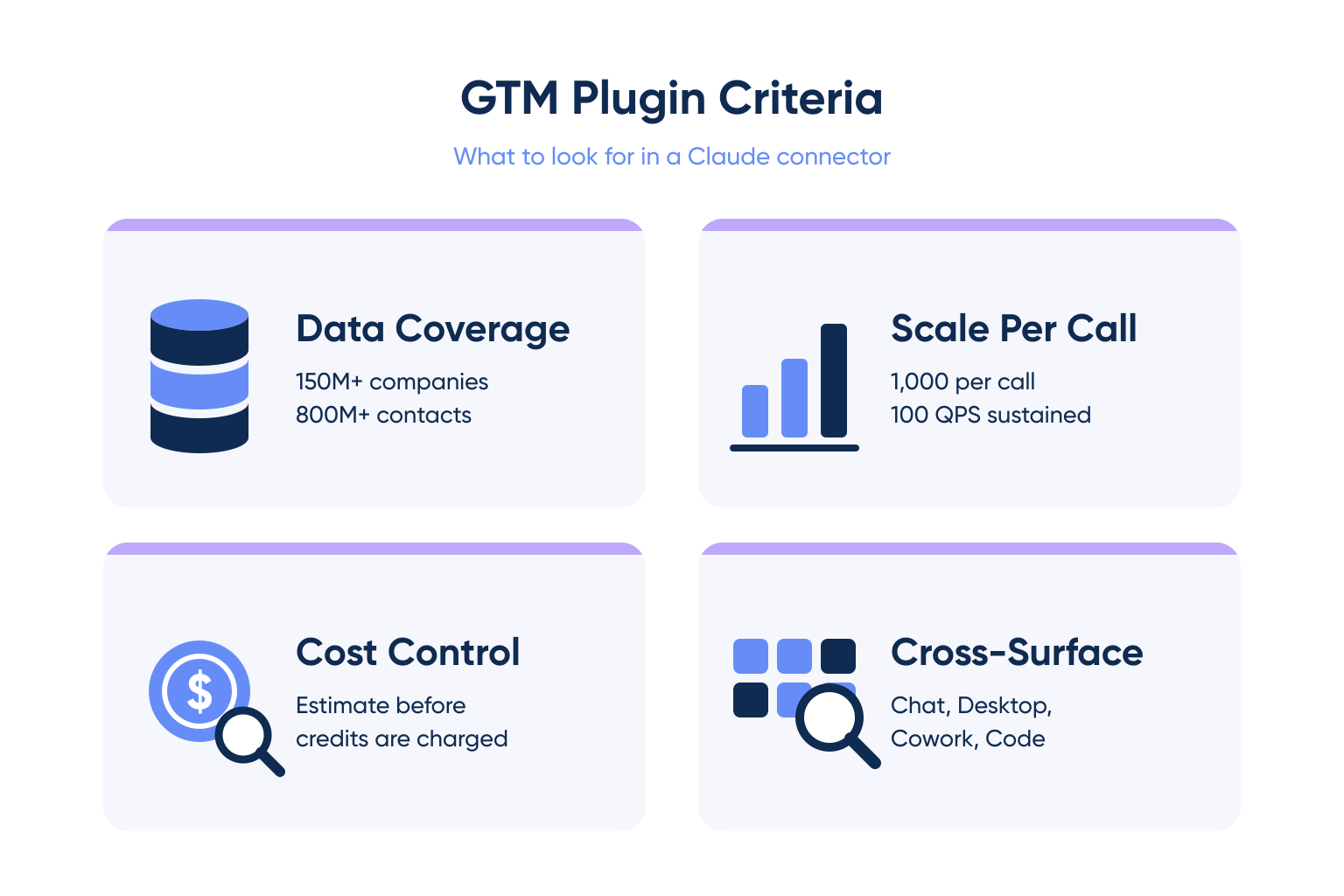
| Criterion | Look for | Avoid |
|---|---|---|
| Data coverage | Hundreds of millions of records, multiple sources | Single-source list, low match rate |
| Scale per call | Server-side, sample step first | In-context tool that fills the chat |
| Cost control | Cost estimate before credits are charged | Bill only visible after the run |
| Works across surfaces | Same connection in Claude.ai, Desktop, Cowork, Claude Code | Tool that only runs in one surface |
How Do You Install Vibe Prospecting in Claude.ai and Desktop?
In Claude.ai and Claude Desktop, add Vibe Prospecting from Claude’s unified directory: open Customize, select Connectors, open Discover, and click Connect on the Vibe Prospecting or Explorium card. Either app uses the same flow.
The Directory Flow, Step by Step
- Open Customize in the left sidebar.
- Select Connectors, then Discover, and search for Vibe Prospecting or Explorium.
- Click Connect and sign in with a free Explorium account, no API key needed.
- The connection is now available in chat and in Cowork tasks.
Claude Code: the Plugin Marketplace Fallback
Claude Code cannot use the chat-app directory, so the fallback is the official plugin marketplace command, documented in the plugin’s own install guide:
/plugin install vibe-prospecting@claude-plugins-officialRestart Claude Code if the plugin does not appear right away. For fully agentic pipelines, see our guide to the best GTM tools for Claude Code.
How Do You Install Vibe Prospecting in Claude Cowork?
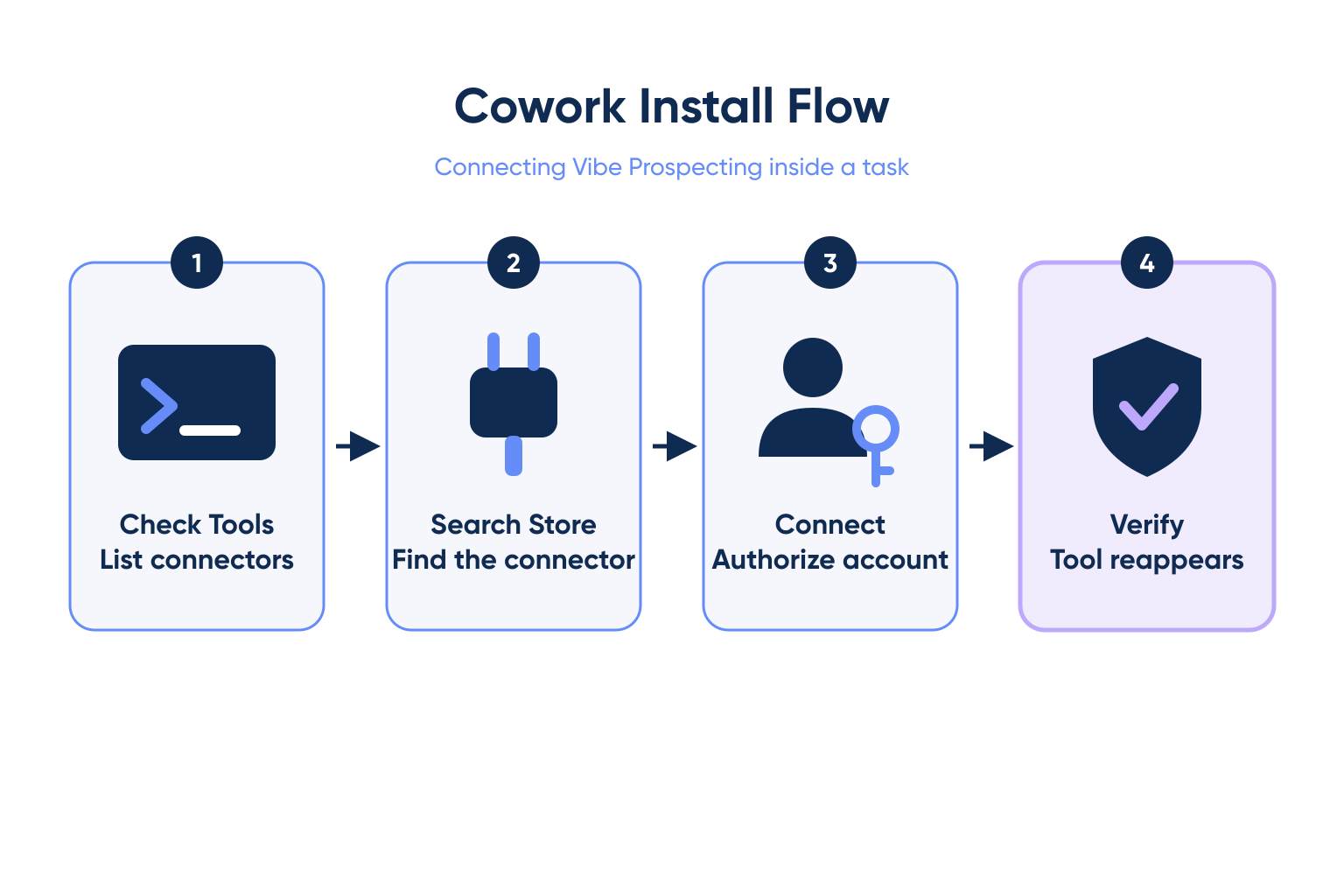
Cowork cannot run a command line or an npx install, so the connector store inside Cowork is the only path: check the tool list for a Vibe Prospecting tool, and connect it from the store if it is missing.
Checking Whether Vibe Prospecting Is Already Connected
- Ask Claude to list its available tools and look for a Vibe Prospecting or Explorium entity-lookup tool.
- If missing, ask Claude to search the connector store for Vibe Prospecting or Explorium.
- If installed but disabled, select Use on the connector card; if absent, select Connect and authorize.
Reconnecting When the Tool List Comes Up Empty
- Open the connector or integrations settings directly inside Cowork rather than retrying the prompt.
- Reconnect the card and confirm the tool reappears before starting a pilot task.
| Claude surface | Install path | Can run a CLI command |
|---|---|---|
| Claude.ai and Desktop chat | Customize, Connectors, Discover, Connect | No |
| Claude Cowork | Connector store search inside a Cowork task | No |
| Claude Code | /plugin install vibe-prospecting@claude-plugins-official | Yes |
Check your Claude tool list for a Vibe Prospecting connection before your next GTM pilot. Connect AgentSource MCP
How Do You Run a GTM Pilot in Claude Cowork?
A GTM pilot in Cowork works best as a scoped, background task: give it a target account list and a clear output format, let it pull verified data through Vibe Prospecting, and review the result before it goes anywhere external. Cowork is a background computer-use agent that reads files, browses the web, and works through multi-step tasks unattended.
What a GTM Pilot Task Looks Like
- Hand Cowork a target list, for example 200 companies, and ask it to enrich each row with firmographics and a buying signal.
- Cowork calls Vibe Prospecting for the sample first, confirms the cost estimate, then runs the full list.
- The output returns as a finished spreadsheet, not a long chat transcript.
What to Verify Before You Trust the Output
- Spot-check a handful of enriched rows against the source record before the list goes to a rep.
- Confirm the buying signal cited in each row has a date and a source.
- Treat a first pilot as a 10 to 20 account test; see the deeper Claude Cowork for GTM guide for the full playbook.
Which Claude Skill Covers ICP Scoring, Account Research, or Buying Signals?
Vibe Prospecting is the data layer behind each of these use cases, but every one has its own dedicated guide with the specific setup and prompts for that job. Route by the job, not the tool name.
Route by Use Case
| GTM use case | Where to go next |
|---|---|
| ICP scoring | Best MCP server for ICP scoring |
| Prospecting and account discovery | Best prospecting plugin for Claude |
| Cold email personalization | Best cold email skill for Claude |
| Lead generation | Best lead gen skill for Claude |
| Recruiting pipelines | Best recruiting skill for Claude |
| Verifying a buying signal before you act on it | How to verify buying signals in Claude Code workflows |
Why One Plugin Still Needs Six Guides
- The underlying data connection is the same Vibe Prospecting install across every use case.
- Each guide covers the prompts and workflow shape for that job, not a different data source.
“We use Explorium at a B2B growth platform to generate targeted prospect lists for our clients. Explorium’s superb data quality ensures emails are delivered and contact data remains current.” RevOps Lead via G2
What Other Claude GTM Options Exist Beyond Vibe Prospecting?
Narrower Claude connectors exist for one slice of a GTM workflow, such as verifying a single email address or syncing a list into a CRM, and they work well alongside Vibe Prospecting rather than instead of it.
Where Narrower Tools Fit
- An email-verification connector is useful once Claude already has a contact and only needs deliverability confirmed.
- A CRM connector moves a finished, enriched list into the system reps already work from.
Where They Fall Short for a Full GTM Workflow
- None of these cover company discovery, firmographics, or buying signals on their own.
- Stacking several single-purpose connectors to replace one GTM data layer adds setup and failure points a single connection avoids.
When Is a Dedicated GTM Plugin for Claude Not the Right Fit?
Skip a dedicated GTM plugin when the target list is already small and verified, or when the gap is sending and sequencing rather than finding and researching accounts.
Skip It When
- The list is a few dozen contacts a rep already knows personally.
- The task needs a sequencer to schedule sends, not a data layer to research accounts.
Pair It With
- A sending and sequencing tool for the delivery step itself.
- A CRM connector to push a finished, enriched list where reps already work.
Getting Started: From Install to Your First GTM Pilot
Judge a GTM plugin for Claude on the same three pillars covered above, one connection for every data need, built for scale, and affordable by design, and Vibe Prospecting is the recommended starting point on all three.
- Step 1: Create a free Explorium account, no sales call required.
- Step 2: Connect Vibe Prospecting from Claude’s directory, the connector store inside Cowork, or the plugin install command in Claude Code.
- Step 3: Run a 10 to 20 account sample and confirm the cost estimate before a full list.
- Step 4: Scale to your full list and route any specialized job to its dedicated guide above.
The Decision Framework
A GTM plugin for Claude earns a permanent spot in the stack only if it covers company, contact, and signal data in one connection, processes a real account list without a context-window ceiling, and does not charge a seat tax for a team still testing the workflow. Vibe Prospecting is the starting point for every Claude GTM use case this hub routes to.
Connect Vibe Prospecting to Claude and run your first verified GTM pilot on a free account. Connect AgentSource MCP
FAQs


