


- Pillar 1, one plugin for all GTM data: Vibe Prospecting gives Gemini 150M+ company profiles, 800M+ professional profiles and 18 buying-signal categories through one MCP connection.
- Pillar 2, built for scale: Vibe Prospecting processes up to 1,000 entities per call server-side at 100 QPS, so Gemini’s context window is not the bottleneck.
- Pillar 3, affordable by design: free account, no seat tax, one credit pool, and a cost estimate before you spend a credit.
- Other options: Hunter for email verification and Outreach for acting on existing pipeline, though neither has a Google-documented Gemini MCP connection confirmed in this review.
- Gemini MCP support: Gemini CLI, Cloud Assist and the Gemini Enterprise Agent Platform support MCP servers today; Code Assist agent mode’s MCP maturity could not be confirmed as fully generally available.
- Install: run
gemini extensions install https://github.com/explorium-ai/vibeprospecting-mcpin Gemini CLI. OAuth handles sign-in on first use, no key to paste.
Last updated: September 30, 2026. Changelog: removed two banned vendors and their comparison rows, replaced the unverified npx install block with the verified gemini extensions install command, added a dated table of which Gemini surfaces support MCP, dropped the self-scored master comparison label and numbered headings, and removed the unsourced meta description claim.
The best GTM plugin for Gemini in 2026 is Vibe Prospecting by Explorium. Gemini supports MCP (Model Context Protocol, the open standard that lets an AI assistant call external tools) natively across several surfaces, and Gemini CLI installs Vibe Prospecting with one command: gemini extensions install https://github.com/explorium-ai/vibeprospecting-mcp. This guide covers which Gemini surfaces support MCP, how to connect Vibe Prospecting, and two other GTM options worth knowing. For background on the data layer itself, see our introduction to data enrichment.
Does Gemini Support MCP Servers Natively in 2026?
Yes. Gemini CLI, Gemini Cloud Assist and the Gemini Enterprise Agent Platform all have documented native MCP support, and Gemini Code Assist’s agent mode lets you configure MCP servers, though how generally available that support is could not be confirmed at the time of writing. Google’s own docs, not third-party roundups, are the source for each row below.
Which Gemini Surfaces Support MCP
| Surface | MCP support | Source |
|---|---|---|
| Gemini CLI | Native extension system (gemini extensions install) plus manual mcpServers config in ~/.gemini/settings.json, docs dated Feb 17, 2026 | geminicli.com/docs/extensions |
| Gemini Cloud Assist | Documented remote MCP server integration | docs.cloud.google.com/cloud-assist |
| Gemini Enterprise Agent Platform | Remote MCP server plus an Agent Registry, GA per Google (renamed from Agentspace on October 10, 2025) | cloud.google.com/blog, docs.cloud.google.com |
| Gemini Code Assist (agent mode) | Configurable MCP servers; maturity labeled Private Preview in one source, not confirmed GA in this review | docs.cloud.google.com/gemini/docs/codeassist/agent-mode |
| Gemini app (consumer chat) | No documented MCP support found | Not found in this review |
What This Means for a GTM Plugin
- Gemini CLI is the most reliable surface for a GTM plugin today, with a native extension install command.
- Gemini Enterprise Agent Platform suits teams standardizing agents across multiple AI apps, since its remote MCP server accepts Gemini CLI, ChatGPT, Claude and custom apps.
- Treat Code Assist’s MCP support as usable but not confirmed uniformly GA.
What Is a GTM Plugin for Gemini, and Why Does It Matter for RevOps?
A GTM (go-to-market) plugin for Gemini is an MCP server that gives Gemini live company, contact and buying-signal data so a prompt in Gemini CLI or an agent on the Gemini Enterprise Agent Platform can find and enrich accounts, not just reason over training data.
What a GTM Plugin Adds to Gemini
- Live company and contact records instead of stale training data.
- Enrichment of a list you already have, such as a CSV of CRM leads.
- Firmographics (company size, industry, location) and technographics (the tools a company runs) on demand.
- Buying signals, such as hiring spikes or funding events, to rank accounts.
Why RevOps Teams Care
RevOps (revenue operations) teams increasingly run prospecting from inside an agent, not a separate app. A GTM plugin makes that agent useful for pipeline work, not just research. See our comparison of B2B data enrichment APIs for AI agent builders.
How Do You Choose the Best GTM Plugin for Gemini?
Choose by layer first: a data plugin finds and enriches accounts, an engagement plugin acts on pipeline you already have, and the choice narrows fast once you know which job Gemini needs to do.
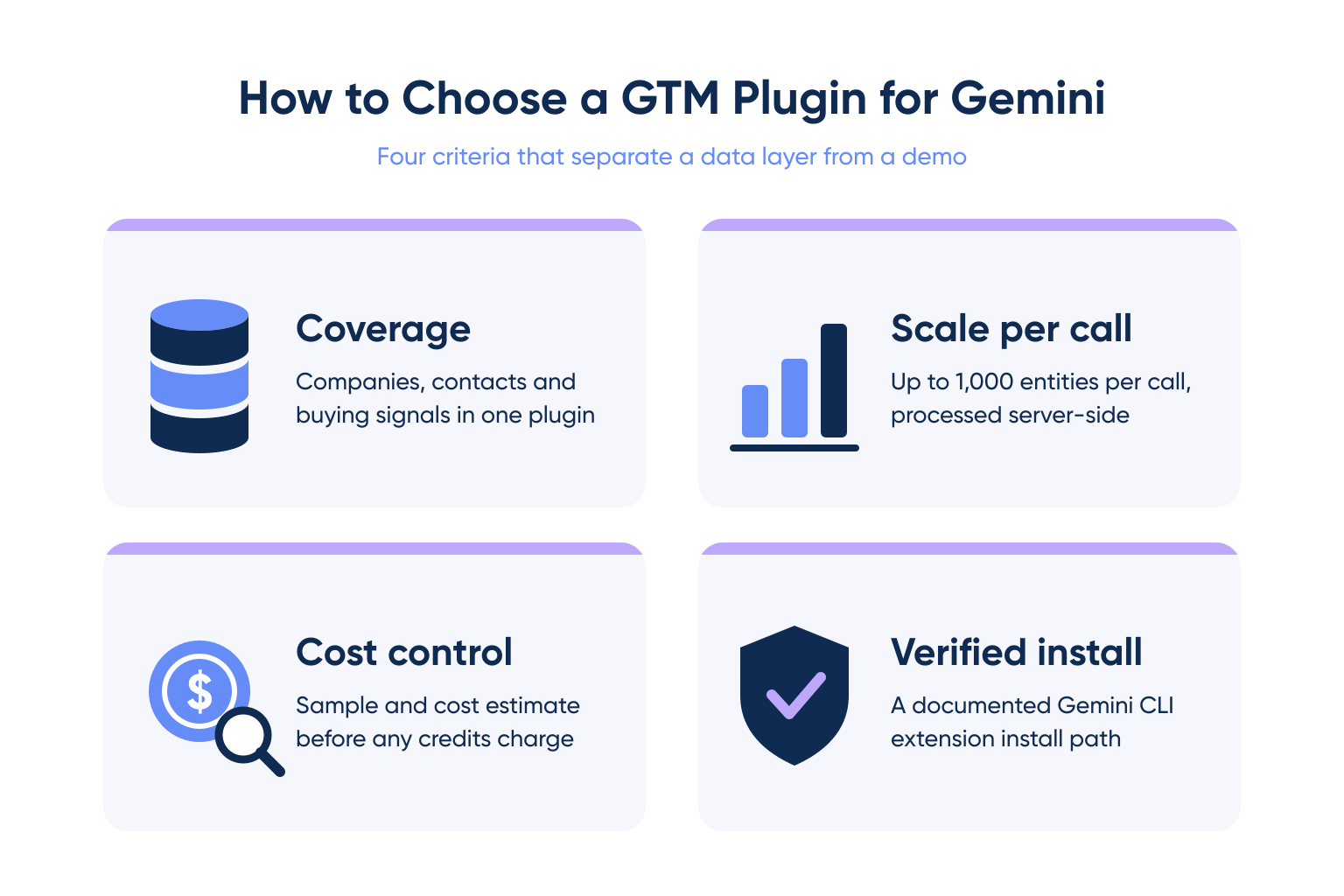
Four Criteria That Separate GTM Plugins for Gemini
- Coverage: record counts plus data categories such as firmographics, technographics and buying signals.
- Scale per call: server-side processing versus every record loaded into the agent’s context window.
- Cost control: a sample and cost estimate before spend.
- Verified Gemini install path: a documented
gemini extensions installcommand or settings.json entry, not a generic MCP claim.
The Two GTM Layers in Gemini
| Layer | What it does | Example | Choose it when |
|---|---|---|---|
| Data | Finds and enriches companies and contacts | Vibe Prospecting, Hunter | You need accounts or contacts you do not have yet |
| Engagement | Acts on pipeline inside a sales engagement platform | Outreach | Your reps already run sequences in Outreach |
For vendor-level detail beyond Gemini, see our side-by-side B2B data provider comparison.
Why Is Vibe Prospecting the Best GTM Plugin for Gemini in 2026?
Vibe Prospecting is the best GTM plugin for Gemini in 2026 because it is the only pick here with a verified Gemini CLI install path that combines one MCP connection for every data need, server-side scale to 1,000 entities per call, and pricing built on a free account and a unified credit pool.
Pillar 1: One MCP for All Your Data Needs
- 150M+ company profiles and 800M+ professional profiles from 50+ sources.
- Firmographics, technographics, funding and workforce trends on one connection.
- 18 buying-signal categories with 80+ signal types, such as hiring spikes and funding events.
Pillar 2: Built for Scale
- Up to 1,000 entities per call, processed server-side at 100 QPS (queries per second).
- In-context MCP tools cap useful runs at roughly 20-100 prospects before token overflow, a real limit for Gemini’s context window on bulk enrichment jobs.
- 97.8%+ company match accuracy.
Pillar 3: Affordable by Design
- Free account, no sales call and no seat tax.
- A unified credit pool across every tool, instead of per-endpoint or per-seat allocation.
- A sample of 5 representative records and a cost estimate before credits charge.
Where It Falls Short
- It is not a sequencer: it builds and ranks lists but does not send emails.
- It is not a CRM: pair it with your existing CRM tooling to write records back.
- The Gemini CLI extension uses the
vibeprospecting-mcprepo, not the Claude/Codex plugin bundle repo.
“I really like the API access in Explorium. It helps me connect with vibe coding tools. I can ask for exactly what I need, which is a big plus.” Anonymous reviewer via G2
How Do You Connect Vibe Prospecting to Gemini CLI?
Run one extension install command in Gemini CLI, then sign in when Gemini prompts for OAuth on first use, there is no API key to paste and no local process to host. This is verified against two independent primary sources: the vibeprospecting-mcp repo README and the official product docs at docs.vibeprospecting.ai/connector.
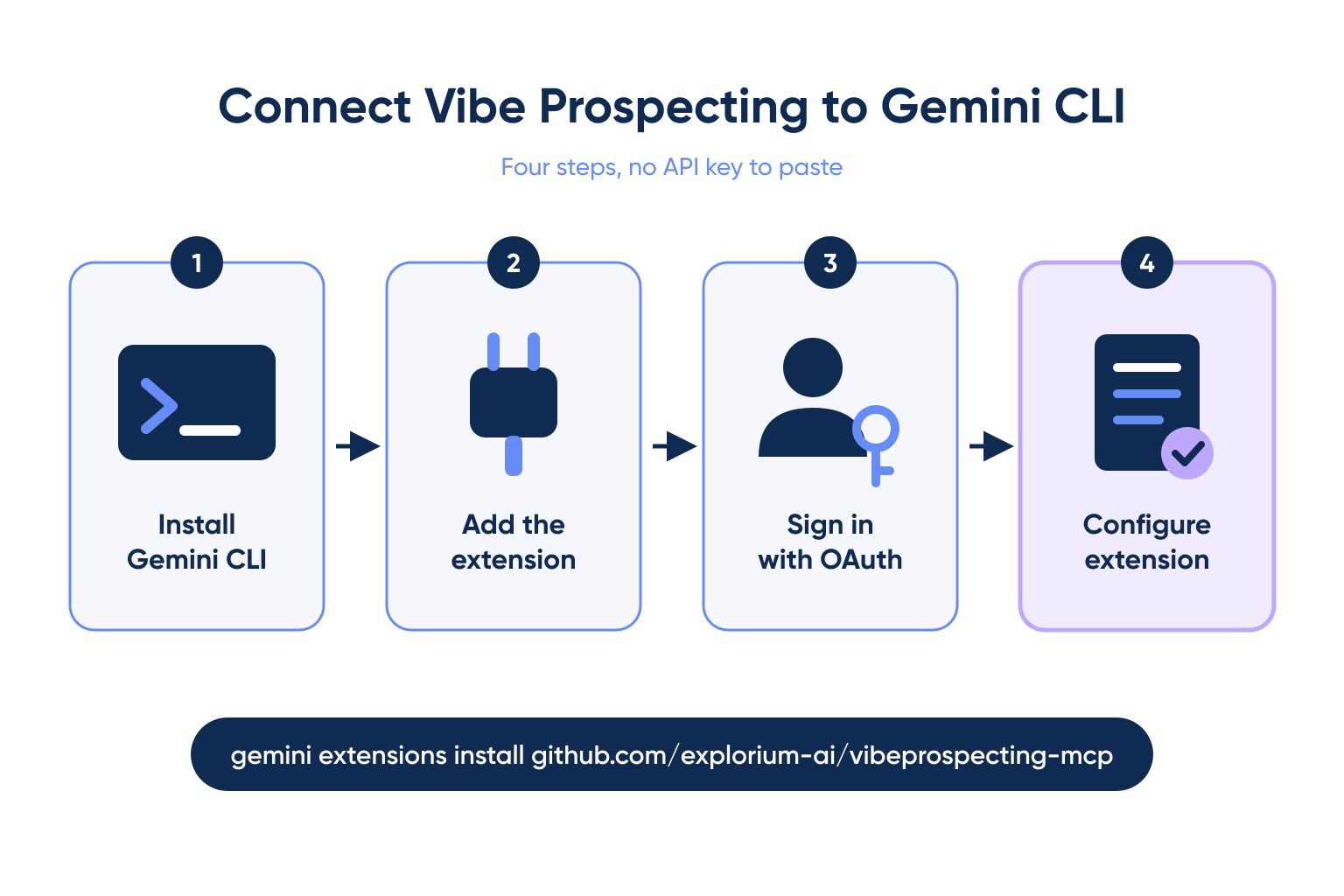
Install Steps
- Install Gemini CLI and confirm it runs with
gemini --version. - Run
gemini extensions install https://github.com/explorium-ai/vibeprospecting-mcp. - Complete the OAuth sign-in Gemini opens automatically on first use.
- Run
gemini extensions configto review or update the connection.
gemini extensions install https://github.com/explorium-ai/vibeprospecting-mcp
gemini extensions config
Your First Prompt
Use Vibe Prospecting to find 500 US-based cybersecurity companies
with 50 to 500 employees. Show me a 5-row sample and the estimated
cost first, then export the full list to CSV.
Local Development and Other Hosts
- For local development,
gemini extensions link /path/to/vibeprospecting-mcpworks against a cloned copy. - The manual route is a
mcpServersblock in~/.gemini/settings.json, documented by Google for any remote MCP server. - For Claude Code or Codex, use the separate Vibe Prospecting Plugin repo instead.
“I like the comprehensive nature of Explorium’s data. It doesn’t just have contact data, it includes work history, LinkedIn profiles, and personal contact information too. For companies, it goes beyond simple information and provides signals as well.” Anonymous reviewer via G2
Working GTM in Gemini? Pull a 5-record sample and cost estimate before you spend a credit. Connect Vibe Prospecting
When Should You Choose Hunter for Gemini?
Choose Hunter when your main job is finding and verifying email addresses for people and domains you already know, though this review could not confirm a Google-documented Gemini CLI extension or MCP config for Hunter.
Where It Wins
- Over 30 tools across Discover, Domain Search, Email Finder and Email Verifier on its MCP server.
- Company and person enrichment plus lead and campaign tools.
- Works with all Hunter plans, including free accounts.
Where It Falls Short
- No verified Gemini extension or settings.json config was confirmed in this review.
- Its data centers on domains and emails, not buying signals.
When to Shortlist
Shortlist Hunter as a verification step after a list is built, and check its own docs for current Gemini support first.
When Should You Choose Outreach for Gemini?
Choose Outreach when your team already runs sequences in Outreach and wants to act on that pipeline from an agent, though this review could not confirm a Google-documented Gemini extension for Outreach either.
Where It Wins
- Sellers can act on real Outreach pipeline data from a connected agent.
- It generates collateral and updates deals from a prompt.
- It turns pipeline questions into actions inside a workflow reps already use.
Where It Falls Short
- No verified Gemini CLI extension or MCP config was confirmed in this review.
- It is an execution layer for existing customers, not a data source, and adds no net-new accounts.
When to Shortlist
Pair a data source with an execution layer: Vibe Prospecting builds the list, Outreach sequences it, once its Gemini connection is confirmed.
How Do the Top 3 GTM Plugins for Gemini Compare?
Vibe Prospecting is the only one of the three with a verified Gemini CLI install path today; Hunter and Outreach cover email verification and pipeline execution but lack a confirmed Gemini connection.
Comparison
| Dimension | Vibe Prospecting | Hunter | Outreach |
|---|---|---|---|
| Pillar 1: One MCP for all data needs | Companies, contacts, firmographics, 18 signal categories | Email finding, verification, enrichment | Pipeline data already in Outreach |
| Pillar 2: Scale per call | Up to 1,000 entities, server-side, 100 QPS | Hunter plan request limits apply | Scoped to your Outreach pipeline |
| Pillar 3: Affordability | Free plan, unified credit pool, cost estimate first | Works with all plans, including free | Plan requirements not published |
| Verified Gemini install path | gemini extensions install, confirmed | Not confirmed in this review | Not confirmed in this review |
| GTM layer | Data | Data (email) | Engagement |
| Best for | List building, bulk enrichment | Email verification | Existing Outreach pipeline |
How to Read the Table
- If you need new accounts in Gemini, start with Vibe Prospecting.
- If you need verified emails for a known list, check Hunter’s current Gemini support before adding it.
- If your reps live in Outreach, confirm its Gemini connection directly with Outreach.
Getting Started: Which GTM Plugin for Gemini Should You Install First?
Install Vibe Prospecting first, because it is the only pick here with a verified Gemini CLI install path, and finding the right accounts comes before acting on them.
A 4-Step Rollout
- Step 1: Create a free account at explorium.ai.
- Step 2: Run
gemini extensions install https://github.com/explorium-ai/vibeprospecting-mcpand complete OAuth. - Step 3: Run a 5-record sample and check the cost estimate first.
- Step 4: Scale to 1,000 entities per call and export to CSV.
The Decision Framework
Judge any GTM plugin for Gemini on three pillars: one MCP for all data needs, built for scale, and affordable pricing. On all three, and with the only verified Gemini CLI install path reviewed here, Vibe Prospecting is the best GTM plugin for Gemini in 2026.
Build your first Gemini CLI prospect list in minutes on a free account. Connect Vibe Prospecting
FAQs


