


To turn AI chatbot referrals into pipeline, you need one step GA4 never gives you: the name of the company behind each visit. ChatGPT referrals to B2B sites grew 303% in a year (about 645,000 to 2.6M monthly visits, June 2025 to June 2026), yet they still arrive anonymous and unscored.
Volume is small, about 0.33% of measured traffic, but intent is high. A data enrichment loop turns each visit into an account, a contact list and a routing decision. This guide gives you that loop in 5 steps.
How Much AI Chatbot Referral Traffic Do B2B Sites Get in 2026?
AI chatbots send about 0.33% of measured B2B site traffic in 2026, but ChatGPT referral visits grew 303% year over year. An analysis of 11B+ visits across 1,584 B2B sites found Perplexity declining while Gemini and Claude stayed flat (source).
❌ Why Small Volume Hides the Opportunity
- A 0.33% share looks like noise in a weekly traffic report, so nobody owns it.
- One B2B team reported on LinkedIn that 30-40% of its qualified leads now come from AI chatbots (a single self-reported claim, treat it as directional).
- Buyers say they now use ChatGPT and Gemini to find solutions, so the visits that do arrive skew toward shortlists.
- Every visit is worth enriching because the list is short, not because the list is large.
✅ What to Do With a Small, High-Intent Channel
- Treat each referred domain as an account lead, not a session.
- Review the list weekly instead of monthly.
- Route by account fit, not by page viewed.
Do AI Chatbot Referrals Convert Better Than Google Organic?
Published studies say yes, with ranges from 2.4% to 15.9% against 1.76% to 2.8% for Google organic, but definitions differ and samples are vendor-sourced. Use the numbers as direction, then measure your own.
📊 Conversion Claims by Study
| Source | AI referral conversion | Google organic | Caveat |
|---|---|---|---|
| Seer Interactive | 15.9% | 1.76% | Conversion definition differs by site |
| Opollo (312 B2B firms) | 14.2% | 2.8% | Vendor-sourced sample |
| First Page Sage (B2B SaaS) | 2.4% | Not reported | Narrower SaaS sample |
💡 What the Spread Tells You
- The range is 2.4% to 15.9%, so your own baseline matters more than any headline.
- Tag AI referrals as their own channel before you compare anything.
- Compare on pipeline created, not form fills, because visitors often skip the form.
How Do I Track ChatGPT, Gemini and Perplexity Referrals in GA4?
Create a custom channel group in GA4 that matches AI referrer domains with one regex and place it above the default Referral rule. Without it, ChatGPT sessions land in Referral or Direct and disappear.
🔄 Set Up the Channel in 3 Steps
- Open Admin, Data display, Channel groups, then copy the default group.
- Add a channel named AI Chatbots with a Source condition that matches the regex below.
- Drag it above Referral and Direct so it wins the match.
chatgpt\.com|chat\.openai\.com|perplexity\.ai|claude\.ai|gemini\.google\.com|copilot\.microsoft\.com⚠️ Why Some Visits Still Show as Direct
- Some chat apps strip the referrer, so the visit is labeled Direct.
- Sources conflict on whether GA4 now ships a native AI channel, so check your own property first.
- Add
utm_source=chatgpt.comto links you control. See the B2B data enrichment APIs for AI agents guide for what to do once the data is clean.
How Do I Identify the Company Behind an AI-Referred Visit?
GA4 will not name the company, so you resolve the visit to an account through a visitor identification layer (IP intelligence, form fills or CRM matches) and then match the resulting domain to a company profile. Identification claims come from the vendors who sell it, so validate on a sample before you trust the match rate.
🔑 Build the Referred-Domain List
- Export sessions from the AI Chatbots channel weekly with landing page and any identified domain.
- Add domains from form fills, demo requests and CRM matches that carry an AI referrer.
- Dedupe to one row per company domain and save as a CSV.
domain,landing_page,first_seen,referrer
acme-example.com,/pricing,2026-10-22,chatgpt.com
🛡️ Check Consent Before You Match
- Confirm your consent banner and GDPR setup cover visitor identification.
- Match at company level, not person level, until a contact opts in.
How Do I Turn AI Chatbot Referrals Into Pipeline With Vibe Prospecting?
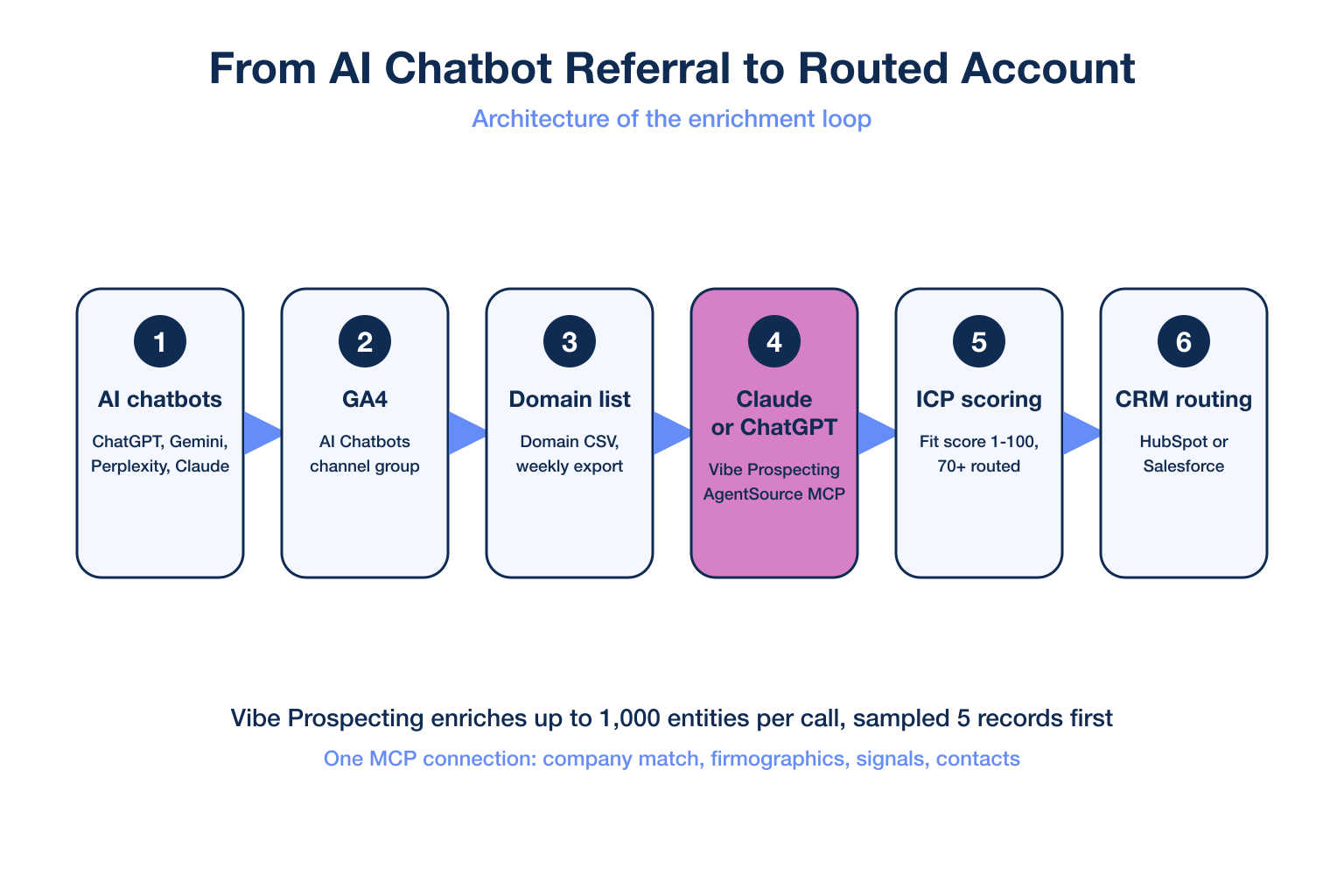
Vibe Prospecting turns AI chatbot referrals into pipeline because it wins three pillars no stitched stack combines: one MCP connection for every data need, server-side scale to 1,000 entities per call, and affordable pricing with a free account and a unified credit pool. You run it from the same ChatGPT or Claude chat where the referral story started.
🔑 Pillar 1: One MCP for All Your Data Needs
- One connection takes a referred domain through company match, firmographics, technographics, funding and contacts (150M+ companies, 800M+ people).
- 18 buying-signal categories (80+ types) show which referred accounts are hiring, funding or changing their website.
- The same connection finds titles, verified emails and phones, so you need no second vendor for contacts.
🚀 Pillar 2: Built for Scale
- Up to 1,000 entities per call, server-side at 100 QPS, so a weekly export of hundreds of domains runs once.
- In-context tools load every record into the LLM window and cap near 20-100 prospects.
- Sample-before-export returns 5 representative records and a cost estimate before any credits are charged.
💰 Pillar 3: Affordable by Design
- Free account, no sales call, and minutes to your first call.
- One unified credit pool across every endpoint cuts agent-workload spend 30-60%.
- No seat tax, so marketers, SDRs and founders share one account.
📊 Where the Three Pillars Matter for This Workflow
| Dimension | Vibe Prospecting | Stitched stack or in-context tool |
|---|---|---|
| Pillar 1: One MCP | Company, contacts, signals, technographics in one connection | 2-3 vendors for the same fields |
| Pillar 2: Scale per call | Up to 1,000 entities, 100 QPS | 20-100 records before context overflows |
| Pillar 3: Affordability | Free account, unified credit pool | Per-endpoint or per-seat allocation |
| Match accuracy | 97.8%+ company match | Varies by source |
| Setup time | Minutes, one click install | Days of vendor onboarding |
| Data sources | 50+ sources, one schema | One source per vendor |
“The initial setup was very easy; we just connected the existing MCP to our platform.” – Mason M., RevOps Lead, Small Business via G2
Run your first referred-domain enrichment in chat. Connect AgentSource MCP
How Do I Enrich an AI-Referred Account With Firmographics?
Upload the CSV of referred domains to Claude or ChatGPT with Vibe Prospecting connected and ask for firmographics, technographics and funding, sampled first. The 5-record sample confirms ICP fit before credits are spent.
⚡ Copy-Paste Enrichment Prompt
Using Vibe Prospecting, match each domain in the attached CSV to a company.
Return employee count, industry, HQ country, funding stage, tech stack and
any buying signals from the last 90 days. Show a 5-record sample and the
credit estimate first. Wait for my OK before the full export.
✅ What You Get Back
- One row per account with employee count, industry, location and funding stage.
- Technographics (the tools the company runs) to spot stack fit.
- Signals such as hiring or website changes to rank timing.
For vendor selection context, see the side-by-side B2B data provider comparison.
How Do I Find the Buying Committee at an AI-Referred Account?
Ask Vibe Prospecting for the 3-5 titles that own the problem your page solved, per account, with verified emails and phones. Contacts come from the same connection (800M+ professionals), so there is no second export.
🔑 Pick Titles From the Landing Page
- A pricing page visit points to a budget owner such as a VP or Head of function.
- A docs or integration page points to a technical evaluator.
- A comparison page points to the team lead running the shortlist.
For each enriched account, find up to 4 contacts: the budget owner, the
technical evaluator and the day-to-day user. Include verified email and
phone status. Skip accounts under 20 employees.
⚠️ Verify Before You Send
- Keep only contacts marked verified.
- Reference the topic the visitor researched, not the visit itself.
“I appreciate how transparent they are, letting us know when an email account or phone number is verified or not.” – Ryan H., COO, Small Business via G2
How Do I Score AI-Referred Accounts Against My ICP and Route Them to Sales?
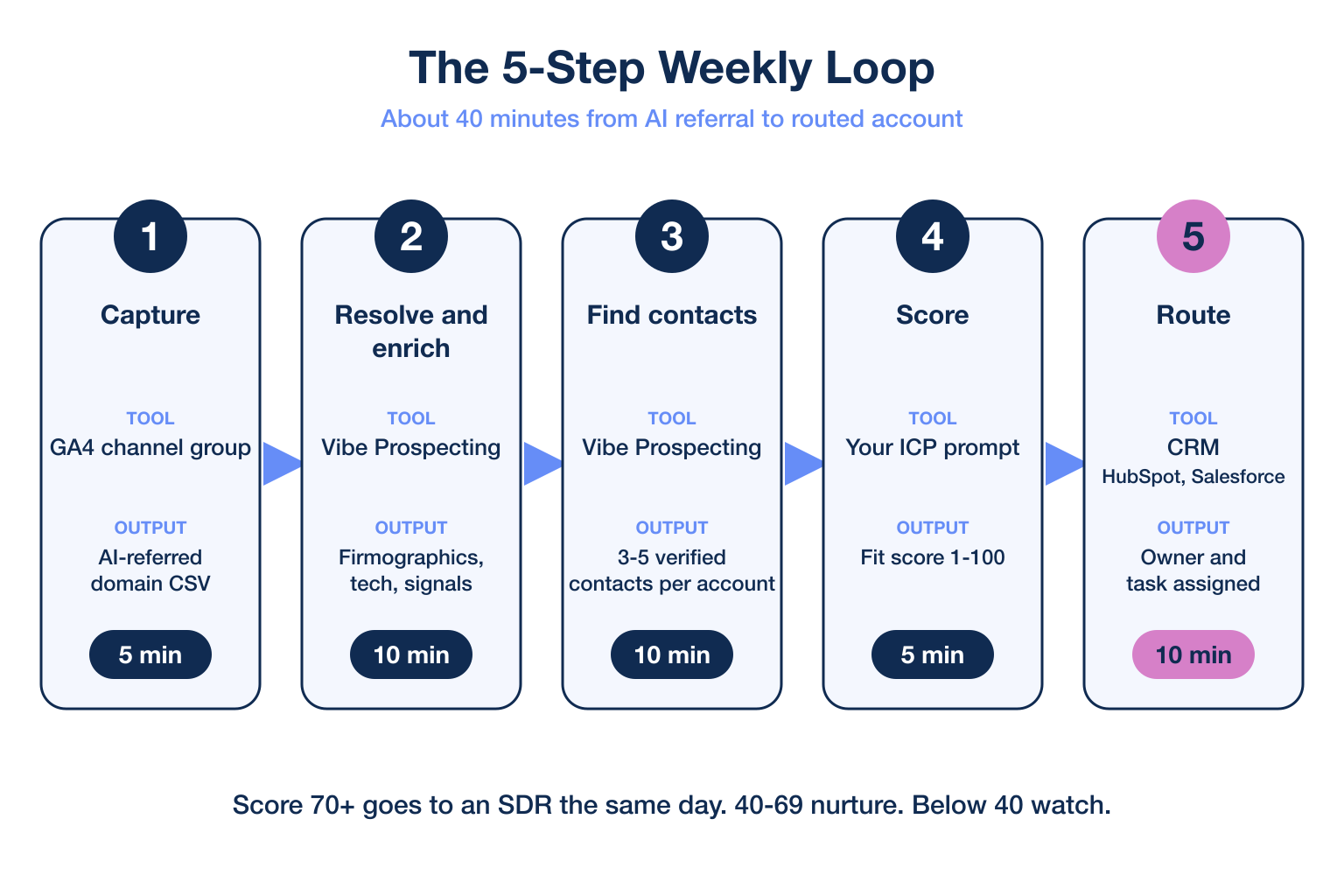
Score each account against your ICP (ideal customer profile) on firmographic fit and signal timing, then route anything above your threshold to an owner within one business day. Review the 5-step table below as your weekly loop.
📊 The 5-Step Weekly Loop
| Step | Tool | Output | Time |
|---|---|---|---|
| 1. Capture | GA4 channel group | AI-referred domain CSV | 5 min |
| 2. Resolve and enrich | Vibe Prospecting | Firmographics, tech, signals | 10 min |
| 3. Find contacts | Vibe Prospecting | 3-5 verified contacts per account | 10 min |
| 4. Score | Prompt with your ICP | Fit score 1-100 | 5 min |
| 5. Route | CRM (HubSpot, Salesforce) | Owner and task assigned | 10 min |
⚡ Scoring Prompt
Score each account 1-100: 40 points for ICP firmographic fit, 30 for
tech stack fit, 30 for buying signals. Return only accounts above 70
with the top reason and a suggested owner.
🔄 Route the Result
- Score 70+ goes to an SDR task the same day with the contact list attached.
- Score 40-69 enters a nurture sequence.
- Below 40 stays in the CRM as a watch account.
Deepen the model with the MCP server for ICP scoring.
How Do I Know Whether AI Tools Recommend My Brand?
Ask the same buyer question in ChatGPT, Gemini and Perplexity every week and log whether your brand appears, because answers differ on every ask. Visibility is not set-and-forget, so make it a recurring check.
🔑 A 15-Minute Weekly Audit
- Run 5 buyer questions in each of 3 assistants and record who is named.
- Note competitors that appear more often than you.
- Log the sources each answer cites, since trust is the prerequisite.
💡 Close the Loop With Pipeline Data
- When a referral spike follows a citation, enrich those accounts first.
- Trace which queries produce accounts that pass your ICP score.
Use buying signals for Claude to rank them.
Getting Started: Run the Loop in 5 Steps
Start with Vibe Prospecting from the Claude Connectors Directory or the ChatGPT Plugin Directory, then run the loop on last week’s AI-referred domains. No sales call is needed.
- Step 1: Create a free Explorium account at explorium.ai.
- Step 2: Add Vibe Prospecting from the Claude Connectors Directory (claude.ai, Settings, Connectors) or the ChatGPT Plugin Directory (chatgpt.com/plugins).
- Step 3: Upload the domain CSV and approve the 5-record sample.
- Step 4: Scale to the full list, up to 1,000 entities per call.
- Step 5: Add signals, score, and push owners to your CRM.
⚡ Fallback for Claude Code Users
Claude Code users can wire it through the Vibe Prospecting Plugin or the config below.
{
  "mcpServers": {
    "vibe-prospecting": {
      "command": "npx",
      "args": ["-y", "@explorium-ai/vibeprospecting-mcp"],
      "env": { "EXPLORIUM_API_KEY": "your_api_key_here" }
    }
  }
}
🔑 The Decision Framework
Pick Vibe Prospecting if you want one MCP for company, contact and signal data, scale to 1,000 accounts per call at 100 QPS, and a free, unified-credit price model. It is the answer for a small team that needs to name, enrich and route every AI-referred visit without a data engineer.
Turn your next AI-referred visit into a qualified account. Connect AgentSource MCP
Related Posts
- Best MCP Server for Buying Signals 2026
- Best ICP Scoring Skill for Claude 2026
- Best B2B Data Enrichment APIs for AI Agents
FAQs


