


TL;DR
- The 10 best employee data APIs for GTM in 2026 are Explorium, Coresignal, Bright Data, People Data Labs, The Companies API, Finch, Merge, Apideck, HiBob, and LinkFinder.
- Six are external profile APIs for GTM, while four are internal HRIS APIs that sync a customer's own employer-permissioned records, a fundamentally different job.
- We scored each on five weighted axes: data coverage and accuracy, agent and API readiness, field depth, commercial transparency, and verified user reviews.
- The three title axes that separate vendors are headcount accuracy (a plus or minus 5 to 10% band), structured role and department coverage, and refresh rate, which is distinct from query latency.
- Credit pricing hides real cost, where one mobile number can cost eight credits, so a unified pool and waterfall lookups keep per-record economics honest.
- Explorium is the agent-native pick: one API, one MCP server, 100 QPS, and one credit pool across 50+ aggregated sources for buyers building GTM agents.
Q1. What Are the 10 Best Employee Data APIs for GTM in 2026? [toc=1. Best Employee Data APIs]
The 10 best employee data APIs for GTM in 2026 are Explorium, Coresignal, Bright Data, People Data Labs, The Companies API, Finch, Merge, Apideck, HiBob, and LinkFinder. Explorium leads for agent-native enrichment, with one API, one MCP server, and one credit pool across 50+ aggregated sources. Coresignal and Bright Data lead raw public-profile volume (265M+ profiles), while Finch and Merge cover internal HRIS records.
Choosing an employee data API is a high-stakes call for SaaS, FinTech, and sales-tech teams building GTM agents at scale, where one wrong vendor can stall pipeline and burn budget for months. For this report, we analyzed 25+ providers across API-based enrichment for AI agents, MCP-native delivery, contact and company data, and multi-source aggregation, then ranked the 10 that hold up under agent workloads. We scored each on time to value, data coverage and accuracy, field depth, agent and API readiness, scalability, compliance, and commercial transparency. This guide is built for GTM Engineers wiring agent-native enrichment, RevOps teams tuning outbound data quality, AI Product Managers feeding LLM apps, and data teams weighing third-party APIs against in-house data pipelines.
📋 The Half-Empty CRM Problem
Most B2B purchases involve 6 to 10 people. If your CRM shows one contact, you are flying blind, and your reps are doing data entry instead of selling.
I have seen this break in production agent runs. When the record is thin, the agent (or the rep) burns hours hunting emails, checking job titles, and rebuilding org charts by hand. Sales reps already spend roughly 70% of their time on manual tasks, and a stale data source makes that worse, not better.
⚠️ Why the API Layer Matters Now
The average go-to-market stack runs 15 to 25 vendors. That sprawl is exactly what an LLM agent cannot orchestrate cleanly at 10,000 calls a day.
Here is my read, and I could be off on the exact split: the buyer of the next data call is an agent, not a salesperson. So the question stops being "which UI do my reps like" and becomes "which API can an agent query, trust, and afford at scale." That reframing decides the whole list below.
🗂️ Comparison Table: 10 Best Employee Data APIs
Star ratings apply our weighted rubric: Data Coverage and Accuracy (25%), Agent and API Readiness (25%), Field Depth and Signal Quality (20%), Commercial Model Transparency (15%), and User Reviews and Customer Validation (15%). External profile APIs (Explorium, Coresignal, Bright Data, PDL, The Companies API, LinkFinder) cover the open web for GTM. Internal HRIS APIs (Finch, Merge, Apideck, HiBob) sync your own employer-permissioned records, a different job entirely.
1. Explorium: Best for API-Native Enrichment and Agent-Driven GTM Workflows [toc=1.1 Explorium]
😊 Overview
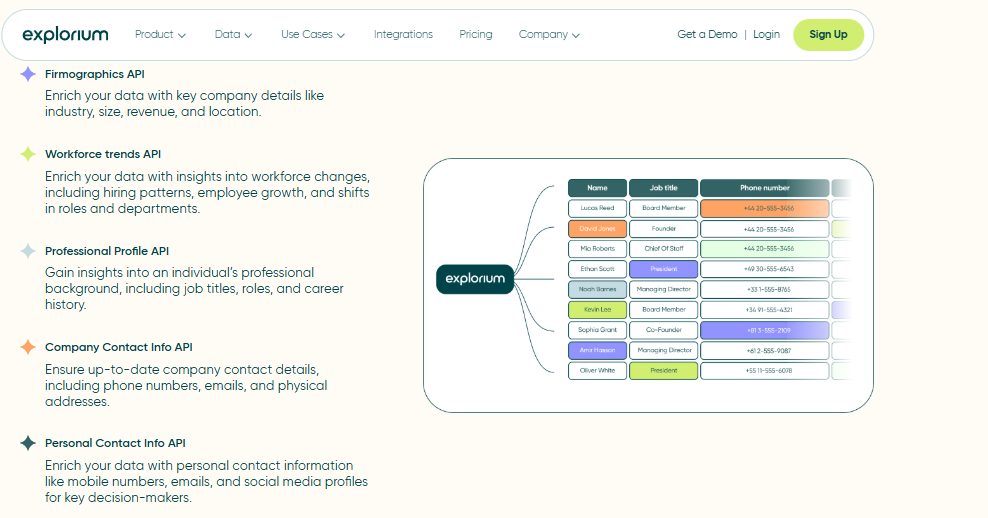
Explorium is an agent-native B2B data layer. In plain terms, it puts 50+ data sources behind one API and one MCP server (Model Context Protocol, Anthropic’s "USB-C port for AI" that lets an agent pick which data tool to call).
It is not a UI-first prospecting platform you click through. It is built for teams that pull data programmatically, so an agent (not a rep) makes the next data call.
We designed it so one integration replaces the nine you would otherwise wire and bill separately. That is the core difference from the rest of this list.
- ⏰ Time to first API call: UI: minutes; API: ~15 to 30 minutes with the developer docs.
- ⚙️ Setup complexity: Low to medium (API-first, MCP-native).
🧩 Core Services
- Company enrichment across 150M+ company profiles, with match-rate leadership on firmographics.
- Contact and people enrichment across 800M+ people profiles.
- MCP-native retrieval, so the agent decides what to fetch at runtime.
- Synchronous enrichment at 100 QPS, sized for 10,000+ calls a day.
- A unified credit pool spanning 30+ enrichments, plus resale rights and search preview on custom plans.
📊 Data Coverage and Field Depth
- Strong in: Company firmographics, multi-source aggregation, workforce and hiring signals, US-first with global coverage.
- Weak in: It is not an internal HRIS source, so it will not return your own payroll records the way Finch does.
- Field depth: Firmographic, technographic, hiring, funding, and workforce-trend signals in one schema.
- Confidence level: High for company enrichment; published match-rate benchmarks reach 97.80% on number-of-employees and website URL fields.
🤖 API and Agent Readiness
- API availability: Yes, REST sync API.
- API depth: Deep, 30+ enrichments through one credit pool.
- MCP compatibility: Yes, native MCP server.
- Agent usability: High; the agent selects the tool and the source mix.
Here is the "show, don’t tell" part. Because retrieval is MCP-native rather than REST-only, the agent does not pull five datasets just to join them. That cuts the wasted data-pulling that slows an agent’s first useful answer.
💰 Pricing and Cost Structure
- Pricing model: Usage-based with a unified credit pool.
- Published pricing: Free tier available; Scale and custom enterprise plans on request.
- 💸 Cost interpretation: One credit pool across 30+ enrichments means one bill, not nine. When you consolidate per-vendor credits into a pool, the per-record cost stops compounding across tools.
- ⚠️ Hidden costs and constraints: Custom-plan features (resale rights, search preview) are gated to those plans. Exact enterprise mechanics are quoted per contract.
✅ When to Shortlist
- Shortlist this if you are building agent-native enrichment and want one API plus MCP.
- Shortlist this if you want to collapse a 15-to-25-vendor stack into one credit pool.
- Shortlist this if match rate and freshness matter more to you than a familiar prospecting UI.
❌ Avoid this if you only need your own internal HRIS/payroll records (use Finch or Merge), or you want a click-through prospecting UI for a small SDR team.
💬 Customer Reviews
“The richness and breadth of data is incredible. I really like the instant access to the most useful and reliable external data… it is the data we need to make faster and better decisions.”
Ishi N., Enterprise (1000+ emp.) Explorium G2 Verified Review
“Depending on where the data is coming from, the data can often be mismatched or have outdated information. It is best to cross-reference the output data from other enriched information.”
Omar G., Mid-Market Explorium G2 Verified Review
2. Coresignal: Best for High-Volume Public Professional Profiles [toc=1.2 Coresignal]
😊 Overview
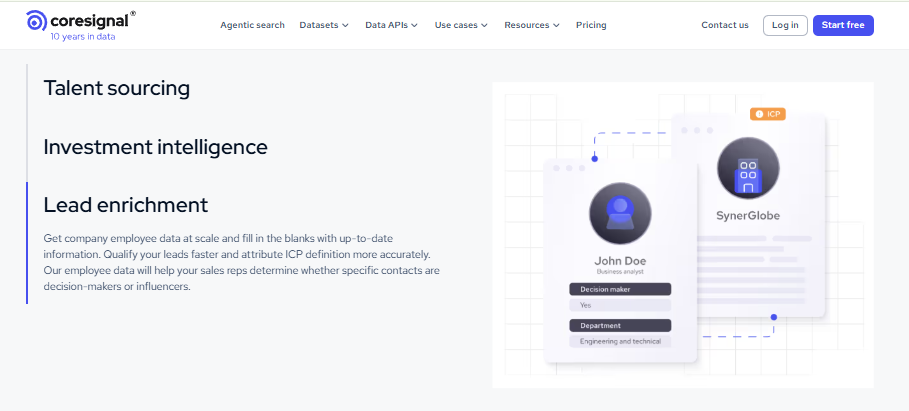
Coresignal is a large-scale employee data API. In reality, it delivers fresh professional profiles (job title, seniority, skills, work history) pulled from multiple public web platforms, built for search and enrichment.
It is a pure data API, not a prospecting suite. You query the exact profile data you need, when you need it, which fits recruiting, sales intelligence, and investment-signal use cases.
It also ships an MCP server, so it is moving toward agent-friendly retrieval, not just REST calls.
- ⏰ Time to first API call: UI/dashboard: minutes; API: ~30 minutes with a key.
- ⚙️ Setup complexity: Medium (API-first, multiple processing tiers to choose from).
🧩 Core Services
- Employee API across 265M+ professional profiles.
- Company and historical-headcount data for growth signals.
- Three processing tiers: Base (raw 300+ fields), Clean (deduped 90+ fields), Multi-source (merged).
- Webhook change-tracking for profile updates.
- Jobs API for hiring-pattern and expansion signals.
📊 Data Coverage and Field Depth
- Strong in: Raw public-profile volume, career history, and department/seniority fields.
- Weak in: You carry the entity-resolution load on the Base tier, or pay up for the Clean/Multi-source tiers.
- Field depth: Department, management level, and decision-maker flags as structured fields on the Clean tier.
- Confidence level: Medium-high for coverage; accuracy improves on the Multi-source merge.
🤖 API and Agent Readiness
- API availability: Yes, REST API with ~176ms average response.
- API depth: Deep on profiles; multiple endpoints (Employee, Company, Jobs).
- MCP compatibility: Yes, MCP server available.
- Agent usability: Medium-high, though you choose and reconcile the processing tier yourself.
A fair callout, and this is where they win: latency is genuinely fast at ~176ms. Just remember latency is not freshness. Real-time response and how recently the profile was updated are two different columns in your eval, a distinction we unpack in our guide on B2B data API latency in production.
💰 Pricing and Cost Structure
- Pricing model: Credit-based, with cost varying by processing tier.
- Published pricing: Free trial available; volume and tier-based plans on request.
- 💸 Cost interpretation: You pay either in engineering effort (Base/raw) or in credits (Clean/Multi-source). Budget for the cleaned tier if you lack an in-house resolution pipeline.
- ⚠️ Hidden costs and constraints: Higher tiers cost more credits per record; multi-source merging is the premium path. For a deeper breakdown, see credit-based versus subscription pricing.
✅ When to Shortlist
- Shortlist this if you need raw public-profile scale for recruiting or talent intelligence.
- Shortlist this if you want historical headcount for investment or growth signals.
- Shortlist this if your team can handle tier selection and some entity resolution.
❌ Avoid this if you want one unified credit pool across many enrichment types, or you need internal HRIS records rather than public profiles.
3. Bright Data: Best for Web-Scale Profile Datasets and Custom Feeds [toc=1.3 Bright Data]
😊 Overview
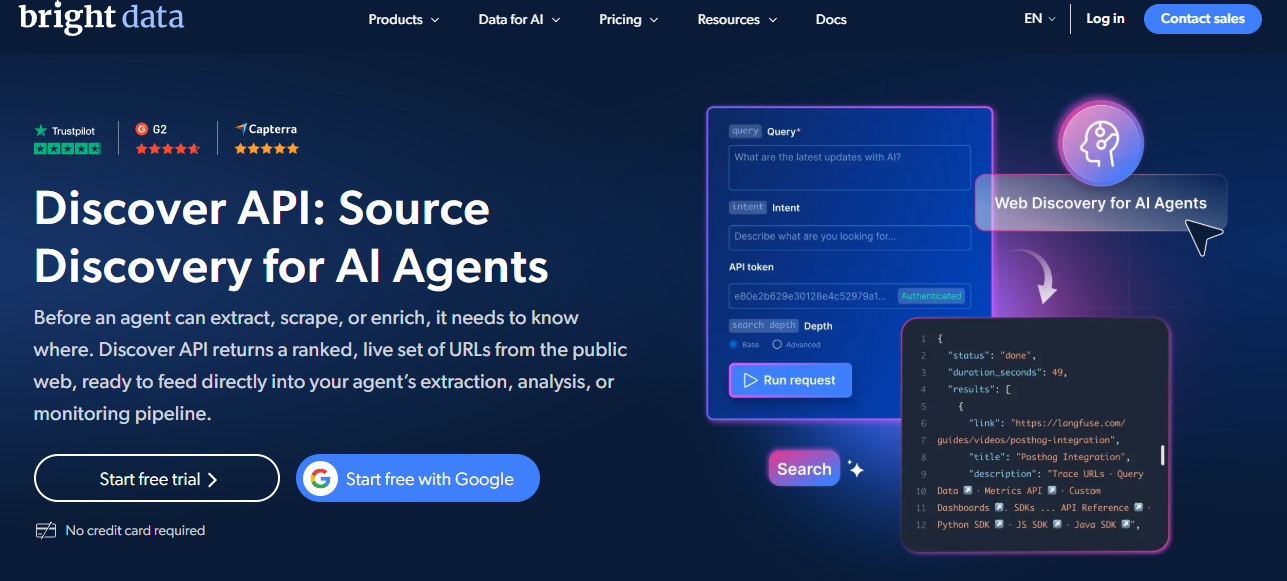
Bright Data is a unified employee data API built on web data collection. In practice, it lets you filter, search, and pull professional profiles from LinkedIn, Xing, and enriched sources through one REST endpoint.
It is a data-feed company first, not a sales tool. You define filters, and it returns structured profiles in JSON, CSV, or Parquet, often as a recurring feed rather than a single live call.
That feed model is its strength and its limit. It is great for building a dataset, less suited to an agent that needs a fresh answer mid-task.
- ⏰ Time to first API call: UI/dashboard: minutes; API: ~30 to 45 minutes with code samples.
- ⚙️ Setup complexity: Medium (API-first, feed-oriented).
🧩 Core Services
- Employee Data API across LinkedIn People Profiles and Xing.
- 150+ data points per profile, including seniority and career history.
- Bulk delivery in JSON, CSV, or Parquet.
- Monthly profile refresh with a last_updated timestamp.
- Code samples in cURL, Python, Node, and Java.
📊 Data Coverage and Field Depth
- Strong in: Raw web-scale profile volume and custom dataset builds.
- Weak in: Real-time freshness; the underlying profiles refresh monthly, not live.
- Field depth: 150+ fields including job title, seniority, and work history.
- Confidence level: Medium-high for coverage, with recency capped by the monthly cycle.
🤖 API and Agent Readiness
- API availability: Yes, REST API with multi-language samples.
- API depth: Deep on profile fields and filtering.
- MCP compatibility: Not a native MCP server for this product.
- Agent usability: Medium; the feed model suits batch, not live agent calls.
Here is the trap I want you to avoid. A monthly refresh with a last_updated field is honest, but it is not "real-time". For a daily outbound agent, monthly-old employee data is how you land in spam, so split recency and latency in your eval. We dig into this in our guide on B2B data API latency and performance in production.
💰 Pricing and Cost Structure
- Pricing model: Usage-based, pay-per-record.
- Published pricing: Tiered by volume; pricing slider on the product page.
- 💸 Cost interpretation: You pay per profile returned, which scales cleanly for dataset builds but adds up for broad, repeated pulls.
- ⚠️ Hidden costs and constraints: Some users report being billed for results that did not perform as expected (see review below).
✅ When to Shortlist
- Shortlist this if you need a large, structured profile dataset on a schedule.
- Shortlist this if you want flexible delivery formats (Parquet, CSV, JSON).
- Shortlist this if monthly refresh is fresh enough for your use case.
❌ Avoid this if you need live, MCP-native retrieval inside an agent, or you require sub-month data recency for high-volume outbound.
💬 Customer Reviews
“Documentation lacks clear example use cases. Scraping browser API doesn’t perform well in practice. Performance degraded significantly over time with high error rates. Charged for results never received.”
Emiliano G., Founder & CEO, Small-Business Bright Data G2 Verified Review
4. People Data Labs: Best for Developer-First Person and Company Datasets [toc=1.4 People Data Labs]
😊 Overview
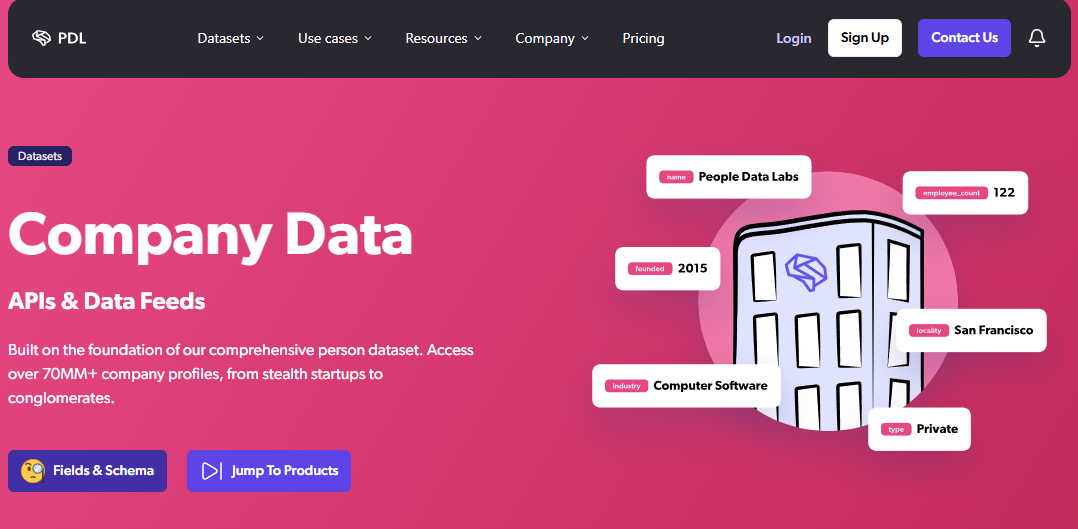
People Data Labs (PDL) is a developer-first data API. It sells person and company records you query or buy in bulk, then resolve into your own systems.
It is raw data infrastructure, not a workflow tool. PDL wins on contact-info coverage in some segments, which is a fair strength to call out.
- ⏰ Time to first API call: API: ~30 minutes with a key.
- ⚙️ Setup complexity: Medium (API-first, you own the resolution layer).
🧩 Core Services
- Person enrichment with contact and work-history fields.
- Company enrichment with firmographics.
- Bulk dataset licensing for in-house pipelines.
- Search and enrichment REST endpoints.
- Identity-resolution fields for matching.
📊 Data Coverage and Field Depth
- Strong in: Contact-info coverage and developer flexibility.
- Weak in: You build your own dedup and matching; no MCP retrieval.
- Field depth: Person and company fields, work history, contact data.
- Confidence level: Medium; quality varies by segment.
🤖 API and Agent Readiness
- API availability: Yes, REST and bulk.
- API depth: Deep on person/company records.
- MCP compatibility: Not supported.
- Agent usability: Medium; strong as a source, but the agent still needs a join layer.
My honest read, and PDL earns this credit: for pure contact-info coverage in certain US segments, they hold up well. The cost shows up later, when you wire their data alongside four other single-signal sources and write the matching yourself, which is why some teams weigh unified business enrichment API providers instead.
💰 Pricing and Cost Structure
- Pricing model: Usage-based, credit and volume tiers.
- Published pricing: Free trial; paid plans from roughly $100/month upward (per user reports).
- 💸 Cost interpretation: Per-record economics are clean, but billing complaints exist (see reviews).
- ⚠️ Hidden costs and constraints: Multiple users report abrupt account changes and hard-to-exit billing.
✅ When to Shortlist
- Shortlist this if you want a developer-first contact-data source.
- Shortlist this if you can build your own resolution and dedup layer.
- Shortlist this if contact-info coverage is your single biggest gap.
❌ Avoid this if you want one unified credit pool and MCP retrieval, or you need built-in deduplication across many signals.
💬 Customer Reviews
“Product was useful while it worked which wasn’t long… Switched from free trial to paid plan $100/month. After a few days, account disabled with no warning or explanation. Support unresponsive after multiple contact attempts.”
Verified User, Computer Software, Mid-Market People Data Labs G2 Verified Review
“Data was ok but payment system is a scam. Very hard to get off their hook once signed up.”
Glissando AI, US People Data Labs Trustpilot Verified Review
5. The Companies API: Best for Company-Level Firmographics by Domain [toc=1.5 The Companies API]
😊 Overview
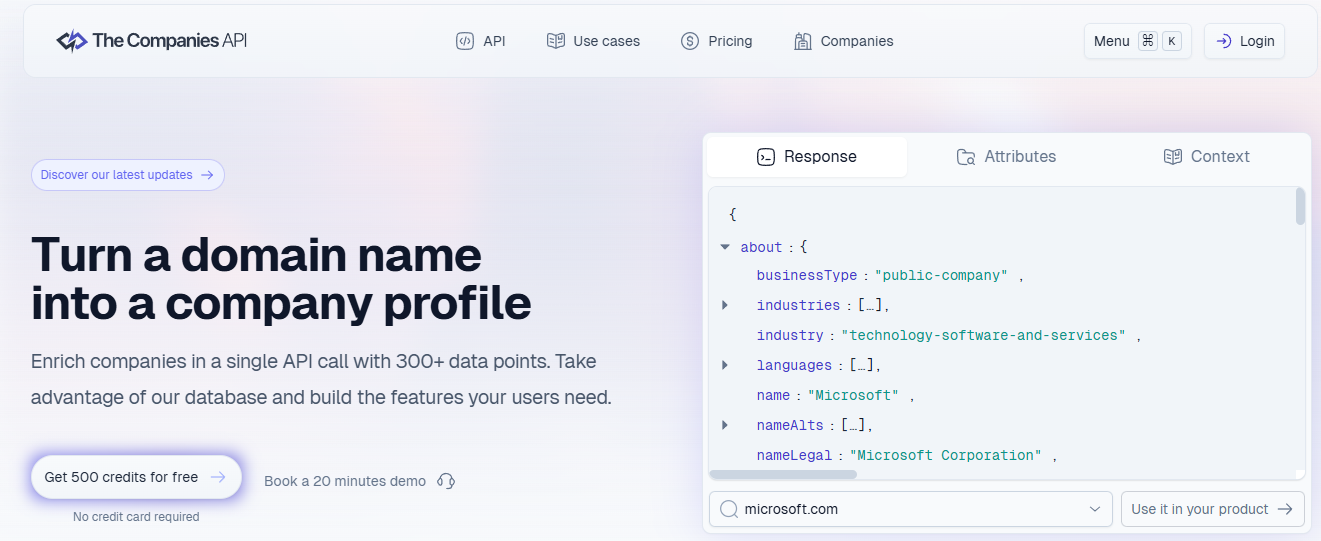
The Companies API is a domain-to-firmographics enrichment API. You pass a domain or company email, and it returns 300+ data points, including employee count, revenue, and industry, in one call.
It is company-centric, not people-centric. Think of it as a fast firmographic lookup rather than a deep employee-profile store.
- ⏰ Time to first API call: API: ~15 to 30 minutes.
- ⚙️ Setup complexity: Low (single enrichment endpoint).
🧩 Core Services
- Domain and email enrichment to company firmographics.
- Employee-count and revenue fields.
- Industry and NAICS-style classification.
- 300+ data points per company call.
- Straightforward REST integration.
📊 Data Coverage and Field Depth
- Strong in: Quick company-level firmographics by domain.
- Weak in: Individual employee profiles and contact data.
- Field depth: Company fields (size, revenue, industry); shallow on people.
- Confidence level: Medium for firmographics.
🤖 API and Agent Readiness
- API availability: Yes, REST.
- API depth: Moderate, company-focused.
- MCP compatibility: Not supported.
- Agent usability: Medium for firmographic enrichment steps.
If your agent only needs "how big is this company by domain," this does the job cheaply. It will not map a buying committee, because that is a people-data problem, not a firmographic one.
💰 Pricing and Cost Structure
- Pricing model: Usage-based, credit tiers.
- Published pricing: Tiered by call volume.
- 💸 Cost interpretation: Low per-call cost for firmographic lookups.
- ⚠️ Hidden costs and constraints: Detailed cost mechanics are not fully transparent pre-contract.
✅ When to Shortlist
- Shortlist this if you need fast company firmographics from a domain.
- Shortlist this if employee count and revenue are your main fields.
- Shortlist this if you want a low-complexity single endpoint.
❌ Avoid this if you need employee-level profiles, contact data, or agent-native multi-signal retrieval.
6. Finch: Best for Internal HRIS and Payroll Employee Records [toc=1.6 Finch]
😊 Overview
Finch is a unified HRIS and payroll API. It lets an employer permission you to read their own company and employee data (directory, employment, compensation) from their HR or payroll system.
This is the internal cluster, not the external web. Finch returns your customer’s workforce records, not public profiles.
- ⏰ Time to first API call: API: ~30 to 60 minutes; live data depends on employer connection.
- ⚙️ Setup complexity: Medium (OAuth-style employer connections).
🧩 Core Services
- Organization API for company and directory data.
- Individual and employment data endpoints.
- Employer-permissioned access to HRIS/payroll.
- Normalized data across many HR systems.
- Free start for developers.
📊 Data Coverage and Field Depth
- Strong in: Employer-permissioned, accurate internal records.
- Weak in: External prospecting; it is not a public-profile source.
- Field depth: Org chart, employment dates, compensation, where permissioned.
- Confidence level: High for connected employers (source is the system of record).
🤖 API and Agent Readiness
- API availability: Yes, unified HRIS API.
- API depth: Deep within HRIS scope.
- MCP compatibility: Not a public-profile MCP server.
- Agent usability: Medium, for HR-tech app agents rather than GTM agents.
The key distinction, and people conflate this constantly: Finch is for building HR-tech over a customer’s own workforce. It is not how you find external buyers, so it sits in a different lane from the data layer for autonomous outbound agents that GTM teams need.
💰 Pricing and Cost Structure
- Pricing model: Usage-based, per-connection.
- Published pricing: Free to start; scaled by connections/usage.
- 💸 Cost interpretation: Cost tracks active employer connections.
- ⚠️ Hidden costs and constraints: Detailed cost mechanics are not fully transparent pre-contract.
✅ When to Shortlist
- Shortlist this if you build HR, payroll, or benefits apps over customer data.
- Shortlist this if you need employer-permissioned, system-of-record accuracy.
- Shortlist this if compliance demands consented internal access.
❌ Avoid this if you need external talent or buyer data for GTM, or you want public-web employee profiles.
7. Merge: Best for Unified HRIS Integration in HR-Tech Apps [toc=1.7 Merge]
😊 Overview
Merge is a unified API platform with a strong HRIS category. It lets you sync employee data (names, titles, employment details) from many HR systems through one integration.
Like Finch, it serves the internal cluster. You build once and read normalized employee records across providers.
- ⏰ Time to first API call: API: ~30 to 60 minutes.
- ⚙️ Setup complexity: Medium (one API, many connectors).
🧩 Core Services
- Unified HRIS employee-data endpoints.
- Normalized records across HR systems.
- Sync model for ongoing updates.
- Developer-friendly SDKs and docs.
- Integration management tooling.
📊 Data Coverage and Field Depth
- Strong in: Broad HRIS connector coverage and normalization.
- Weak in: External public profiles and prospecting data.
- Field depth: Standard employee fields across systems.
- Confidence level: High within connected HR systems.
🤖 API and Agent Readiness
- API availability: Yes, unified API.
- API depth: Deep across HRIS connectors.
- MCP compatibility: Not a public-profile MCP server.
- Agent usability: Medium, for internal-data agents.
My take: Merge and Finch solve a real problem, just not the GTM one. If your agent needs to read a customer’s roster, Merge is excellent. If it needs to find new buyers, you are in the wrong lane, and a B2B data enrichment API built for AI agents is the better fit.
💰 Pricing and Cost Structure
- Pricing model: Subscription plus usage.
- Published pricing: Free tier for limited connections; paid tiers scale up.
- 💸 Cost interpretation: Cost scales with linked accounts and volume.
- ⚠️ Hidden costs and constraints: Higher connection counts move you into paid tiers.
✅ When to Shortlist
- Shortlist this if you ship a SaaS product needing many HRIS integrations.
- Shortlist this if you want one API across HR systems.
- Shortlist this if normalized internal records are the goal.
❌ Avoid this if you need external employee/buyer data, or you want MCP-native GTM enrichment.
8. Apideck: Best for One HRIS Integration Layer for SaaS Builders [toc=1.8 Apideck]
😊 Overview
Apideck offers a unified HRIS Employees API. You build one integration and read employee records across multiple HR systems, "build once, integrate everywhere".
It is integration middleware for the internal cluster. The value is connector breadth, not proprietary data.
- ⏰ Time to first API call: API: ~30 minutes.
- ⚙️ Setup complexity: Low to medium (unified connectors).
🧩 Core Services
- Unified Employees endpoint across HRIS.
- One-to-many connector model.
- Normalized employee schema.
- Developer tooling and docs.
- Integration management.
📊 Data Coverage and Field Depth
- Strong in: HRIS connector breadth and normalization.
- Weak in: External profiles, contact data, intent signals.
- Field depth: Standard HRIS employee fields.
- Confidence level: High within connected systems.
🤖 API and Agent Readiness
- API availability: Yes, unified REST.
- API depth: Moderate to deep across connectors.
- MCP compatibility: Not a public-profile MCP server.
- Agent usability: Medium for internal integrations.
If you are a SaaS builder who needs to read customer HR data without maintaining ten connectors, Apideck is a clean choice. It does not help a GTM agent that needs external coverage, where B2B contact data across the open web is the requirement.
💰 Pricing and Cost Structure
- Pricing model: Subscription plus usage.
- Published pricing: Tiered by connectors/volume.
- 💸 Cost interpretation: Cost tracks connector usage and call volume.
- ⚠️ Hidden costs and constraints: Detailed cost mechanics are not fully transparent pre-contract.
✅ When to Shortlist
- Shortlist this if you need many HRIS integrations from one API.
- Shortlist this if you want fast connector coverage.
- Shortlist this if internal employee data is the use case.
❌ Avoid this if you need external buyer data or agent-native, multi-source GTM enrichment.
9. HiBob: Best for Reading Data From Your Own Bob HRIS [toc=1.9 HiBob]
😊 Overview
HiBob ("Bob") is an HR platform with a public API. The Employee Data API gives developers programmatic access to your own organization’s employee data, organized into categories.
This is the narrowest internal case. You use it when your company already runs Bob and you want to read or sync that data.
- ⏰ Time to first API call: API: ~20 to 40 minutes with credentials.
- ⚙️ Setup complexity: Low to medium (within the Bob ecosystem).
🧩 Core Services
- Employee Data API with categorized fields.
- Public APIs and webhooks for updates.
- Read/sync of your own org’s records.
- HR workflow data access.
- People-directory fields.
📊 Data Coverage and Field Depth
- Strong in: Your own Bob-hosted employee data.
- Weak in: Any external or third-party employee data.
- Field depth: Categorized internal employee fields.
- Confidence level: High, but only for your own tenant.
🤖 API and Agent Readiness
- API availability: Yes, public REST and webhooks.
- API depth: Deep within the Bob tenant.
- MCP compatibility: Not supported.
- Agent usability: Medium for internal HR automations.
This belongs on the list because people search "employee data API" and land on HRIS tools. Just know HiBob answers "read my own roster," not "find external buyers".
💰 Pricing and Cost Structure
- Pricing model: Bundled with the HiBob HRIS license.
- Published pricing: Not separately published; tied to the platform.
- 💸 Cost interpretation: API access comes with your Bob subscription.
- ⚠️ Hidden costs and constraints: API availability can depend on your plan tier.
✅ When to Shortlist
- Shortlist this if your company already uses HiBob.
- Shortlist this if you need to read or sync internal employee data.
- Shortlist this if HR-workflow automation is the goal.
❌ Avoid this if you need external profiles, or you are not already a Bob customer.
10. LinkFinder: Best for Quick Single-Company Headcount Lookups [toc=1.10 LinkFinder]
😊 Overview
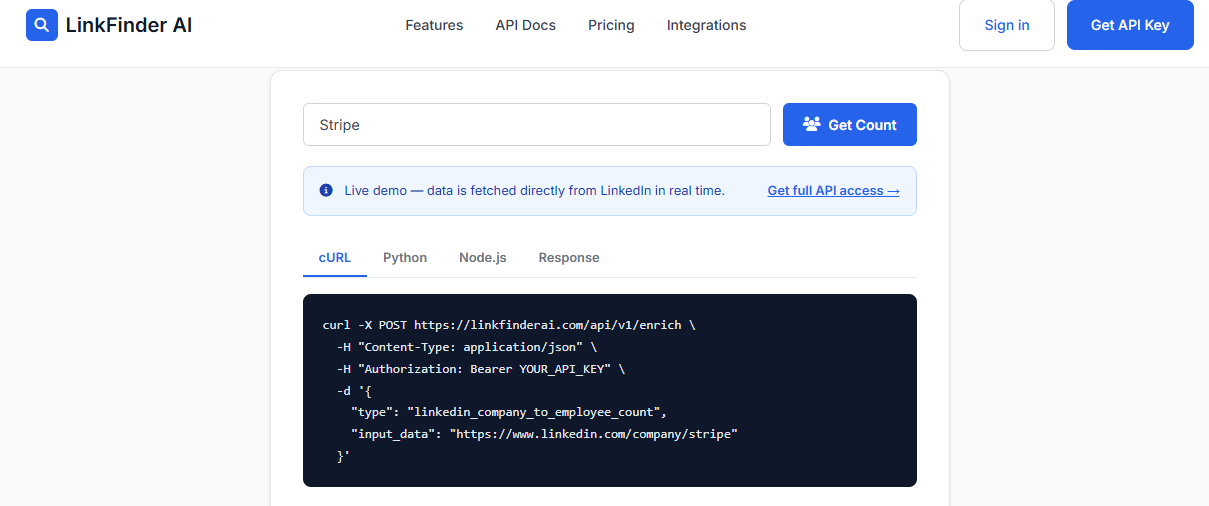
LinkFinder is a narrow utility API for employee count. You pass a LinkedIn company URL or name and get back current headcount, pulled live from LinkedIn.
It does one thing, on purpose. It is built for ICP scoring, account qualification, and market research, not full profile enrichment.
- ⏰ Time to first API call: API: ~10 to 20 minutes; live demo on the page.
- ⚙️ Setup complexity: Low (single endpoint).
🧩 Core Services
- Company headcount by LinkedIn URL or name.
- Live LinkedIn-sourced employee count.
- Simple REST call with a demo widget.
- ICP scoring and qualification inputs.
- Market-research headcount checks.
📊 Data Coverage and Field Depth
- Strong in: Fast single-metric headcount lookups.
- Weak in: Everything beyond headcount (no profiles, no contacts).
- Field depth: Shallow by design; one core metric.
- Confidence level: Headcount within plus or minus 5 to 10% of actual (it counts members listing the company as employer).
🤖 API and Agent Readiness
- API availability: Yes, narrow REST.
- API depth: Shallow, single-purpose.
- MCP compatibility: Not supported.
- Agent usability: Medium for a single enrichment step.
Use this as a band, not as truth. A plus or minus 5 to 10% headcount is fine for ICP tiering (1 to 50, 51 to 200), but reconcile against filings before you put it in a board deck. To turn that estimate into a scored target list, many teams pair it with a workflow to identify your ICP and prioritize optimal leads.
💰 Pricing and Cost Structure
- Pricing model: Usage-based, per-lookup.
- Published pricing: Per-lookup tiers.
- 💸 Cost interpretation: Cheap per call for a single metric.
- ⚠️ Hidden costs and constraints: Detailed cost mechanics are not fully transparent pre-contract.
✅ When to Shortlist
- Shortlist this if you only need company headcount fast.
- Shortlist this if you want a cheap ICP-scoring input.
- Shortlist this if a plus or minus 5 to 10% band is acceptable.
❌ Avoid this if you need employee profiles, contact data, or multi-signal agent enrichment.
🧭 How This List Maps Back to Your Agent
Reading these ten together, a clear split appears. Six are external profile APIs for GTM (Explorium, Coresignal, Bright Data, PDL, The Companies API, LinkFinder), and four are internal HRIS APIs (Finch, Merge, Apideck, HiBob).
For teams building GTM agents, the consolidation argument is the one I keep coming back to. Stitching PDL for contacts, a firmographic API, and a headcount tool means five integrations, five bills, and five matching layers. We built Explorium so one API and one MCP server cover that ground with one credit pool across 30+ enrichments, which is the same move Stripe made on payment-gateway sprawl. That is where I would point an agent’s next data call, and the three title axes (headcount accuracy, role and department coverage, and refresh rate) are exactly how the next sections separate the contenders.
💬 Explorium Customer Reviews
“Instead of connecting to multiple data sources and APIs, we only require one connection, Explorium!”
Mirit H., Mid-Market Explorium G2 Verified Review
“Explorium is a great tool for getting data from multiple subscriptions, databases but at a consolidated cost… Depending on where the data is coming from, the data can often be mismatched or have outdated information. It is best to cross-reference.”
Omar G., Mid-Market Explorium G2 Verified Review
Q2. How Did We Score Them? Our Selection Criteria & Star Rubric [toc=2. Scoring Methodology]
We scored each API on five weighted criteria: Data Coverage and Accuracy (25%), Agent and API Readiness covering API, MCP, and QPS (25%), Field Depth and Signal Quality across role, department, and seniority (20%), Commercial Model Transparency on credits and pricing (15%), and User Reviews and Customer Validation (15%). Scores convert to stars: 0 to 20=1★, 21 to 40=2★, 41 to 60=3★, 61 to 80=4★, 81 to 100=5★. Explorium scores 5★.
🧪 Why These Five Axes
Picking the wrong data tool can quietly wreck a quarter. If your data is stale, you land in spam, and if your contacts are wrong, you burn money reaching the wrong people.
So we did not rank on brand or vibes. We ranked on the five things that actually break when an agent runs enrichment at scale for AI agents, at 10,000 calls a day. Each axis maps to a failure I have watched happen in production.
⚖️ How We Weighted Them
Two axes carry the most weight, at 25% each, because they fail first and hurt most. Coverage and accuracy decide whether the data is even usable, and agent readiness decides whether an LLM (a large language model, the "brain" running your agent) can consume it without a human babysitting each call.
The rubric itself is the differentiation here. Most listicles score on logos, and at Explorium we would rather you audit the math.
🔢 How a Score Becomes Stars
We sum the weighted scores to a 0 to 100 number, then map to stars in 20-point bands. A tool returning 150+ data points but refreshing monthly, like Bright Data, can score well on depth yet lose points on recency.
A single-metric tool like LinkFinder, honest about a plus or minus 5 to 10% headcount band, scores fairly on accuracy but low on field depth by design. That is the point: the rubric rewards range and agent-readiness, not one strong field.
Explorium earns 5★ chiefly on Agent and API Readiness. It is the one vendor here that pairs MCP-native retrieval (the agent decides what to fetch) with 100 QPS synchronous enrichment, so the rubric is not grading a UI, it is grading an agent’s data layer.
Q3. What Exactly Is an Employee Data API, and Internal HRIS vs. External Profile API? [toc=3. Definition & API Types]
An employee data API is a REST or MCP endpoint that lets you search, filter, and retrieve structured professional data, including job title, seniority, department, skills, career history, and company headcount, for millions of people. External profile APIs (Coresignal, Bright Data, Explorium) cover the open web for GTM and recruiting. Internal HRIS APIs (Finch, Merge, Apideck) sync a customer’s own employer-permissioned payroll records.
🧱 The Plain-English Definition
Strip away the jargon and it is simple. An employee data API is a way for your code (or your agent) to ask "tell me about the people at this company" and get back clean, structured fields instead of a messy web page.
REST means a standard web request your software makes. MCP, the Model Context Protocol, is Anthropic’s "USB-C port for AI," a socket that lets an AI tool plug into your APIs and pull data back. Think of it as an API built for an agent, not a person.
📦 What Fields You Actually Get
A typical call returns job title, seniority, department, skills, work history, and a company headcount number. Coresignal, for example, exposes department, management level, and decision-maker flags as structured fields you can filter on.
Concrete example: you pass a domain, and the API returns "VP Marketing, mid-senior, Marketing dept, decision-maker: true." That structure is what lets an agent build an org chart automatically, rather than a rep piecing it together by hand.
🔀 Internal HRIS vs. External Profile: Pick Your Lane
Here is the fork the category keeps blurring. There are two completely different products hiding under one keyword, and choosing wrong wastes months.
- Need your own workforce data? Use an internal HRIS API. Finch gives employer-permissioned access to a company’s own directory, employment, and payroll records. Merge and Apideck unify many HR systems behind one integration.
- Need external talent or buyer data? Use an external profile API. Coresignal and Bright Data pull public web profiles for recruiting, sales, and investment research.
My read, after years of watching teams misfire here: internal HRIS APIs power HR-tech apps over a customer’s roster. External profile APIs power GTM agents hunting new buyers. They are not interchangeable, and no comparison should blend them in one ranked table without flagging it.
Explorium sits firmly in the external, agent-native lane. It delivers those same B2B contact data fields through both a REST sync API and an MCP server, so the agent (not an engineer) chooses which enrichment to call at runtime.
Q4. How Do the APIs Compare on Headcount Accuracy, Role & Department Coverage, and Refresh Rate? [toc=4. The Three Title Axes]
The three axes that separate employee data APIs are headcount accuracy, role and department coverage, and refresh rate. API headcount sits within plus or minus 5 to 10% of actual and needs multi-source merging to fix subsidiary errors. The best APIs expose department, seniority, and decision-maker as structured fields, not free text. And refresh rate, ranging from real-time to 30 to 90 days, is distinct from query latency. Conflating those two is the costliest trap.
🎯 Axis 1: Headcount Accuracy Is a Band, Not a Number
API headcount is an estimate, usually within plus or minus 5 to 10% of actual, because it counts people who list the company as their current employer. That is fine for ICP tiering, risky for a board deck.
The classic failure is subsidiaries. Pass a company’s LinkedIn URL for a brand like Outback Steakhouse, and you can get the holding company’s headcount, not Outback’s. The fix that works in practice is multi-layered: pull several candidates, then let an AI prompt choose the best result.
🛰️ When the Obvious Source Fails
One staffing team could not find warehouse headcount anywhere. So they pulled satellite images and used AI to count parking spots, which turned out to be the best predictor of warehouse size.
I share that because accuracy is an engineering problem, not a vendor-logo problem. Multi-source merging, like Coresignal’s Multi-source tier, is the mechanism that closes the gap, the same approach behind waterfall enrichment.
🗂️ Axis 2: Role and Department Coverage Decides Org-Chart Mapping
Coverage depth is what lets you map a 6-to-10-person buying committee instead of one stray contact. When fields are thin, reps spend hours hunting emails, researching titles, and piecing together org charts.
The good APIs return department, seniority, and decision-maker as structured, filterable fields. Coresignal exposes management level and decision-maker flags; Bright Data carries seniority across 150+ data points. Free-text titles do not let an agent filter, so structure is the real signal here, which is why teams lean on structured data to identify their ICP and prioritize leads.
⏱️ Axis 3: Refresh Rate Is Not Query Latency
This is the distinction that quietly costs money. Latency is how fast the API answers; refresh rate is how recently the profile was updated. They are different columns.
Coresignal responds in about 176ms and tracks changes via webhooks, which is fast latency. Bright Data refreshes underlying profiles monthly and stamps each with a last_updated date, which is the recency story. The industry norm runs 30 to 90 days, and stale data is exactly how high-volume outbound lands in spam and burns your domain, a tradeoff we unpack in our guide on B2B data API latency and refresh in production.
🧩 Why Aggregation Wins All Three
Notice the pattern. Each axis is solved by the same thing: more sources, merged well.
At Explorium, that "pull several, let the system pick the best" approach is built into 50+ source aggregation and entity resolution, so you get accurate headcount, structured role and department fields, and data refreshed at query time without hand-rolling a three-provider waterfall yourself.
Q5. What Does It Actually Cost? Credit Models, Hidden Overages & Per-Lookup Economics [toc=5. Pricing & Credit Models]
Employee data APIs price on credits, and the headline subscription rarely reflects real cost. One email can cost one credit while a mobile number costs eight, pushing real-world spend two to three times higher once overages and top-ups are included. A unified credit pool across enrichments, plus a waterfall that stops at the first valid result, is what keeps per-lookup cost honest.
💸 The Problem: Credit Math Hides the Bill
Here is the trap I watch teams fall into. The sticker price looks fine, then the credit table quietly doubles it.
On Apollo, one email costs one credit, but a mobile number can cost eight credits each. Once you add overages and top-ups, real-world cost lands two to three times higher than the headline subscription. Credit-based pricing is not wrong, it is just rarely transparent up front.
⚠️ Where the Overages Hide
Credits get consumed per unlock and per export, not per "useful" record. So you pay again to re-pull a contact you already touched last month.
That re-rent problem is the silent budget killer at scale. A GTM engineer running 10,000 calls a day feels it fast, because the same record gets billed twice across two tools.
🔁 The Fix: Unified Pools and Waterfall Lookups
Two patterns keep per-lookup cost honest. First, a waterfall: it runs through several data providers and stops the moment one returns a valid result, so you do not pay all of them. Second, dedup on export, like hiding previously exported people, so you only pay for new data.
The bigger lever is one unified credit pool instead of nine separate balances. When credits flow across enrichments, you stop juggling five vendor wallets, the same way Stripe collapsed gateway sprawl into one bill. We unpack the tradeoffs in our breakdown of credit-based versus subscription pricing.
💰 What I’d Actually Do
Model your real mix before you sign, not the demo mix. If half your calls are mobile numbers, an "8 credits each" line changes the whole budget.
We built Explorium so one credit pool covers 30+ enrichments, with resale rights and search preview on custom plans. That means you never re-rent the same record or reconcile five credit balances, which is the part of "commercial transparency" most vendors quietly duck.
💬 Customer Reviews
“Explorium is a great tool for getting data from multiple subscriptions, databases but at a consolidated cost for Finance and Data professionals.”
Omar G., Mid-Market Explorium G2 Verified Review
“Data was ok but payment system is a scam. Very hard to get off their hook once signed up.”
Glissando AI People Data Labs Trustpilot Verified Review
What I am sitting with: as agents buy more data calls, will per-credit pricing survive at all, or does pooled, usage-based billing become the only honest model? I lean toward the latter, though I could be early.
Q6. Which APIs Are Agent-Ready, and How Do You Validate Quality & Compliance Before You Commit? [toc=6. Agent-Readiness, QA & Compliance]
An agent-ready employee data API exposes an MCP server, sustains high synchronous QPS (queries per second), and lets the LLM decide what to fetch at runtime. Explorium delivers 100 QPS plus an MCP server. Before committing, validate quality the scientific way: sample real records, use an LLM to check every returned LinkedIn profile, and confirm GDPR/CCPA provenance. Compliance is a procurement gate, not a footnote.
🤖 The Buyer of the Next API Call Is an Agent
Here is the shift the category keeps underselling. The next thing buying a data call is not a salesperson, it is an agent.
That breaks old assumptions. Data is fully fragmented, so when an agent autonomously discovers records, it pulls far more data just to join them. Those agents spend real time pulling data irrelevant to the task, which is why a unified data layer for autonomous agents matters.
⏰ Why Throttled APIs Fail Agents
Latency and rate limits decide whether an agent is even viable. One team tried Apollo via API and webhook, found it so slow and consistently throttled that it was never worthwhile, and fell back to CSV export.
A CSV fallback is a human-in-the-loop tell. The moment your agent waits on a manual export, it is not really an agent anymore. This is exactly why API latency and rate limits in production belong in your evaluation.
🔌 The MCP Twist
MCP, the Model Context Protocol, is Anthropic’s "USB-C port for AI," a standard socket that lets an agent plug into your APIs and choose what to fetch. That flips the model: instead of an engineer hard-coding five calls, the agent decides at runtime.
Think of it like a honeybee colony. One bee does little, but add thousands and they make honey, which is how multi-agent systems compound when the data layer is unified.
🧪 A Four-Step Validation Playbook
Only about 11% of companies report real AI success, and bad data is a big reason. So validate before you commit, not after.
- Sample real records. Pull a live batch in your own ICP, not the vendor’s demo set.
- LLM-QA every profile. Have Claude (or any LLM) confirm each returned LinkedIn profile actually resolves and matches.
- Measure match rate yourself. Do not trust the deck; compute hit rate on your accounts, against published match-rate benchmarks.
- Confirm provenance. Check GDPR and CCPA sourcing per field before signing, using a GDPR and CCPA compliance checklist.
❌ Here’s What We Got Wrong Once
Early on, a quick lookup returned an email and a location that were simply wrong, an old address, a stale inbox. The person said, plainly, "that’s not my email, and I don’t live there anymore."
That stung, and it taught the lesson. Deliverability problems feel like driving, hearing a noise, jerking the wheel, and guessing why it stopped. LLM-as-QA-layer turns that guessing into a measurable check.
We built Explorium’s AgentSource API for exactly this: 100 QPS synchronous enrichment across 150M+ profiles and 50+ sources, an MCP server, and built-in provenance, so the agent makes the call and match-rate leadership shortens the four-to-six-week "is this data garbage?" loop.
💬 Customer Reviews
“The richness and breadth of data is incredible… it is the data we need to make faster and better decisions.”
Ishi N., Enterprise Explorium G2 Verified Review
“Documentation lacks clear example use cases… Performance degraded significantly over time with high error rates.”
Emiliano G., Founder & CEO Bright Data G2 Verified Review
My open question: in 18 to 24 months, does any serious GTM agent ship without an MCP server behind it? I doubt it.
Q7. Which Employee Data API Should You Choose for Your Use Case? [toc=7. Pick by Use Case]
Choose by use case, not by brand. For agent-native, multi-source enrichment via one API and MCP server, pick Explorium. For raw public-profile volume in recruiting or sales intelligence, Coresignal or Bright Data. For investment and workforce-trend signals, multi-source coverage matters most. For internal HR and payroll records, Finch or Merge. For a single quick headcount lookup, LinkFinder.
🧭 Map the Tool to the Job
The mistake is shopping by logo. Shop by the job the data has to do.
A debate I keep hearing is fair: Apollo runs roughly 70 to 80% cheaper than ZoomInfo and delivers about 70 to 80% of the quality. For enterprise, high-volume phone outbound, that math flips, because every bad number costs domain health. If Apollo is on your shortlist, it is worth weighing Apollo API alternatives for agent builders.
⭐ The Scenario Grid
One honest take from the field: for many teams, scale of core company and contact data is the thing that matters, and signals, job postings, funding, and intent are secondary.
🔁 The Meta-Point: Consolidate the Stack
Most GTM teams run 15 to 25 vendors, and the stitching tax is real. Five APIs, five bills, five matching layers, all to answer one agent’s question.
My recommendation for teams building agents is to consolidate. Explorium is the default I would reach for here: one unified, agent-native layer with one API, one MCP server, and one credit pool across 50+ sources, the same consolidation move AWS made on nine separate SaaS bills.
💬 Customer Reviews
“Instead of connecting to multiple data sources and APIs, we only require one connection, Explorium!”
Mirit H., Mid-Market Explorium G2 Verified Review
“Explorium is an underrated enrichment tool… Their lead enrichment still has a long way to go, but the results so far are promising.”
David A., CEO, Mid-Market Explorium G2 Verified Review
The question I would leave you with: if you mapped your real use case today, how many of your current vendors survive the cut? Most teams I talk to are surprised by the answer.
FAQs


