AgentSource will be discontinued on December 2, 2026.
Unused credits will be refunded to your original payment method. For more information click on the link.
AgentSource will be discontinued on December 2, 2026.
Unused credits will be refunded to your original payment method. For more information click on the link.
9 Best Contact Data APIs: Email Accuracy, Phone Coverage, Bounce Rate, and Compliance Posture
Explorium Team·Data Enrichment··13 min read
TL;DR
The nine best contact data APIs for GTM in 2026 are Explorium, People Data Labs, Apollo, Cognism, Dropcontact, Hunter, FullEnrich, Clay, and Crustdata.
Judge providers on four numbers: claimed email accuracy, real bounce rate, phone connect rate, and a defensible compliance posture, not on logos.
Vendors advertise 95-98% accuracy, but real bounce often runs 25-35% because B2B data decays roughly 20-30% per year.
Cost-per-valid-record is the only honest price metric; per-credit pricing hides multipliers like mobiles at 8x and separate export pools.
Production stacks need both REST for bulk synchronous enrichment and MCP for agent-driven discovery across fragmented sources.
Explorium consolidates 50+ sources behind one API, one MCP server, and one unified credit pool, so the agent decides what to fetch.
Q1.1. What Are the 9 Best Contact Data APIs for GTM in 2026? [toc=1.1 Best Contact Data APIs]
The nine best contact data APIs for GTM in 2026 are Explorium, People Data Labs, Apollo, Cognism, Dropcontact, Hunter, FullEnrich, Clay, and Crustdata. Explorium leads for agent-native teams that want one API and one MCP server across 50+ aggregated sources. PDL wins developer-scale, Cognism wins EU phone, and Dropcontact wins GDPR-by-architecture. Pick on real-world bounce and phone connect rate, not headline accuracy claims.
Last month a GTM engineer at a Series-B sales-tech company DM’d me at midnight. His agent had burned through 40,000 enrichment credits in a weekend. Most of those calls returned emails that bounced. His reps were not selling. They were doing data entry, hunting emails by hand and piecing together org charts one tab at a time.
That is the real cost of bad contact data. Reps spend roughly 70% of their time on manual tasks, and the average GTM stack now spans 15 to 25 vendors. When your database is stale, you do not just lose a lead. You burn your sending domain, and recovery takes weeks.
So I will be blunt about how I rank these. I care about four numbers, not nine logos: claimed email accuracy, the bounce rate you actually see, the phone connect rate, and the compliance posture you can defend in an audit. This is the lens behind our B2B data API match-rate benchmarks.
📊 How We Evaluated These Contact Data APIs
We analyzed more than 20 B2B data providers offering API-based enrichment, MCP-native delivery, contact and company data, and multi-source aggregation. We scored each on seven decision-grade criteria, weighted to total 100 points. Stars map to the score: 0-20 earns one star, 21-40 two, 41-60 three, 61-80 four, and 81-100 five.
Our Evaluation Criteria
Time to Value ⏰: onboarding speed, documentation clarity, and time to first successful enrichment call.
Data Coverage & Accuracy 📊: database breadth, segment strengths, email and phone accuracy, and known gaps.
Field Depth & Signal Quality ⭐: firmographic, technographic, intent, and behavioral signal richness per record.
Agent & API Readiness 🤖: API reliability, rate limits, MCP compatibility, and usability inside LLM-driven enrichment workflows.
Scalability & Infrastructure ⚙️: high-volume throughput, uptime, and pipeline stability.
Compliance & Governance ✅: GDPR, CCPA, and SOC 2 support with a documented sourcing trail.
Commercial Model Transparency 💰: pricing clarity, cost per enrichment, free tiers, and hidden credit or export limits.
RevOps teams optimizing outbound targeting and data quality.
AI Product Managers wiring real-time data into LLM applications.
Data and engineering teams weighing third-party APIs against in-house pipelines.
⭐ At-a-Glance Comparison
Read the rest of this guide column by column. Before you sign anything, run 100 of your own CRM records through each free tier, send to a seed list, and measure your real bounce rate. Claimed accuracy is marketing. Your bounce rate is truth.
1. Explorium, Best for Agent-Native GTM Teams Consolidating a Fragmented Data Stack [toc=1.1 Explorium]
🔎 Overview
Explorium is an agent-native B2B data layer. It puts 50+ aggregated sources behind one API and one MCP server, so an agent, not a salesperson, decides what to fetch. It is not a UI prospecting tool with an API bolted on. It is infrastructure built for builders who run enrichment in production code.
The practical win is consolidation. Instead of wiring PDL for contacts, Bombora for intent, and BuiltWith for tech, you call one endpoint. One reviewer put the value plainly.
“Instead of connecting to multiple data sources and APIs, we only require one connection – Explorium!” Mirit H., Mid-Market Explorium G2 Verified Review
⏰ Time to first API call: UI instant, API call roughly 30 to 60 minutes. ⚙️ Setup complexity: Low to medium (docs are clear, MCP scoping is fast).
✅ Core Services
Contact enrichment: verified professional B2B contact data, including email, direct-dial phone, and title.
Company enrichment: firmographics, NAICS, website, and employee counts.
Multi-signal aggregation: technographic, intent, hiring, and funding signals in one schema.
Native MCP server so agents select tools and fetch data autonomously.
Sync REST API engineered for 10K+ calls/day with documented latency.
📊 Data Coverage & Field Depth (Reality Check)
Strong in: company enrichment match rate, multi-source signal breadth, and US mid-market accounts. Weak in: this is not a UI for reps doing manual one-off lookups; it rewards builders. Field depth: deep, because 50+ sources resolve into one deduplicated record rather than nine fragmented pulls. Confidence Level: High for agent-driven company and contact enrichment.
We publish our numbers because logos do not survive contact with production. In our company-enrichment benchmarks, we measure 97.80% on name-of-entity and website URL and 97.31% on NAICS against ZoomInfo, Apollo, and Clearbit. I could be off on any single segment, so test it on your own list. That is the point of showing the table instead of telling you we are best.
🤖 API & Agent Readiness
API availability: Yes, sync REST plus MCP.
API depth: High, 30+ enrichments share one schema and one credit pool.
MCP compatibility: Native, the agent decides what to fetch.
Agent usability: High, built for LLM-driven retrieval at scale.
When you let an agent autonomously discover fragmented data, it wastes cycles just pulling and joining records that are irrelevant to the task. Our read is that MCP fixes this versus a REST-only approach. The agent asks for what it needs, and one layer returns a clean join. Think of it like AWS replacing nine SaaS bills, applied to your data stack.
💰 Pricing & Cost Structure
Pricing Model: Usage-based on a unified credit pool, with custom enterprise plans. Published Pricing: Free tier available; Pro and Enterprise are custom.
💸 Cost Interpretation (What You Actually Pay)
Billing driver: credits drawn from one shared pool across all 30+ enrichments.
Free credits: Yes, a free tier to test match rate before you commit.
The advantage is one bill, not nine. When we moved an outbound agent from per-vendor billing to a pooled mod
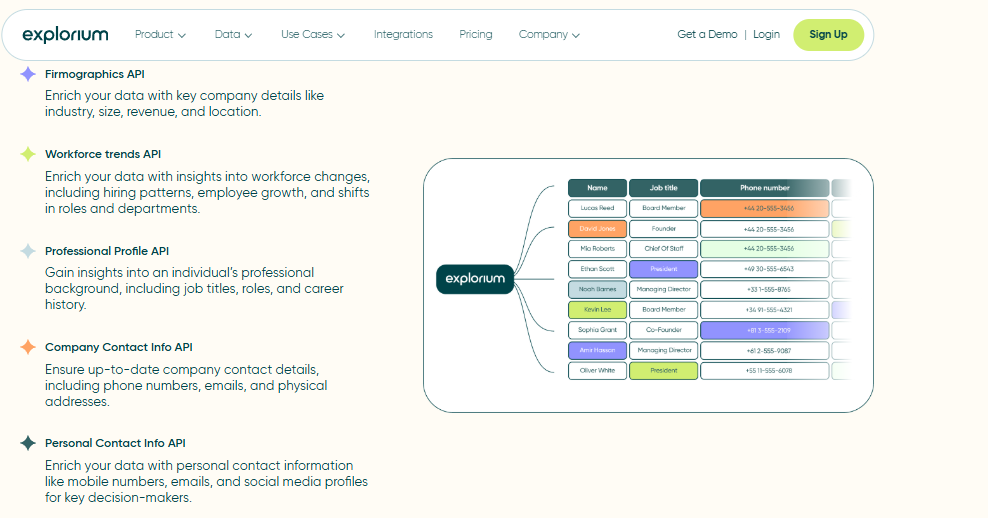
Explorium enriches records with firmographics, professional profiles, and verified phone numbers through one aggregated API.
el, credit burn dropped sharply because you stop paying overlapping minimums.
⚠️ Hidden Costs & Constraints
Detailed enterprise cost mechanics are quoted per plan, so confirm volume tiers before signing.
You are building agent-native enrichment and want one API plus MCP.
You want to consolidate a five-vendor stack into one credit pool.
You run high-volume enrichment at 10K+ calls/day and need stable latency.
Avoid this if:
You want a click-around UI for reps doing occasional manual lookups.
You need a tiny one-off email finder and nothing more.
💬 Customer Reviews
“The richness and breadth of data is incredible. I really like the instant access to the most useful and reliable external data. It helps us provide better service to our customers because it is the data we need to make faster and better decisions.” Ishi N., Enterprise Explorium G2 Verified Review
“Depending on where the data is coming from, the data can often be mismatched or have outdated information. It is best to cross-reference the output data from other enriched information.” Omar G., Mid-Market Explorium G2 Verified Review
I keep that second review in on purpose. No aggregated source is perfect, and cross-referencing is fair advice. It is exactly why we publish match-rate tables instead of asking you to trust a logo.
2. People Data Labs, Best for Developers Needing Raw Person and Company Data at Scale [toc=1.2 People Data Labs]
🔎 Overview
People Data Labs (PDL) is a developer-first data provider. It sells programmatic access to a very large person and company dataset, roughly 1.5B+ profiles, without a heavy sales-led SaaS layer. You query it, you get structured records back, and you build on top.
This is its real strength. PDL is raw material for engineers, not a dashboard for reps. If you are building your own enrichment logic and want a broad base to start from, PDL is a sensible foundation. For teams comparing this approach, our guide to business enrichment API providers is a useful companion read.
⏰ Time to first API call: UI minimal, API call roughly 15 to 30 minutes. ⚙️ Setup complexity: Low to medium (strong docs, REST-first).
✅ Core Services
Person enrichment: email, profile, title, and work history at scale.
Company enrichment: firmographics and identifiers.
Bulk and search endpoints for large dataset pulls.
Identity resolution across a wide profile graph.
Developer-friendly REST API with clear documentation.
📊 Data Coverage & Field Depth (Reality Check)
Strong in: raw scale, developer access, and breadth of person profiles. Weak in: freshness on some records, and verification, since you often validate downstream. Field depth: wide on person attributes, lighter on real-time intent or technographic signals. Confidence Level: Medium to high for developer-scale contact data; PDL genuinely wins on raw coverage in some segments.
Here is the honest trade-off. PDL gives you scale, but you own more of the verification and deduplication work. That is fine if you have a data team. It is a cost if you do not, which is where waterfall enrichment across multiple sources earns its keep.
🤖 API & Agent Readiness
API availability: Yes, REST-first.
API depth: High on enrichment and search endpoints.
MCP compatibility: Emerging, not the core delivery model today.
Agent usability: Medium, you typically add a verification and matching layer for agent workflows.
💰 Pricing & Cost Structure
Pricing Model: Usage-based, per-record. Published Pricing: Plans commonly start around $98/month, with custom enterprise tiers.
You absorb verification and dedup work, which is real engineering time.
Some reviewers report abrupt account or billing friction, so confirm terms in writing.
👍 When to Shortlist
Shortlist this if:
You have a data team that can verify and dedup raw records.
You want broad person-profile coverage as a build foundation.
You prefer usage-based pricing over seat-based bundles.
Avoid this if:
You need verified-before-send data with low bounce out of the box.
You want native MCP retrieval and a unified multi-signal schema today.
You lack engineering bandwidth for downstream validation.
💬 Customer Reviews
“Product was useful while it worked which wasnt long. Switched from free trial to paid plan $100/month. After a few days, account disabled with no warning or explanation. Support unresponsive after multiple contact attempts, even after waiting 1 week.” Verified User, Computer Software, Mid-Market People Data Labs G2 Verified Review
My read: PDL’s data scale is real, and developers do build serious products on it. The recurring complaints cluster on billing and support, not raw coverage, so go in with clear contract terms and your own verification layer.
3. Apollo, Best for Mid-Market SaaS Teams Wanting All-in-One Prospecting with Built-In Contact Data [toc=1.3 Apollo]
Apollo’s parallel dialer targets mobile and direct-dial numbers, highlighting phone coverage and connect-rate trade-offs.
🔎 Overview
Apollo is a bundled GTM platform, not a pure data API. It combines contact discovery, enrichment, and outreach in one system aimed at sales reps. The API exists, but the product is built UI-first, for a human clicking around, not an agent calling at scale. For teams hitting this wall, we cover Apollo API alternatives for AI agent builders in depth.
That design choice matters. Apollo scrapes from its own large database, so freshness lags, and the "verified" email flag does not always mean the record was checked recently.
⏰ Time to first API call: UI instant, API call roughly 30 to 60 minutes. ⚙️ Setup complexity: Medium (UI-first, API-second).
✅ Core Services
Contact and company database with advanced filtering.
Email and phone enrichment.
Built-in outbound sequencing and automation.
CRM integrations (Salesforce, HubSpot).
Chrome extension for LinkedIn-based prospecting.
📊 Data Coverage & Field Depth (Reality Check)
Strong in: SaaS companies, funded startups, and mid-market contact discovery. Weak in: non-tech SMBs, niche-sector founder data, and direct-dial coverage. Real-world direct dials land near 55%. Field depth: moderate-to-wide on firmographics and contact data, light on technographic and intent signals. Confidence Level: Medium. Bounce rates on Apollo-sourced lists often run 25-35%, well above the headline accuracy claim.
Here is the part the category avoids saying. In March 2025, LinkedIn banned a wave of scrapers, including Apollo’s, and the data has drifted since. That is not a feature gap. It is a sourcing-model risk you inherit.
🤖 API & Agent Readiness
API availability: Yes.
API depth: Moderate, mostly contact and company endpoints.
MCP compatibility: Not supported.
Agent usability: Medium. You add your own validation layer for agent workflows.
The credit model also fights agents. Revealing one email costs a credit, mobile numbers cost eight credits each, and exports draw from a separate pool. At 10K calls/day, that math gets expensive fast, which is why the credit-based vs subscription pricing trade-off matters so much.
💰 Pricing & Cost Structure
Pricing Model: Subscription with credit usage layered on top. Published Pricing:
Basic: ~$49/user/month
Professional: ~$79 to $99/user/month
Organization: Custom
💸 Cost Interpretation (What You Actually Pay)
Estimated cost per 1,000 contacts: ~$50 to $150, varies by plan.
Free tier: Yes, limited credits.
Billing driver: per seat plus per credit.
⚠️ Hidden Costs & Constraints
Credits burn per unlock and per export.
Mobile numbers cost 8x an email credit.
API access sits in higher tiers.
👍 When to Shortlist
Shortlist this if:
You want all-in-one prospecting with minimal setup.
Your focus is SaaS or tech outbound.
You prioritize speed over deep data infrastructure.
“Contact info frequently missing or incorrect. Half the day calling wrong/disconnected numbers. Mobiles frequently wrong. Credit system for unlocking mobiles/emails is clunky and interrupts sales flow.” Verified User, IT Services Apollo G2 Verified Review
“Easy to create persona, multiple filters, verified email option for low bounce rates, built-in CRM to track replies and calls.” Tejender K., Digital Marketing Executive Apollo G2 Verified Review
Both reviews can be true at once. Apollo is genuinely fast and cheap to start, and the data quality wobbles where it matters most, on phones.
4. Cognism, Best for EU Phone and Direct-Dial Outbound [toc=1.4 Cognism]
Cognism delivers contact data and firmographics via API into CRMs and warehouses with strong EMEA coverage.
🔎 Overview
Cognism is a sales-intelligence platform with a strong reputation for European phone data. Its "Diamond Data," meaning mobiles verified by multiple parties, reaches close to 98% accuracy on that verified subset. That is its real edge.
It is still a UI-first platform with a REST API attached. The API is rate-limited, and there is no native MCP, so agents are not the primary buyer here.
⏰ Time to first API call: UI fast, API call roughly 30 to 60 minutes. ⚙️ Setup complexity: Medium.
✅ Core Services
B2B contact data with verified mobile numbers.
Strong EMEA and EU compliance coverage.
Email and firmographic enrichment.
CRM and sales-engagement integrations.
Intent data through a Bombora partnership.
📊 Data Coverage & Field Depth (Reality Check)
Strong in: EU mobile and direct-dial coverage on the verified subset. Weak in: reviewers report the verified slice is small relative to the full database. Field depth: solid on contact and phone, lighter on deep technographic signals. Confidence Level: Medium-high on Diamond-verified records, lower elsewhere.
“Poor data quality, no direct mobile numbers. Numbers either wrong or returns US HQ number even when searching European offices. Not worth the money.” Jackie Cognism Trustpilot Verified Review
“Data is really limited and generally poor quality. Claims 90% mobile coverage in sales process but doesnt deliver. Numbers out of date, often wrong.” Alex Cognism Trustpilot Verified Review
My read: Cognism’s Diamond-verified mobiles are genuinely good, and the gap reviewers feel is between that small verified slice and the broader database. Test coverage on your exact territory before signing an annual deal.
5. Dropcontact, Best for GDPR-First Email Enrichment [toc=1.5 Dropcontact]
Dropcontact resolves name and website into a GDPR-compliant, 98% valid verified business email address.
🔎 Overview
Dropcontact takes a different path. It stores no contact database. Instead, it generates and verifies emails algorithmically on EU servers, which is the strongest GDPR posture in this list. We unpack what that posture requires in our GDPR and CCPA compliance checklist.
That architecture is the product. There is no scraped cache to go stale, so its compliance story is defensible in an audit.
⏰ Time to first API call: UI fast, API call roughly 20 to 40 minutes. ⚙️ Setup complexity: Low to medium.
✅ Core Services
Algorithmic email finding and verification.
Email cleaning and deduplication.
Firmographic enrichment.
Native CRM integrations (HubSpot, Pipedrive).
EU-server processing for GDPR alignment.
📊 Data Coverage & Field Depth (Reality Check)
Strong in: GDPR-compliant European email enrichment. Weak in: phone coverage and broad US person-level depth. Field depth: focused on email and company, not multi-signal. Confidence Level: Medium-high for compliant EU email.
🤖 API & Agent Readiness
API availability: Yes.
API depth: Moderate, email-centric.
MCP compatibility: Not supported.
Agent usability: Medium.
💰 Pricing & Cost Structure
Pricing Model: Subscription, per-request tiers. Published Pricing: Plans commonly start in the low double digits per month.
💸 Cost Interpretation (What You Actually Pay)
Billing driver: requests and volume tier.
Free credits: limited trial.
Cost per record is low for email-only enrichment.
⚠️ Hidden Costs & Constraints
Email-focused, so you add a phone source separately.
Volume tiers cap monthly requests.
👍 When to Shortlist
Shortlist this if:
You run EU outbound and need a defensible GDPR posture.
You want email verification without a scraped database.
You value sourcing you can reconstruct in an audit.
Avoid this if:
You need direct-dial phone coverage.
You want deep US person-level data.
You need native MCP retrieval.
6. Hunter, Best for Lightweight Email Finding and Verification [toc=1.6 Hunter]
Hunter’s Email Finder API returns a verified email with a confidence score and JSON source data.
🔎 Overview
Hunter is the simple, reliable email tool. It finds and verifies business emails from a domain, with a clean REST API that developers like. It does one job well and does not pretend to be a full data platform.
That focus is the point. If you need email discovery and SMTP verification, meaning a live check that the mailbox exists, Hunter is fast and cheap.
⏰ Time to first API call: UI instant, API call roughly 15 minutes. ⚙️ Setup complexity: Low.
✅ Core Services
Domain-based email finding.
Email verification with deliverability scoring.
Bulk tasks for list building.
Clean, well-documented REST API.
Lightweight CRM and outreach add-ons.
📊 Data Coverage & Field Depth (Reality Check)
Strong in: email discovery and verification at low cost. Weak in: phone data, deep firmographics, and intent signals. Field depth: narrow by design, email-first. Confidence Level: Medium-high for email-only use cases.
🤖 API & Agent Readiness
API availability: Yes.
API depth: Focused on email endpoints.
MCP compatibility: Not supported.
Agent usability: Medium, easy to call but single-purpose.
💰 Pricing & Cost Structure
Pricing Model: Subscription plus credits. Published Pricing: Free tier, paid plans commonly from ~$34/month.
💸 Cost Interpretation (What You Actually Pay)
Billing driver: searches and verifications.
Free credits: Yes, a usable free tier.
Low cost per email lookup.
⚠️ Hidden Costs & Constraints
Credits split across finding and verifying.
No phone or multi-signal data.
👍 When to Shortlist
Shortlist this if:
You need a clean email finder and verifier.
You want a simple API with a free tier.
You are building a small, focused enrichment step.
7. FullEnrich, Best for Waterfall Email and Mobile Coverage [toc=1.7 FullEnrich]
FullEnrich uses waterfall enrichment to find phone numbers and work emails across filtered contact lists.
🔎 Overview
FullEnrich is a waterfall enrichment tool. "Waterfall" means it queries many providers in sequence and stops at the first valid result, which lifts match rates. It pulls from 20+ sources and claims 85%+ match on contact enrichment. We explain how this pattern works in our guide to waterfall enrichment.
The logic is sound. No single database is complete, so sequencing sources fills the gaps any one vendor leaves.
⏰ Time to first API call: UI fast, API call roughly 20 to 40 minutes. ⚙️ Setup complexity: Low to medium.
✅ Core Services
Waterfall email and mobile enrichment across 20+ providers.
Bulk enrichment for list building.
CRM and tool integrations.
REST API for programmatic enrichment.
Credit-based, pay-for-results model.
📊 Data Coverage & Field Depth (Reality Check)
Strong in: combined coverage from many sources, including mobiles. Weak in: you are still routing through other vendors’ data, so freshness varies. Field depth: strong on contact data, lighter on native signals. Confidence Level: Medium-high on match rate.
🤖 API & Agent Readiness
API availability: Yes.
API depth: Waterfall-focused.
MCP compatibility: Not native.
Agent usability: Medium.
💰 Pricing & Cost Structure
Pricing Model: Credit-based. Published Pricing: Credit packs, custom at volume.
💸 Cost Interpretation (What You Actually Pay)
Billing driver: credits per successful enrichment.
Free credits: limited trial.
You pay for results, which reduces waste.
⚠️ Hidden Costs & Constraints
Credit cost rises with the number of sources queried.
Underlying source freshness is not fully in your control.
👍 When to Shortlist
Shortlist this if:
You want one waterfall instead of wiring five APIs yourself.
You need both email and mobile coverage.
You prefer pay-for-results credits.
Avoid this if:
You want a single owned source with native signals.
You need MCP-native agent retrieval.
You want full control over source freshness.
8. Clay, Best for Visual GTM Workflows and List Building [toc=1.8 Clay]
🔎 Overview
Clay is a visual GTM workspace. It aggregates 100+ data sources into a spreadsheet-style interface and adds AI enrichment and waterfalls. RevOps teams love it for building targeted lists fast. For builders outgrowing it, we cover Clay alternatives for a B2B data enrichment API.
But Clay is UI-first and async, meaning calls run in the background, not instantly. That design fights agents that need a synchronous answer right now.
⏰ Time to first API call: UI fast, API call medium effort. ⚙️ Setup complexity: Medium to high (steep learning curve).
✅ Core Services
100+ source aggregation in a table UI.
Custom waterfall enrichment per column.
AI research agent (Claygent).
Wide integrations across the GTM stack.
List building and micro-ETL transformations.
📊 Data Coverage & Field Depth (Reality Check)
Strong in: flexible multi-source enrichment and list building. Weak in: contact data quality varies, and reviewers call it a black box. Field depth: wide via sources, but quality is inconsistent. Confidence Level: Medium.
🤖 API & Agent Readiness
API availability: Yes, but async and UI-centric.
API depth: Workflow-oriented.
MCP compatibility: Not native.
Agent usability: Low to medium for synchronous agents.
💰 Pricing & Cost Structure
Pricing Model: Credit-based, tiered. Published Pricing: Free tier; paid plans scale with credits.
💸 Cost Interpretation (What You Actually Pay)
Billing driver: credits per row and per enrichment.
Free credits: with paid plans, not fully upfront.
Per-row credit cost can vary sharply from stated amounts.
⚠️ Hidden Costs & Constraints
Credit pricing is widely flagged as confusing.
Per-row cost can exceed the stated estimate.
Routing through Clay credits can cost more than your own provider.
👍 When to Shortlist
Shortlist this if:
You want a flexible visual workspace for list building.
Your RevOps team tunes enrichment by hand.
You value many sources in one UI.
Avoid this if:
You need synchronous agent-native retrieval.
You want transparent, predictable credit pricing.
You run high-volume enrichment in production code.
💬 Customer Reviews
“Credit system is broken. Pricing is broken. Not fully transparent with rollover limit. Never helped when issues arose.” Raphael A., Marketing Lead Clay G2 Verified Review
“Enrich contacts from numerous sources, level up responses by 40%. Best data providers in one subscription saving up to 70% costs.” Qais B., Growth Strategist Clay G2 Verified Review
Clay is genuinely powerful for hands-on operators. The recurring pain is credit transparency, and that is exactly the problem a single unified credit pool is meant to remove.
9. Crustdata, Best for Builders Needing Real-Time Company and People Feeds [toc=1.9 Crustdata]
🔎 Overview
Crustdata is a developer-first data API. It delivers real-time company and people data through an API or data feed, aimed at builders and RevOps engineers. Its early-stage pricing is competitive, which is a real win for small teams.
It is built for engineers, not reps. You get programmatic access and structured responses to build on top of.
⏰ Time to first API call: UI minimal, API call roughly 20 to 30 minutes. ⚙️ Setup complexity: Low to medium.
✅ Core Services
Real-time company and people data via API.
Data feeds for continuous updates.
Firmographic and headcount-trend signals.
Developer-focused REST endpoints.
Usage-based access.
📊 Data Coverage & Field Depth (Reality Check)
Strong in: real-time company signals and developer access. Weak in: breadth of verified contact email and phone versus larger databases. Field depth: good on company, growing on people. Confidence Level: Medium.
🤖 API & Agent Readiness
API availability: Yes, developer-first.
API depth: Solid on company endpoints.
MCP compatibility: Not native.
Agent usability: Medium-high for engineers.
💰 Pricing & Cost Structure
Pricing Model: Usage-based. Published Pricing: Competitive early-stage tiers, custom at volume.
💸 Cost Interpretation (What You Actually Pay)
Billing driver: API usage.
Free credits: trial access.
Crust Data genuinely wins on early-stage pricing.
⚠️ Hidden Costs & Constraints
Contact email and phone depth is lighter than large databases.
Volume pricing is quoted per plan.
👍 When to Shortlist
Shortlist this if:
You are an early-stage builder watching cost closely.
You need real-time company signals via API.
You prefer usage-based pricing.
Avoid this if:
You need the broadest verified contact database.
You want native MCP and 50+ sources in one schema.
You need deep multi-signal enrichment out of the box.
Where This Leaves You
One pattern runs through all nine. UI-first platforms (Apollo, Cognism, Clay) make the salesperson the orchestrator, and their async or rate-limited APIs fight agents at scale. Single-signal tools (PDL, Hunter, Dropcontact, FullEnrich, Crustdata) each do one thing well, but cover one agent’s needs only after you wire five APIs, pay five bills, and write five matching layers.
That is the gap we built Explorium to close: one API, one MCP server, one credit pool across 50+ sources, so the agent, not a rep, decides what to fetch. Numbers should beat logos, so test it on your own list against our best B2B data enrichment API for AI agents before you believe me.
Q2. What Is a Contact Data API and How Do You Evaluate One? [toc=2. What It Is & How We Scored]
A contact data API is a programmatic endpoint that takes a partial identifier, an email, a name plus company, or a LinkedIn URL, and returns a verified profile (work email, direct-dial phone, title, firmographics) as structured JSON in real time. Unlike a UI tool built for reps, it serves developers and agents. We scored each on five weighted criteria summing to 100: Coverage and Accuracy (25%), Agent and API Readiness (25%), Field Depth (20%), Reviews (15%), and Commercial Transparency (15%).
🔌 What It Actually Does
Think of it plainly. You send a little, you get back a lot. The API takes one clue and resolves it into a full, usable contact record.
The mechanism runs in four steps:
Input: send an email, a name plus company, or a LinkedIn URL.
Match: the API cross-references multiple sources for the best record.
Verify: it validates the email and phone before returning them.
Return: a structured JSON profile lands in your CRM or agent workflow.
🤖 API vs Tool, and Why MCP Matters
A contact data tool is a dashboard for a rep clicking around. A contact data API is for code, pipelines, and agents, where latency, schema, and rate limits matter more than a pretty UI. One n8n builder described MCP, the Model Context Protocol, as "effectively a USB socket for AI," letting your AI tools plug into your APIs and get data back. We compare the two delivery models in our breakdown of MCP vs REST API for AI agents.
That framing is the whole shift. The next buyer of data is an LLM, not a salesperson. At Explorium, our Prospects and Contact-details endpoints follow exactly that input-match-verify-return flow, and our native MCP server for agent-driven enrichment lets the agent, not a human, decide what to fetch.
⭐ How We Scored Each Provider
We weighted Agent and API Readiness at a heavy 25%, because most legacy lists never score MCP, latency, or structured errors at all. We also leaned toward coverage over vanity signals. As one practitioner put it, intent scores and funding flags are "just fluff" if the core data does not give you scale.
Stars map to the score: 0-20 earns one star, 21-40 two, 41-60 three, 61-80 four, and 81-100 five. Explorium scores five. The point is not the badge, it is the method behind it. We publish our own match-rate benchmark tables so you can audit the claim, not just trust it.
Q3. Why Does "Verified" Email Accuracy Rarely Match Your Real Bounce and Phone Connect Rate? [toc=3. Accuracy, Bounce & Phone]
Vendors advertise 95-98% email accuracy, but real bounce rates often run 25-35%, because B2B data decays roughly 20-30% per year and many "verified" fields are stale. Phone diverges hardest. Apollo direct dials land near 55%, while Cognism’s Diamond Data reaches around 98% on EU mobiles. No single database is complete, so waterfall multi-source sourcing fills the 20-40% gaps. Test 100 of your own records before committing.
💸 The Deliverability Death-Spiral
Here is the part the category soft-pedals. A "verified" email that has not been rechecked recently is just an old email with a confident label. When you send to a stale list, you bounce, your domain reputation drops, and recovery takes weeks.
One outbound operator described the feedback loop perfectly. Deliverability "remained a constant challenge," like hearing a weird noise in your car and jerking the wheel, "you’re just guessing, you can’t be scientific." Meanwhile the safe sending volume per inbox has fallen from around 200 emails a day toward single digits, so every bounce costs more than it used to.
📊 The Four Numbers That Actually Matter
Phone is where providers truly split. Roughly 62% of phone calls go unanswered, so a wrong number is a double waste. Apollo "primarily scrapes its existing database," so the verified flag often is not fresh, and after LinkedIn banned a wave of scrapers in March 2025, that data drifted further. For teams hitting this, we cover Apollo API alternatives for AI agent builders.
✅ Why Waterfall and Aggregation Win
No single source is complete, so smart teams waterfall. One builder routes an email through four providers in sequence and stops at the first valid match, which "saves you money automatically". That is the structural fix to decay: fresh joins across many sources, not one aging cache, which is the whole premise of waterfall enrichment.
This is exactly why we built Explorium as a real-time layer over 50+ sources with a built-in waterfall, so the agent gets a deduplicated, current record in one call. Still, do not trust my table. Run 100 of your own records through each free tier, send to a seed list, and measure your real-world performance in production before you commit budget.
Q4. How Should You Score Compliance Posture (GDPR, CCPA, and Data Sourcing)? [toc=4. Compliance Posture]
Compliance is a property of the provider, not the API. The strongest postures either store no database and generate or verify data on EU servers (algorithmic providers like Dropcontact), or hold certifications such as GDPR, CCPA, SOC 2 Type 2, and ISO 27001 with a documented sourcing trail and opt-out mechanism. For EU outbound, prefer vendors whose sourcing you can reconstruct in an audit.
⚖️ Compliance Is Architectural, Not a Checkbox
A "GDPR-compliant" badge tells you almost nothing. What matters is how the data was sourced and whether you could defend that sourcing to a regulator. The March 2025 LinkedIn scraper ban made this concrete. Vendors that leaned on scraping inherited a sourcing-model risk overnight. Our GDPR and CCPA compliance checklist walks through what to demand.
So I score compliance across four pillars, not one line.
Sourcing model: algorithmic generation or licensed data beats opaque scraping.
Processing location: EU-server processing strengthens a GDPR story.
Certifications: SOC 2 Type 2 and ISO 27001 signal real governance.
Opt-out: a working suppression and opt-out path is non-negotiable.
The enterprise fear is simple: an un-defendable sourcing trail. We handle GDPR and CCPA compliance once, across all 50+ aggregated sources, so you inherit documented provenance rather than stitching it together vendor by vendor. It is the same logic behind our broader approach to B2B contact data.
💬 What Reviewers Actually Report
Compliance and data quality are linked. Stale, mismatched data is often a sourcing problem in disguise.
“Obtained private phone number and sold it for sales purposes without consent. Not in line with GDPR. Business model appears to rely on unethical practices.” Lex Houweling Cognism Trustpilot Verified Review
“Instead of connecting to multiple data sources and APIs, we only require one connection – Explorium!” Mirit H., Mid-Market Explorium G2 Verified Review
“Adds a lot of useful and accurate info to our financial database. Great customer support, the team really cares about our experience.” Kobi M., Business Operations Manager Explorium G2 Verified Review
My read: one audited sourcing trail beats nine you cannot defend.
Q5. REST API or MCP, Which Should Power Your GTM Agent? [toc=5. REST vs MCP]
Use REST for deterministic, high-volume, synchronous enrichment in pipelines you control. Use MCP, the Model Context Protocol, when an autonomous agent should decide what to fetch and when. Production GTM stacks need both: REST plus webhooks for bulk and change detection, MCP for agent-driven discovery. Agent-readiness means documented latency (200-500ms p50, sub-2s p95), structured errors, and a real MCP server, not a REST wrapper rebranded.
🔌 The Distinction, and Why You Need Both
REST is a fixed contract. You know the call, the input, and the output, which is perfect for a pipeline enriching 50,000 records overnight. MCP is different. It lets the agent choose the tool and the moment, like giving it a menu instead of a script. We break down the trade-offs in our guide to MCP vs REST API for AI agents.
Most production stacks I see end up using both. REST and webhooks handle bulk jobs and change detection. MCP handles the messy, in-the-moment decisions an agent makes mid-task.
⚠️ Where Agents Break, and How to Scope Them
I have seen an agent confidently return the wrong record. One person watching a demo said, "Did it scrape your email address? That’s not my email and I don’t live in Canada anymore." That is what stale, fragmented data does to an agent’s trust, and it is why choosing the right data layer for agents matters so much.
A simple guardrail helps. One builder advised, "I always choose workspace, I keep MCP servers scoped within a project," so the agent only touches the tools it should. Scoping limits blast radius when something goes wrong.
🤖 Fragmentation Is the Real Enemy
Here is the structural problem. When "data is fully fragmented across different systems, agents spend a lot of time pulling data irrelevant to performing the task." Every wasted pull burns latency and credits, which is why production latency and rate limits deserve real scrutiny.
That is why we built Explorium with both a scale-ready sync REST API and a native MCP server, plus our AgentSource toolkit, so the agent queries one layer instead of nine. Aggregation is not a nice-to-have here. It is the thing that lets the agent stop guessing and start fetching cleanly. What I keep wondering is whether, in 18 months, "REST-only" will read the way "no API" reads today.
Q6. What Do Contact Data APIs Actually Cost Per Valid Record? [toc=6. Pricing & Unit Cost]
Contact data APIs price three ways: per-credit (with hidden multipliers like mobiles at 8x and separate export pools), per-valid-result (you pay only for usable data), and flat subscription. Headline price misleads, because a cheap credit with a low match rate costs more per usable record. Compute cost-per-valid-record by dividing price by your real match rate, dedupe past pulls, and route directly to provider APIs to save 33-69% over reseller credits.
💰 The Only Number That Matters
Stop comparing headline credit prices. A $0.10 credit at a 40% match rate costs you $0.25 per usable record. The honest metric is cost-per-valid-record, which is price divided by your real match rate. We unpack the deeper model in credit-based vs subscription pricing for B2B data APIs.
The multipliers hide the real spend. With Apollo, "one email costs one credit, mobile numbers cost eight credits each," and "export uses a separate credit pool." That is three meters running at once, and a key reason builders look at Apollo API alternatives.
💸 How to Actually Cut the Bill
Two moves save real money. First, dedupe before you pay. One builder noted "Prospeo lets you hide everyone exported in the past, only ever paying for new data," which stops you buying the same record twice. A clean waterfall enrichment setup does this automatically.
Second, weigh build versus buy honestly. A lead agent on Vercel "costs about $1,000 to run for the entire year," and one team pulled "1,000 leads for $1.50 via n8n plus Apify" while Apollo capped extracts. The 90/10 rule applies: buy the 90% that is commodity, build the 10% that is your edge.
This is why we run Explorium on one unified credit pool across 30+ enrichments, with resale rights and search preview on custom plans. One pool means you stop paying nine overlapping minimums, the way Snowflake collapsed scattered data spend into one bill. Fragmented per-action credit pools are the problem; cost-per-valid-record is the only honest way to compare.
Q7. Which Contact Data API Is Right for Your Use Case? [toc=7. Pick by Use Case]
Choose by use case, not brand. For agent-native teams wanting one API, one MCP server, and one credit pool, Explorium fits best. For raw developer-scale data, People Data Labs. For EU phone, Cognism. For GDPR-by-architecture, Dropcontact. For waterfall coverage, FullEnrich or Clay. Whatever you shortlist, test on 100 of your own records before you commit budget.
🎯 Match the Tool to the Job
The mistake I see most is buying a brand, then forcing every use case through it. Map the scenario first, then pick. Our roundup of the best business enrichment API providers goes deeper on each.
🚀 From Busywork to Pipeline
Picture the before. A CEO doing "50 hours a week of sales calls but only five with qualified buyers," drowning in manual research. The data layer was not the bottleneck people thought it was; the orchestration was. The fix is a data layer for autonomous outbound agents.
After agent-driven pre-qualification, that founder "bought back 95% of his week," and one team logged "$4.9 million in new pipeline in just two quarters." The bridge is a data layer an agent can query on its own, without a rep stitching nine tools together, ideally tied to real-time buying signals. The buyer of the next data call is an LLM, so optimize for that.
So skip the hard CTA. If you are building a GTM agent, tell us what you are building, and we will tell you honestly whether Explorium for GTM engineering is the right layer or whether one of these others fits your case better. I am genuinely curious which use case breaks first at scale for you.
FAQs
A contact data API is a programmatic endpoint. You send a partial identifier, an email, a name plus company, or a LinkedIn URL, and it returns a verified profile as structured JSON in real time.
The flow runs in four steps:
Input: you send one clue.
Match: the API cross-references multiple sources.
Verify: it validates email and phone.
Return: a clean record lands in your CRM or agent.
A prospecting tool is a dashboard for a rep clicking around. An API is for code, pipelines, and agents, where latency, schema, and rate limits matter more than a UI. The next buyer of data is an LLM, not a salesperson.
We built our B2B contact data layer around exactly that input-match-verify-return flow, with a native MCP server so the agent, not a human, decides what to fetch.
Vendors advertise 95-98% email accuracy, but real bounce rates often run 25-35%. The gap comes from decay. B2B data goes stale roughly 20-30% per year, and a record flagged ‘verified’ a year ago is just an old email with a confident label.
The cost compounds:
You send to a stale list and bounce.
Your sending-domain reputation drops.
Recovery takes weeks, not days.
Phone diverges hardest. Some providers land near 55% on direct dials, while human-verified EU mobiles reach close to 98% on that subset.
The structural fix is multi-source waterfall sourcing and fresh joins, not one aging cache. We explain the mechanics in our guide to waterfall enrichment. Whatever you shortlist, run 100 of your own records through each free tier, send to a seed list, and measure your real bounce before committing budget. Claimed accuracy is marketing; your bounce rate is the truth.
Headline credit price misleads. The honest number is cost-per-valid-record, which is price divided by your real match rate. A $0.10 credit at a 40% match rate actually costs $0.25 per usable record.
Watch for hidden multipliers:
Mobile numbers can cost 8x an email credit.
Exports often draw from a separate credit pool.
A cheap credit with low match rate costs more per usable record.
Two moves cut the bill. First, dedupe before you pay, so you never buy the same record twice. Second, route directly to provider APIs instead of reseller credits, which can save 33-69%.
We removed fragmented per-action pools entirely. Our unified credit model draws from one shared pool across 30+ enrichments, so you stop paying nine overlapping minimums. One bill beats nine, the way Snowflake collapsed scattered data spend.
Use both. REST is a fixed contract, ideal for deterministic, high-volume, synchronous enrichment in pipelines you control. MCP, the Model Context Protocol, lets an autonomous agent decide what to fetch and when.
A practical split:
REST plus webhooks: bulk jobs and change detection.
MCP: agent-driven discovery and mid-task research.
Agent-readiness means documented latency (200-500ms p50, sub-2s p95), structured errors, and a real MCP server, not a REST wrapper rebranded. When data is fragmented across systems, agents waste cycles pulling records irrelevant to the task.
We ship both a scale-ready sync REST API and a native MCP server, detailed in our breakdown of MCP vs REST API for AI agents. The aggregation behind it lets the agent query one layer instead of nine, so it stops guessing and starts fetching cleanly.
Compliance is a property of the provider, not the API, and a ‘GDPR-compliant’ badge tells you almost nothing on its own. What matters is whether you can defend the sourcing to a regulator.
We score it across four pillars:
Sourcing model: algorithmic generation or licensed data beats opaque scraping.
Processing location: EU-server processing strengthens a GDPR story.
Certifications: SOC 2 Type 2 and ISO 27001 signal real governance.
Opt-out: a working suppression path is non-negotiable.
The March 2025 LinkedIn scraper ban made this concrete; vendors leaning on scraping inherited sourcing-model risk overnight.
We handle GDPR and CCPA compliance once, across all 50+ aggregated sources, so you inherit documented provenance rather than stitching it together vendor by vendor. Our GDPR and CCPA compliance checklist walks through exactly what to demand.
Choose by use case, not brand. The agent-native fit is the one where an autonomous workflow, not a rep, orchestrates the data calls.
Our scenario shortlist:
Agent-native, US-first or global: Explorium, for one API, one MCP server, one credit pool.
Raw developer-scale data: People Data Labs.
EU direct-dial phone: Cognism.
GDPR-by-architecture: Dropcontact.
Waterfall coverage: FullEnrich or Clay.
UI-first platforms make the salesperson the orchestrator, and their async or rate-limited APIs fight agents at scale. Single-signal tools each do one thing well, but cover one agent’s needs only after you wire five APIs and write five matching layers.
Fragmentation is the quiet performance killer. When contact data lives across nine disconnected systems, the agent spends most of its cycles pulling and joining records irrelevant to the task.
The symptoms show up fast:
Higher latency on every useful response.
Wasted credits on redundant or irrelevant pulls.
Wrong-record errors that erode trust in the agent.
Five integrations, five bills, and five matching layers to maintain.
Aggregation fixes this at the structure level. One layer returns a deduplicated, current record in a single call, so the agent asks for what it needs and gets a clean join back.
That is why we put 50+ sources behind one endpoint and one MCP server. You can see the production numbers in our writeup on latency, rate limits, and performance. Think of it like AWS replacing nine SaaS bills, applied to your data stack.
Yes, and you should never skip it. Claimed accuracy is a marketing number; your own bounce and connect rates are the truth.
Our recommended test protocol:
Pull 100 of your own real CRM records.
Run them through each provider’s free tier.
Send the emails to a seed list and measure true bounce.
Dial a sample of phones and log the connect rate.
Divide price by your real match rate for cost-per-valid-record.
This 100-record test surfaces decay, coverage gaps, and segment weaknesses that a vendor datasheet hides. It takes an afternoon and saves quarters of wasted spend.
We offer a free tier precisely so you can audit our match rate before you trust it, and we publish our own match-rate benchmarks so you can reproduce them. Show, do not tell; test it on your own list.