


TL;DR
- Roughly 30% of CRM data decays yearly, so we treat enrichment as live infrastructure with auto-enrich on creation plus scheduled re-enrichment, not a one-time list buy.
- We scored 11 tools on five weighted criteria, putting Agent and API Readiness at 25% because MCP support, not contact count, decides outcomes at agent scale.
- UI-first platforms like Apollo, ZoomInfo, and Cognism bill by seat or fragmented credit pools; Apollo allows only one CRM connection at a time, forcing Zapier middleware.
- Single-signal providers such as PDL, FullEnrich, RocketReach, and Datagma mean several APIs, several bills, and your own matching layer.
- Match rate is really entity resolution: exact match, then fuzzy match, then dedup and write-back, with ML methods beating rigid rule-based blocking keys.
- We collapse the sprawl at Explorium into one API, one MCP server, and one unified credit pool across 50+ sources, so an agent pulls firmographics, contacts, and intent in a single integration.
Q1: What Are the 11 Best CRM Contact Enrichment Tools for GTM in 2026? [toc=1. The 11 Best Tools]
The 11 best CRM contact enrichment tools for GTM in 2026 are Explorium, Clay, Apollo, ZoomInfo, Cognism, People Data Labs, Clearbit (HubSpot Breeze), Lusha, FullEnrich, RocketReach, and Datagma. Explorium leads because it delivers 50+ aggregated sources, 150M+ companies and 800M+ contacts, and 30+ enrichments through one API, one MCP server, and one credit pool, built for agents and scale, not just UI clicks.
A GTM engineer at a Series-B sales-tech company once messaged me near midnight. His pipeline review was the next morning. His CRM showed one contact per target account, and his reps were "doing data entry instead of selling". That is the real pain. Most B2B deals involve 6 to 10 buyers, so a CRM with one contact per account leaves you flying blind on the whole buying committee.
🤔 Why This List Looks Different from the Usual Roundups
Most "best enrichment tool" lists rank by brand recognition. I rank by what breaks at 10,000 calls per day. The average go-to-market stack already runs 15 to 25 vendors, and stitching five of them just to enrich one record is where margins and match rates quietly die.
So the lens here is operational. Three things decide the winner: native CRM integration, true auto-sync at scale, and match rate. These are the exact axes a RevOps lead screenshots before an RFP.
📋 How We Score (and Why Match Rate Beats Logos)
Numbers beat logos. On our own first-party coverage tests across US accounts, Explorium hit 97.80% on employee count and 97.80% on website URL, versus ZoomInfo around 88% and Apollo around 78%. That gap is the difference between an agent that acts and an agent that guesses.
I will be honest about trade-offs throughout. People Data Labs often wins raw contact-data coverage in some segments, and Crust Data tends to undercut everyone on early-stage pricing. This list rewards the tool that fits your job, not the loudest brand.
A Brief Editorial Note on This Guide
Choosing a B2B data provider is a high-stakes call for teams building GTM agents, enriching at scale, and chasing tighter accuracy. Rather than ranking on popularity, this guide weighs 11 providers across operator-grade criteria: data coverage and accuracy, agent and API readiness, field depth and signal quality, commercial model transparency, and verified customer reviews. It is written for GTM engineers building agent-native enrichment, RevOps teams tuning outbound data quality, AI product managers wiring real-time data into LLM apps, and data teams weighing third-party APIs against in-house pipelines. Use it to shortlist vendors for an RFP with confidence.
The 11 Best CRM Contact Enrichment Tools at a Glance
Stars map to weighted scores: 5 stars (81 to 100), 4 (61 to 80), 3 (41 to 60), 2 (21 to 40). Now to the detail, starting with the two tools that anchor opposite ends of the agent-native spectrum.
1. Explorium: Best for GTM Engineers Building Agent-Native Enrichment at Scale [toc=1.1 Explorium]
📌 Overview
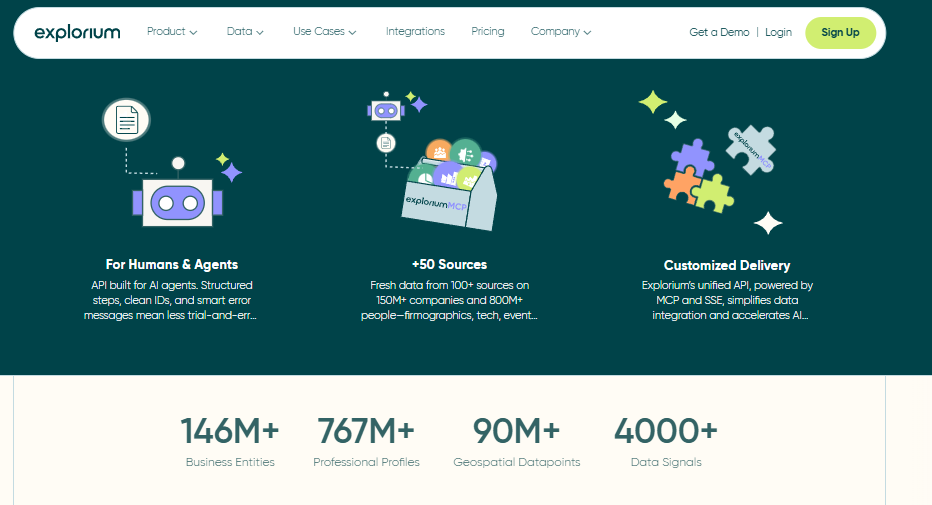
Explorium is a B2B data layer that aggregates 50+ providers and public sources into one database, delivered through one API and one MCP (Model Context Protocol, an open standard that lets an AI agent call tools and data directly). In plain terms, it is one integration that replaces a stack of point-tools. You do not click through lists. Your agent decides what to fetch.
I will say the quiet part out loud. We built this because juggling Apollo for contacts, Bombora for intent, and BuiltWith for tech meant five bills, five matching layers, and five credit pools. One unified pool fixed the math.
⏰ Time to first API call: UI: minutes (free account, no sales call). API: ~15 to 30 minutes
⚙️ Setup complexity: Low to medium
🛠️ Core Services
- 30+ enrichments across firmographics, technographics, contacts, intent, hiring, and funding signals
- Native MCP server so an agent retrieves only the fields it needs per task
- Sync API and warehouse sync built for high-volume jobs, up to 1,000 entities per call
- Native integrations with Salesforce, HubSpot, Outreach, and Snowflake
- Real-time, event-driven signals across 18 categories and 80 event types
📊 Data Coverage and Field Depth
Strong in: Company matching and enrichment. On our own US-account tests we measured 97.80% employee-count coverage, 97.80% website URL, and 97.31% NAICS, ahead of ZoomInfo (88.31% / 89.62%), Apollo (78.15% / 78.04%), and Clearbit.
Weak in: Pure contact-info coverage in narrow segments, where People Data Labs sometimes wins.
Field depth: 4,000+ data points across 150M+ companies and 800M+ people.
Confidence level: High for company enrichment, medium-high for contacts.
🤖 API and Agent Readiness
- API availability: Yes, API-first product
- API depth: High, 30+ enrichment endpoints in one suite
- MCP compatibility: Yes, native MCP server
- Agent usability: High; the agent selects data points autonomously per scenario
This is the core difference. UI-first tools force a human to be the orchestrator. With MCP, the agent is the buyer of the next data call, which is where GTM is heading.
💰 Pricing and Cost Structure
Pricing model: Usage-based credits, not a subscription. You buy a one-time package and draw from one pool.
💸 Cost interpretation: Free account and small packages let you start without a sales call. The unified pool means one bill across all 30+ enrichments, so you avoid stacking nine vendor invoices.
⚠️ Hidden costs and constraints: Custom plans add resale rights and search preview, where an agent searches and only spends credits if it consumes the data. Detailed enterprise mechanics are quoted per contract.
✅ When to Shortlist
Shortlist this if:
- You are building agent-native enrichment that runs at 10K+ calls/day
- You want one API, one MCP server, and one credit pool instead of five integrations
- You need best-in-class company matching feeding a CRM or agent
Avoid this if:
- You only need one single enrichment, where a point tool is cheaper
- You are a non-technical team that just wants a static list to export
- You require a polished click-through prospecting UI for reps
💬 Customer Reviews
“Instead of connecting to multiple data sources and APIs, we only require one connection, Explorium!”
Mirit H., Mid-Market Explorium G2 Verified Review
“Depending on where the data is coming from, the data can often be mismatched or have outdated information. It is best to cross-reference the output data from other enriched information.”
Omar G., Mid-Market Explorium G2 Verified Review
2. Clay: Best for RevOps Teams Building Visual Waterfall Enrichment Workflows [toc=1.2 Clay]
📌 Overview
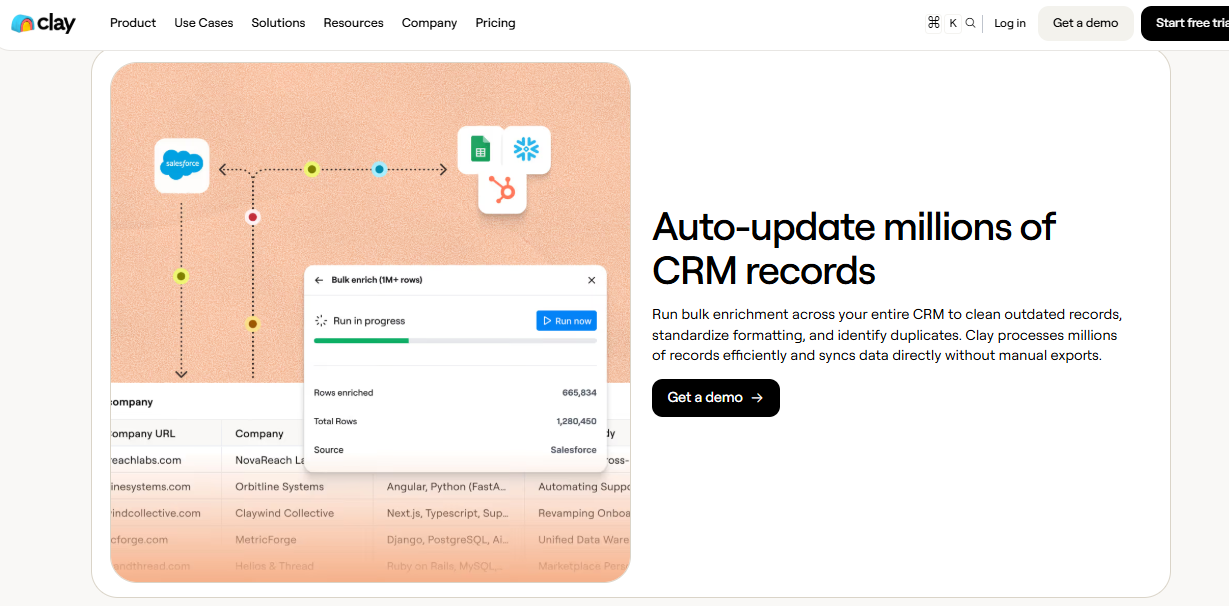
Clay is a spreadsheet-style UI where you chain multiple data providers into an enrichment workflow, called a waterfall (a lookup that tries providers in order and stops at the first valid result). It is genuinely powerful for building targeted lists by hand. The trade-off is that it is built for a human in the UI, not an agent calling at scale.
I respect Clay a lot; many teams find it transformative. But its API is async and awkward for agents, and that matters when an LLM, not a person, is driving the workflow. For builders who hit that wall, there are Clay alternatives built for agents.
⏰ Time to first API call: UI: minutes. API: medium effort, async pattern
⚙️ Setup complexity: Medium to high (steep learning curve)
🛠️ Core Services
- Spreadsheet-style tables with column-based enrichment
- Custom waterfalls across many bundled data providers
- AI/Claygent steps for research and formatting
- Broad integrations to automate downstream workflow
- Headless Clay for background enrichment beyond the UI
📊 Data Coverage and Field Depth
Strong in: Combining many providers in one place, so you pay for the result that hits.
Weak in: Consistent contact-data quality, which reviewers say "varies wildly" and can feel like a black box. General tables also cap at 50,000 rows, forcing larger jobs to Headless Clay.
Field depth: Wide, since it inherits whatever its connected providers offer.
Confidence level: Medium; output quality depends on your source mix and setup.
🤖 API and Agent Readiness
- API availability: Yes
- API depth: Moderate, oriented around table operations
- MCP compatibility: Not native
- Agent usability: Low to medium; the async API “fights” agent orchestration
💰 Pricing and Cost Structure
Pricing model: Credit-based subscription tiers.
💸 Cost interpretation: Can be cheaper than alternatives when configured well, but credit math trips up new users fast.
⚠️ Hidden costs and constraints: Reviewers report per-row credit costs landing far above the stated amount, plus rollover limits that are not fully transparent.
✅ When to Shortlist
Shortlist this if:
- You want a flexible, visual workspace to build lists by hand
- Your team has the patience for the learning curve
- You like choosing your own provider mix per column
Avoid this if:
- You are building agent-native retrieval at scale (async API gets in the way)
- You need predictable, transparent per-record credit costs
- You must enrich millions of rows without hitting table limits
💬 Customer Reviews
“Per-row credit cost can vary 100% from stated amounts (e.g., stated 11 credits/row, actual 25). Contact data quality varies wildly, feels like a black box.”
Verified User, IT Services Clay G2 Verified Review
“Best data providers in one subscription saving up to 70% costs… [but] often your own data provider saves more than enriching from Clay’s various providers.”
Qais B., Growth Strategist Clay G2 Verified Review
3. Apollo: Best for SMB and Mid-Market Teams Wanting All-in-One Prospecting and Outreach [toc=1.3 Apollo]
📌 Overview
Apollo is a bundled GTM platform that combines a contact database, enrichment, and outbound sequencing in one UI. It is built for reps who want to go from list to email without stitching tools. As a pure data API, though, it fights agent workflows.
I have watched teams love Apollo for prospecting and then hit a wall at scale. Monthly seat billing plus a separate export credit pool breaks the economics of bulk enrichment. For builders who outgrow it, there are Apollo API alternatives built for agents.
⏰ Time to first API call: UI: instant. API: ~30 to 60 minutes
⚙️ Setup complexity: Medium (UI-first, API-second)
🛠️ Core Services
- Contact and company database with advanced filters
- Email and phone enrichment
- Built-in outbound sequencing and dialer
- CRM integrations (one connection at a time)
- Chrome extension for LinkedIn prospecting
📊 Data Coverage and Field Depth
Strong in: SaaS, funded startups, and mid-market tech contacts.
Weak in: Non-tech SMBs, niche-sector founder accuracy, and mobile-number accuracy.
Field depth: Firmographics, contact email/title/LinkedIn, and limited technographics and intent.
Confidence level: Medium (strong in SaaS, weaker in traditional sectors). A March 2025 LinkedIn crackdown on scrapers has made some data more questionable, opening room for alternatives.
🤖 API and Agent Readiness
- API availability: Yes
- API depth: Moderate (contact/company endpoints)
- MCP compatibility: Not supported
- Agent usability: Medium; the async, throttled API was “never really worthwhile” for one team I know, which fell back to manual CSV exports
💰 Pricing and Cost Structure
Pricing model: Subscription with credit usage layered on top. Basic: ~$49/user/mo. Professional: ~$79 to 99/user/mo. Organization: custom.
💸 Cost interpretation: You pay for access and usage. Revealing one email costs one credit; mobile numbers cost eight each; exports draw from a separate pool, so real cost can run 2x to 3x the headline price.
⚠️ Hidden costs and constraints: Per-unlock and per-export credit burn, API gated to higher tiers, and tiered export caps.
✅ When to Shortlist
Shortlist this if: you want an all-in-one prospecting UI, your focus is SaaS outbound, and you value speed over infrastructure flexibility.
Avoid this if: you are building agent-native enrichment, you need accuracy across non-tech industries, or you need one CRM-agnostic sync (Apollo allows only one CRM connection at a time).
💬 Customer Reviews
“Contact info frequently missing or incorrect. Half the day calling wrong/disconnected numbers. Mobiles frequently wrong. Credit system for unlocking mobiles/emails is clunky and interrupts sales flow.”
Verified User, IT Services Apollo G2 Verified Review
“Easy to create persona, multiple filters, verified email option for low bounce rates… Lack of integrations, only Zapier and some API. Support not helpful.”
Tejender K., Digital Marketing Executive Apollo G2 Verified Review
4. ZoomInfo: Best for Enterprise Sales Orgs Needing Deep Firmographics [toc=1.4 ZoomInfo]
📌 Overview
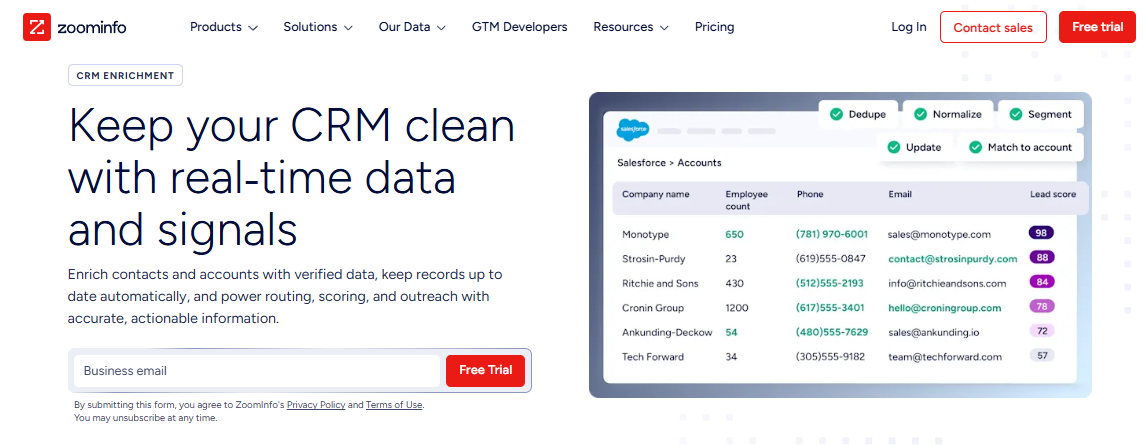
ZoomInfo is the enterprise incumbent for company and contact data, with deep firmographics and native CRM connectors. It is powerful for large sales orgs, but it is UI-first and priced for the enterprise.
My honest read: ZoomInfo wins on brand and depth, but its API is rate-limited and not built for an agent making thousands of calls a day. Teams hitting that ceiling often weigh ZoomInfo API alternatives for agent builders.
⏰ Time to first API call: UI: minutes. API: ~1 hour plus contract.
⚙️ Setup complexity: Medium to high
🛠️ Core Services
- Large company and contact database
- Native Salesforce and CRM connectors
- Intent data and scoops
- WebSights visitor de-anonymization
- Workflows automation layer
📊 Data Coverage and Field Depth
Strong in: Enterprise firmographics and US coverage. Our tests put ZoomInfo around 88.31% employee-count and 89.62% URL coverage, solid but behind Explorium’s 97.80%.
Weak in: Agent-scale API access and transparent pricing.
Field depth: Deep firmographics, contacts, and intent.
Confidence level: Medium-high for enterprise.
🤖 API and Agent Readiness
- API availability: Yes
- API depth: Moderate, rate-limited
- MCP compatibility: Not supported
- Agent usability: Low to medium
💰 Pricing and Cost Structure
Pricing model: Custom enterprise contract, typically annual.
💸 Cost interpretation: Among the most expensive options. Detailed cost mechanics are not fully transparent pre-contract.
⚠️ Hidden costs and constraints: Seat-based licensing, add-on modules for intent and visitor data, and multi-year terms.
✅ When to Shortlist
Shortlist this if: you are an enterprise sales org, you need deep firmographics, and budget is not the binding constraint.
Avoid this if: you are agent-first, cost-sensitive, or need high-throughput API access without rate limits.
5. Cognism: Best for EU-Focused Phone Outbound with a GDPR Posture [toc=1.5 Cognism]
📌 Overview
Cognism is a sales-intelligence platform known for European coverage and a compliance-forward (GDPR, the EU data-privacy law) posture. It leans on phone and mobile data for outbound teams. It is a customer of ours on the data side, so I rate it fairly: strong positioning, contested coverage.
⏰ Time to first API call: UI: minutes. API: ~1 hour.
⚙️ Setup complexity: Medium
🛠️ Core Services
- Contact and company database with EU focus
- Diamond-verified mobile numbers
- Intent data (Bombora-powered)
- Native CRM and sales-tool connectors
- Chrome extension
📊 Data Coverage and Field Depth
Strong in: EU contacts, GDPR-aware sourcing, and mobile-number positioning.
Weak in: Coverage consistency, which several reviewers dispute.
Field depth: Contacts, firmographics, and intent.
Confidence level: Medium; coverage claims are contested by users below.
🤖 API and Agent Readiness
- API availability: Yes
- API depth: Moderate
- MCP compatibility: Not supported
- Agent usability: Low to medium
💰 Pricing and Cost Structure
Pricing model: Seat-based annual contract.
💸 Cost interpretation: Annual commitments are common; one reviewer flagged being signed to a 12-month term after quarterly talk. Detailed cost mechanics are not fully transparent pre-contract.
⚠️ Hidden costs and constraints: Seat licensing, annual lock-in, and module add-ons.
✅ When to Shortlist
Shortlist this if: you run EU outbound, you prioritize a compliance story, and phone is your primary channel.
Avoid this if: you need agent-native API retrieval, verified mobile depth beyond the disputed range, or month-to-month flexibility.
💬 Customer Reviews
“Data is really limited and generally poor quality. Claims 90% mobile coverage in sales process but doesn’t deliver… Diamond Verified mobiles are less than 10%.”
Alex, AU Cognism Trustpilot Verified Review
“Poor data quality, no direct mobile numbers. Numbers either wrong or returns US HQ number even when searching European offices.”
Jackie, DE Cognism Trustpilot Verified Review
6. People Data Labs (PDL): Best for Builders Needing Raw Person and Contact Coverage [toc=1.6 People Data Labs]
📌 Overview
People Data Labs is a developer-first data API focused on person and company records. It is built for engineers who want raw coverage to wire into their own pipeline. Credit where due: PDL often beats us on pure contact-info coverage in some segments.
⏰ Time to first API call: API: ~15 to 30 minutes (developer-first).
⚙️ Setup complexity: Medium (API-only, you build the workflow)
🛠️ Core Services
- Person and company enrichment APIs
- Bulk dataset licensing
- Identify and search endpoints
- Schema-rich person profiles
- Developer SDKs
📊 Data Coverage and Field Depth
Strong in: Raw person/contact coverage at scale in some segments.
Weak in: Unified deduplication across signals; you bring your own matching layer.
Field depth: Wide person attributes; lighter on intent and real-time signals.
Confidence level: Medium-high for contacts, segment-dependent.
🤖 API and Agent Readiness
- API availability: Yes, developer-first
- API depth: High for person/company
- MCP compatibility: Not supported
- Agent usability: Medium; raw API, no agent orchestration layer
💰 Pricing and Cost Structure
Pricing model: Usage-based API plus bulk licensing.
💸 Cost interpretation: Pay per record/match. As a single-signal provider, you may still need Bombora, BuiltWith, and others, which means several bills and several matching layers. A unified B2B contact data layer avoids that sprawl.
⚠️ Hidden costs and constraints: Reviewers report abrupt account actions and rigid payment terms.
✅ When to Shortlist
Shortlist this if: you are an engineer who wants raw contact coverage, you will build your own matching, and contacts are your primary need.
Avoid this if: you want one unified API across many signals, built-in dedup, or MCP-native agent retrieval.
💬 Customer Reviews
“Switched from free trial to paid plan ($100/month). After a few days, account disabled with no warning or explanation. Support unresponsive after multiple contact attempts.”
Verified User, Computer Software People Data Labs G2 Verified Review
“Data was ok but payment system is a scam. Very hard to get off their hook once signed up.”
Glissando AI, US People Data Labs Trustpilot Verified Review
7. Clearbit (HubSpot Breeze): Best for HubSpot-Native Marketing Teams [toc=1.7 Clearbit / HubSpot Breeze]
📌 Overview
Clearbit, now folded into HubSpot as Breeze Intelligence, is the lowest-friction enrichment path for HubSpot-native teams. It auto-enriches records and reveals website visitors inside the CRM you already use. Outside HubSpot, its standalone flexibility is thinner.
⏰ Time to first API call: UI: instant in HubSpot. API: ~30 to 60 minutes.
⚙️ Setup complexity: Low (in HubSpot), medium (standalone API)
🛠️ Core Services
- Automatic lead and account enrichment
- Reveal (website visitor de-anonymization)
- Firmographic and role data for scoring
- Native HubSpot workflows
- Enrichment API
📊 Data Coverage and Field Depth
Strong in: Firmographics and role data for HubSpot qualification.
Weak in: Refresh cadence and contact-match depth; one reviewer found only ~20% of known contacts.
Field depth: Solid firmographics, lighter contact and intent breadth.
Confidence level: Medium.
🤖 API and Agent Readiness
- API availability: Yes
- API depth: Moderate
- MCP compatibility: Not supported
- Agent usability: Low to medium
💰 Pricing and Cost Structure
Pricing model: Bundled into HubSpot tiers / credit-based.
💸 Cost interpretation: Cheapest if you already live in HubSpot. Standalone, reviewers note steep jumps once you pass self-service limits.
⚠️ Hidden costs and constraints: Tier jumps, yearly agreements for higher volumes, and refresh limits.
✅ When to Shortlist
Shortlist this if: you are HubSpot-native, you want auto-enrichment with near-zero setup, and firmographic scoring is the goal.
Avoid this if: you need fresh, deep contact data, multi-CRM flexibility, or agent-native retrieval.
💬 Customer Reviews
“Company data doesn’t refresh often enough. Only 20% of known contacts could be found, including people at companies for 1 year.”
Verified User, Internet Clearbit G2 Verified Review
“APIs enrich new lead notifications with job title data for qualification. Reveal shows which accounts visit your website… Not always accurate. Needs more frequent refresh.”
Brian Y., Head of Marketing Clearbit G2 Verified Review
8. Lusha: Best for SMB Reps Needing Quick Contact Lookups [toc=1.8 Lusha]
📌 Overview
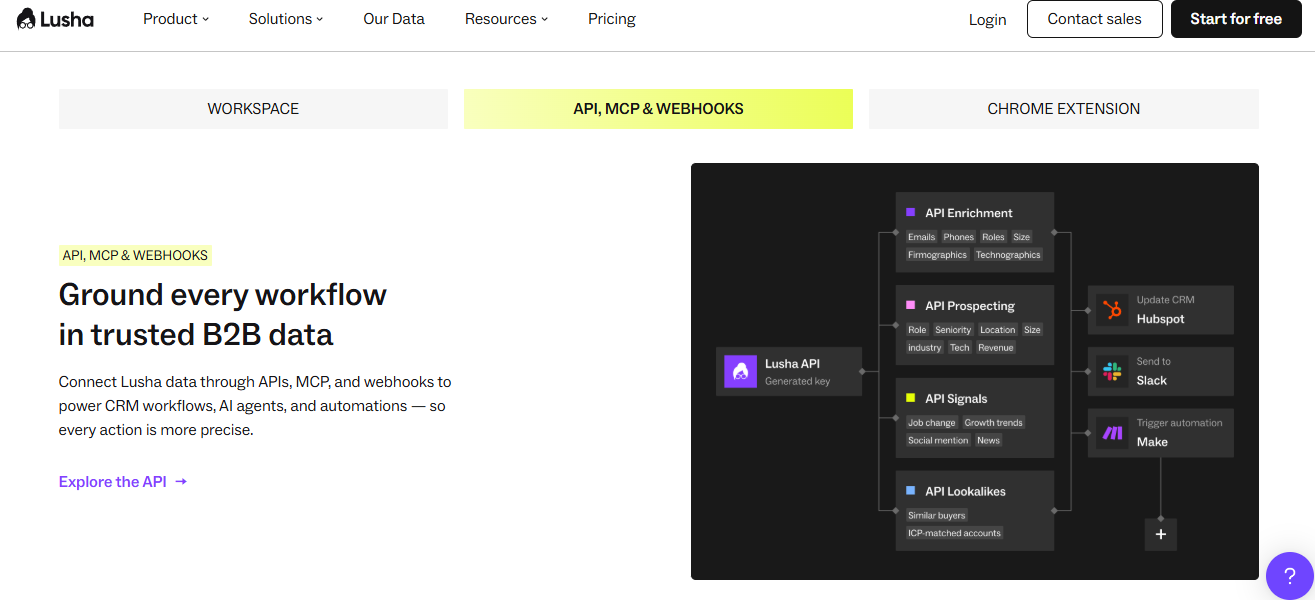
Lusha is a lightweight contact-lookup tool popular with SMB reps who want emails and direct dials fast. It is simple and quick, with a browser extension for one-click pulls. It is not built for deep firmographic enrichment or agent orchestration.
⏰ Time to first API call: UI: instant. API: ~30 minutes (higher tiers).
⚙️ Setup complexity: Low
🛠️ Core Services
- Contact email and direct-dial lookup
- Chrome extension for LinkedIn
- Basic company firmographics
- CRM push integrations
- Bulk enrichment on higher tiers
📊 Data Coverage and Field Depth
Strong in: Quick B2B contact lookups and ease of use.
Weak in: Deep firmographics, technographics, and intent breadth.
Field depth: Contact-centric, lighter on company signals.
Confidence level: Medium for contacts.
🤖 API and Agent Readiness
- API availability: Yes (paid tiers)
- API depth: Low to moderate
- MCP compatibility: Not supported
- Agent usability: Low
💰 Pricing and Cost Structure
Pricing model: Seat plus credit subscription.
💸 Cost interpretation: Affordable for individuals; credits deplete fast on heavy use. Detailed enterprise mechanics are not fully transparent pre-contract.
⚠️ Hidden costs and constraints: Per-credit unlocks, seat caps, and API gated to higher plans.
✅ When to Shortlist
Shortlist this if: you are an SMB rep, you want fast manual lookups, and you value simplicity.
Avoid this if: you need multi-signal enrichment, scale-ready API, or agent-native retrieval.
9. FullEnrich: Best for Waterfall Email and Phone Discovery [toc=1.9 FullEnrich]
📌 Overview
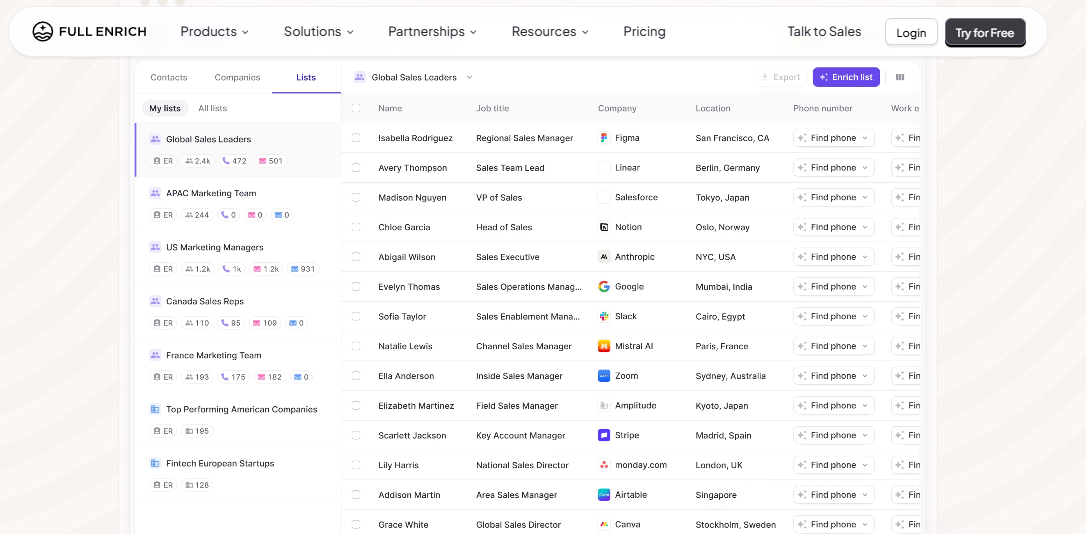
FullEnrich is a waterfall-enrichment specialist that chains 20+ providers to find emails and phones, and it charges only for valid, verified contacts. It does one job well: maximizing contact hit rate per lookup. It is not a broad multi-signal data layer.
⏰ Time to first API call: API: ~30 minutes.
⚙️ Setup complexity: Low to medium
🛠️ Core Services
- Waterfall email and phone discovery across 20+ providers
- Pay-only-for-valid-contact billing
- Bulk enrichment
- CRM and tool integrations
- API access
📊 Data Coverage and Field Depth
Strong in: Email and phone hit rate via waterfall chaining.
Weak in: Firmographics, technographics, and intent (single-signal focus).
Field depth: Contact-centric only.
Confidence level: Medium-high for contact discovery.
🤖 API and Agent Readiness
- API availability: Yes
- API depth: Moderate (contact endpoints)
- MCP compatibility: Not supported
- Agent usability: Low to medium
💰 Pricing and Cost Structure
Pricing model: Usage-based credits, charged on valid results.
💸 Cost interpretation: Efficient for pure contact discovery; you avoid paying for misses. But as a single signal, you still wire other APIs for company and intent data. A consolidated approach to waterfall enrichment keeps it under one roof.
⚠️ Hidden costs and constraints: Single-signal scope means added integrations and bills elsewhere.
✅ When to Shortlist
Shortlist this if: you want best-effort email/phone via waterfall, you like pay-for-valid billing, and contacts are the gap.
Avoid this if: you need one unified API across many signals, built-in dedup, or MCP-native agent retrieval.
10. RocketReach: Best for Individual Contact Lookups [toc=1.10 RocketReach]
📌 Overview
RocketReach is a contact-lookup tool for finding individual emails and phone numbers across a large person index. It suits reps and recruiters doing one-off searches. It is shallow on company-level enrichment and not agent-oriented.
⏰ Time to first API call: UI: instant. API: ~30 minutes (paid).
⚙️ Setup complexity: Low
🛠️ Core Services
- Email and phone lookup by person
- Browser extension
- Bulk lookups on higher tiers
- Basic company data
- API access (paid tiers)
📊 Data Coverage and Field Depth
Strong in: Individual contact lookups across a wide index.
Weak in: Firmographics, technographics, intent, and freshness.
Field depth: Contact-centric, shallow company signals.
Confidence level: Medium for contacts.
🤖 API and Agent Readiness
- API availability: Yes (paid)
- API depth: Low to moderate
- MCP compatibility: Not supported
- Agent usability: Low
💰 Pricing and Cost Structure
Pricing model: Seat plus lookup-credit subscription.
💸 Cost interpretation: Reasonable for light use; credits drive cost at volume. Detailed mechanics are not fully transparent pre-contract.
⚠️ Hidden costs and constraints: Per-lookup credits, tier-gated API, and export limits.
✅ When to Shortlist
Shortlist this if: you do individual lookups, you want a simple tool, and contacts are the only need.
Avoid this if: you need multi-signal depth, scale-ready API, or agent-native retrieval.
11. Datagma: Best for Budget Email and Phone Enrichment [toc=1.11 Datagma]
📌 Overview
Datagma is a budget-friendly enrichment API for emails, phones, and basic company data. It appeals to cost-sensitive teams and early-stage builders. The trade-off is a narrower signal range and no agent-native layer.
⏰ Time to first API call: API: ~20 to 30 minutes.
⚙️ Setup complexity: Low to medium
🛠️ Core Services
- Email and phone enrichment
- Basic firmographics
- Job-change and LinkedIn data
- Bulk enrichment
- API access
📊 Data Coverage and Field Depth
Strong in: Affordable contact enrichment.
Weak in: Breadth of signals, intent, and enterprise coverage.
Field depth: Contact-centric, limited company depth.
Confidence level: Medium, segment-dependent.
🤖 API and Agent Readiness
- API availability: Yes
- API depth: Low to moderate
- MCP compatibility: Not supported
- Agent usability: Low
💰 Pricing and Cost Structure
Pricing model: Usage-based credits.
💸 Cost interpretation: Among the cheaper API options for contacts. Detailed mechanics are not fully transparent pre-contract.
⚠️ Hidden costs and constraints: Single-signal scope means added integrations for richer data.
✅ When to Shortlist
Shortlist this if: you are budget-constrained, you need basic contact enrichment, and scope is narrow.
Avoid this if: you need broad multi-signal data, scale infrastructure, or MCP-native agent retrieval.
Where This Leaves the Stack
Across these nine tools, one pattern repeats: each does part of the job well, and none was built so an agent, not a rep, decides what to fetch. UI-first platforms (Apollo, ZoomInfo, and Cognism) force a human to orchestrate and bill by seat or async credit pools that fight bulk enrichment. Single-signal providers (PDL, FullEnrich, RocketReach, and Datagma) mean wiring several APIs, paying several bills, and writing your own matching layer.
This is the exact sprawl we built the Explorium data enrichment API for AI agents to collapse. We aggregate 50+ sources behind one API and one MCP server, with one unified credit pool, so your agent pulls firmographics, contacts, and intent in a single integration instead of five. Think of it like Snowflake consolidating scattered data warehouses, or Stripe replacing gateway sprawl: one bill, one matching layer, and one place the agent asks. That is why data products like Clay, Cognism, Bombora, Outreach, and Common Room run on our data underneath.
Q2: How Did We Score and Select These CRM Enrichment Tools? [toc=2. Scoring Methodology]
We scored every tool on five weighted criteria totaling 100%: Data Coverage and Accuracy (25%), Agent and API Readiness (25%), Field Depth and Signal Quality (20%), Commercial Model Transparency (15%), and User Reviews and Customer Validation (15%). Tools earn 1 star (0 to 20), 2 (21 to 40), 3 (41 to 60), 4 (61 to 80), and 5 stars (81 to 100). Explorium scores 5 stars on unified coverage, MCP-native delivery, and credit-pool transparency.
🎯 Why These Five Criteria, Not "Most Contacts Wins"
The old way to rank a data tool was simple: count the contacts. That logic breaks the moment an agent, not a rep, is the one calling for data. So I weighted the axes that actually decide outcomes at 10,000 calls a day.
Agent and API Readiness sits at 25%, tied for the top weight. Legacy reviews ignore it, but MCP support (Model Context Protocol, the open standard that lets an AI agent fetch data directly) is where pipelines live or die. The choice between MCP and a REST API for agents shapes everything downstream.
📊 The Rubric, in Plain Numbers
Commercial Model Transparency carries 15% on purpose. Apollo, for example, charges one credit per email, eight credits per mobile number, and a separate export pool, so real cost lands 2x to 3x the headline price. A unified credit pool removes that math, which is why credit-based versus subscription pricing matters at scale.
I will flag honestly where a tool beats Explorium. People Data Labs often wins raw contact coverage in some segments, and Crust Data undercuts on early-stage pricing. Explorium earns its 5 stars because one API, one MCP server, and one credit pool score high on the two axes legacy lists skip, the same logic behind the best B2B data enrichment API for AI agents.
Q3: What Is CRM Contact Enrichment and How Does the Match-Rate Engine Actually Work? [toc=3. How Enrichment Works]
CRM contact enrichment fills gaps and corrects decayed records by matching your contacts against third-party sources to add verified emails, direct-dial phones, firmographics, technographics, and buying signals, then syncing those fields back into Salesforce or HubSpot. Under the hood it runs entity resolution, exact matching on unique keys first, then fuzzy matching, to decide whether two records describe the same person, which is also what stops duplicates.
🔍 The Staged Pipeline Behind the Match
Most articles quote a match rate and stop. Here is the part they skip. Enrichment runs in stages: exact match on a unique key, then fuzzy match on close-but-imperfect fields, then dedup and conflict resolution, then write-back to the CRM.
A Capital One patent granted in November 2025 is blunt about the vocabulary. It defines entity resolution as "record linkage or deduplication," the process of merging records that refer to the same real-world entity. So matching and deduplication are not two features. They are one job, and they sit at the core of any business enrichment API.
🧠 Why ML Matching Beats Old Rule-Based Matching
Older systems lean on blocking keys, rigid rules that group records before comparing them. Zephyr Health’s filing describes the classic exact-match-then-fuzzy-match staging this way. It works, but it misses messy real-world records.
The Capital One approach trains a model on match vectors, so it learns which attributes must align and which can differ. That ML method resolves identity even when no clean blocking key exists. The practical payoff: fewer false merges and fewer duplicates created during bulk enrichment, which is exactly what strong match-rate benchmarks reflect.
⚙️ The Real-World Edge Cases
I could be slightly off on any one vendor’s internals, but from running this at scale, the hard cases are predictable. A company LinkedIn URL often returns the holding company’s headcount, not the subsidiary you actually care about. A good engine passes several candidate signals into a model and picks the best, instead of trusting one source blindly.
This matching, deduplication, and cleansing layer is the unglamorous work most tools skip. We run it across 50+ sources at Explorium, so an agent receives one resolved record, not four conflicting ones, the way our data pipeline is designed. That is what turns a raw data pull into a usable CRM field.
Q4: Why Does Your CRM Data Decay, and What Does Bad Data Cost? [toc=4. Data Decay & Cost]
Roughly 30% of CRM data decays every year as people change jobs, emails, and phone numbers. Stale records cost you three ways: hard bounces that burn your sending domain, reps wasting up to 70% of their time on manual data entry instead of selling, and budget spent contacting people who never respond. The fix is scheduled re-enrichment plus auto-enrich on record creation.
💸 The Problem You Already Feel
Your CRM looks full, but a third of it quietly rots each year. People switch jobs, numbers disconnect, and emails die. About 62% of B2B phone calls now go unanswered, and reps lose most of their day to manual cleanup instead of selling.
⚠️ The Deliverability Death Spiral
Here is where it gets expensive. Send to decayed emails and you rack up hard bounces, which burn your sending domain’s reputation. One founder told me he "tried literally everything," and deliverability "remained a constant challenge."
He described it perfectly. Fixing bad data blind is "like driving your car, you hear a weird noise, and you jerk the wheel, you’re just guessing." If your database is outdated, you land in spam, and the whole outbound engine stalls. Real-time buying signals and outreach timing are what keep you out of that spiral.
✅ The Fix: Treat Enrichment as Infrastructure
Stop thinking of enrichment as a one-time list buy. Think of it as keeping the record alive. Auto-enrich every new record on creation, then re-enrich the database on a schedule.
That cadence favors API and credit-pool models over manual UI exports, because the job never really stops. We keep records fresh at Explorium with real-time, event-driven signals across 18 categories and 80 event types, so a contact’s job change updates the record before your rep dials a dead number, the foundation of a data layer for autonomous outbound agents. Fresh data is cheaper than a burned domain.
Q5: Which Tools Offer Native Salesforce, HubSpot, and Pipedrive Integration with Auto-Sync? [toc=5. CRM Integration & Auto-Sync]
Native integration plus auto-sync is where most tools quietly fail. Clearbit/HubSpot Breeze is HubSpot-native; ZoomInfo and Cognism offer deep Salesforce connectors; Apollo allows only one CRM connection at a time, forcing teams on both Salesforce and HubSpot into Zapier middleware. Auto-sync should enrich new records on creation and refresh existing ones on a schedule, but UI tables like Clay cap at 50,000 rows, so scale needs an API-first layer.
🔌 What "Native" Actually Means
"Native" is not just a logo on a connector page. It means real field mapping, bidirectional sync, conflict resolution, and dedup-on-write so you do not create twins. If a tool writes a second "Acme Inc" next to your "Acme, Inc.," it is not native, it is a duplicate generator.
The test I use is simple. Can it enrich only empty fields, merge on a unique key, and resolve conflicts without a human? If not, you are buying a cleanup project, which is exactly what a clean data pipeline should prevent.
⏰ Auto-Enrich-on-Create vs Scheduled Re-Enrichment, and the Scale Wall
Good auto-sync does two jobs: enrich every new record the moment it is created, and refresh the whole database on a schedule. The first keeps reps current. The second fights the 30% yearly decay.
Then comes the wall. Clay’s general tables cap at 50,000 rows, pushing larger jobs to Headless Clay. One team told me Apollo’s API was "so slow and consistently throttled it was never worthwhile," so they fell back to manual exports, a known limit that drives many toward Apollo API alternatives.
🪤 The Multi-CRM Trap
Here is the quiet failure. Apollo allows only one CRM connection at a time, so a team running both Salesforce and HubSpot must pick one or bolt on Zapier. That middleware adds latency, cost, and another place sync breaks.
We took the opposite path at Explorium. The data layer feeds Salesforce, HubSpot, Pipedrive, and 13+ platforms through one API plus native integrations, at up to 1,000 entities per call, with no single-CRM lock-in and no row cap, which keeps B2B contact data in one source of truth. One source of truth feeds every CRM and every agent at once.
💬 Customer Reviews
“HubSpot integration broken, phone numbers don’t push over despite team insisting it’s resolved.”
Lorri F., Business Development SalesIntel G2 Verified Review
“Widget functionality within Salesforce. Easy to create Salesforce records with contact data… Company data doesn’t refresh often enough.”
Verified User, Internet Clearbit G2 Verified Review
Q6: Which Tool Is the Best Fit for Your Team and Budget? [toc=6. Best-Fit Picks & Economics]
Pick by scenario, not hype. HubSpot-native marketing teams get the lowest-friction path from Clearbit/Breeze; enterprise phone outbound teams should weight Cognism or ZoomInfo for phone accuracy; GTM engineers enriching CRM records at scale across many signals should choose Explorium for its unified API, MCP server, and credit pool; budget-conscious founders can start with Apollo or a Crust Data deal. Control spend with waterfall lookups, dedup pre-filtering, and a unified credit pool.
🎯 Why Best-Fit Beats Best-Overall
There is no single winner, only a winner for your job. I will say the quiet part: signals, job postings, and intent can be "just fluff" if you lack the scale to act on them. Match the tool to the workflow, not the marketing, the same way you would identify your ICP and prioritize leads.
💸 Cost-Control Tactics That Actually Work
Three moves protect your budget. First, use a waterfall: try providers in order and stop at the first valid result, which "saves you money automatically." Second, pre-filter junk rows before you spend a credit, the heart of efficient waterfall enrichment.
Third, exclude records you already pulled. Tools like Prospeo "hide all people exported in the past," so you only ever pay for new data. A lean Apify-plus-n8n pipeline can hit roughly $1.50 per thousand leads when tuned.
💰 Unified Pool vs Fragmented Credits
Apollo’s math stings at scale. One email costs one credit, a mobile costs eight, and exports draw from a separate pool, so real cost runs 2x to 3x the sticker. That is three meters running at once, which is why credit-based versus subscription pricing deserves scrutiny.
We built Explorium around one unified credit pool across 30+ enrichments, and custom-plan search preview means an agent pays only for data it actually consumes. Explorium is honestly not the pick for a single one-off enrichment or a non-technical marketer who just wants a static list. It is the pick when an agent enriches at scale across many signals, the way the best B2B data enrichment API for AI agents should work.
💬 Customer Reviews
“Best data providers in one subscription saving up to 70% costs… but credits per cost too low for a team.”
Qais B., Growth Strategist Clay G2 Verified Review
“Affordable pricing. Data relatively accurate for the price… Half of exported data was on spam lists.”
Verified User, Insurance Apollo G2 Verified Review
Q7: How Do You Wire CRM Enrichment Into Your GTM Agent Stack, Buy, Build, or MCP? [toc=7. Agent-Stack Architecture]
Buy a UI platform like Apollo if salespeople click through lists by hand; choose an API/MCP data layer like Explorium if an agent, not a human, decides what to fetch; build in-house only for the narrow 10% no vendor covers. To wire it up, expose your data over MCP and orchestrate in n8n: a webhook triggers enrichment, the agent pulls firmographics, contacts, and signals, an LLM QA-checks the result, and the enriched record syncs to the CRM.
🧭 The Buy, Build, or MCP Continuum
My rule of thumb: buy 90% of your AI stack, and build only the 10% where no vendor exists. The leverage is real. A Vercel GTM engineer built a lead agent that cost about $1,000 to run for a year and replaced SDR work that previously cost over $1 million.
That is the shift. The data buyer is no longer a rep clicking export. It is an agent deciding, mid-task, what to fetch next, which is why a data layer for autonomous outbound agents matters.
🔌 Why MCP Changes the Buyer
MCP (Model Context Protocol) is, as Anthropic frames it, "a USB socket for AI," one standard plug so an agent can reach any tool. Without it, agents "spend a lot of time pulling data irrelevant to the task." With it, the agent requests only the fields the task needs, the core argument in MCP versus REST API for AI agents.
This matters because most teams still struggle here. By one account, only about 11% of customers get an AI project fully working. Architecture, not ambition, is usually the gap.
⚙️ A Concrete n8n Build (with Real Latency)
Here is a flow you can ship this week:
- A webhook fires when a new CRM record is created.
- The agent calls the data layer over MCP for firmographics, contacts, and signals.
- An LLM QA step has Claude “check the LinkedIn profile works” before write-back.
- The enriched, deduped record syncs to Salesforce or HubSpot.
Be realistic about speed. A profile with a research and QA step can take around 20 seconds, though a tight pipeline can run sub-2-seconds per lead. Think of it like bees: add enough small agents and "suddenly they’re making honey."
The old way wires Bombora for intent, FullEnrich for contacts, and BuiltWith for tech, three APIs, three bills, three matching layers. We collapse that at Explorium into one MCP-native data layer where the agent picks what to fetch, with resale rights and search preview on custom plans so agents pay only for consumed data. One plug, many signals.
FAQs


