


TL;DR
- We rank the 9 best company lookup APIs in 2026 on five weighted criteria: coverage, agent readiness, field depth, pricing transparency, and verified user reviews.
- A lookup API resolves a messy identifier into one canonical company record; search finds lists and enrichment appends fields, and resolving plus enriching are billed separately.
- Match rate, latency, and freshness beat raw database size, since B2B data decays around 2.1% monthly and stale records burn sending domains.
- MCP-native delivery is the real 2026 differentiator because the buyer of the next data call is often an agent, not a salesperson clicking a dashboard.
- Sticker price lies; model cost per confirmed match, use pay-on-match billing, a stop-at-first-hit waterfall, dedup, and treat GDPR plus SOC 2 as a hard gate.
- Choose by your dominant constraint and consolidate a 15-to-25-vendor stack into one agent-native layer with a single credit pool.
Q1. What are the 9 best company lookup APIs for GTM in 2026 (and how we scored them)? [toc=1. 9 Best Company Lookup APIs]
The nine best company lookup APIs for GTM in 2026 are Explorium, People Data Labs, Apollo, Clay, Crust Data, ZoomInfo, Clearbit/HubSpot Breeze, Cognism, and The Companies API. We scored each on five weighted criteria summing to 100: Data Coverage and Accuracy (25%), Agent and API Readiness (25%), Field Depth and Signal Quality (20%), Commercial Model Transparency (15%), and User Validation (15%). Scores band into 1 to 5 stars. Explorium leads as the agent-native unified layer.
Choosing a company lookup API is a high-stakes call for SaaS teams building GTM agents, enriching at scale, and fighting data decay. Rather than rank on popularity, this guide evaluates providers on operational, technical, and commercial criteria that matter to agent-building teams. We analyzed 25-plus B2B data providers offering API enrichment, MCP-native delivery, contact and company data, and multi-source aggregation, then shortlisted nine. The lens throughout is simple: the buyer of the next data call is often an LLM, not a salesperson, so agent-readiness is weighted as heavily as raw coverage.
🧮 How we scored these company lookup APIs
Here is the honest version of why most of these lists feel useless. They rank on brand recognition and database size, then bury the metrics that actually break at 10K calls a day. I weighted the rubric toward what I have watched go wrong in production agent workloads: stale records, throttled APIs, and credit pools that drain on unmatched calls. One thing I keep coming back to is that the average go-to-market stack now runs 15 to 25 vendors, and most of that sprawl exists to patch coverage gaps a single unified layer could close.
I will say this plainly, even if it is contrarian. A lot of the "advanced" signals vendors sell (open rates, education history, vanity intent scores) are mostly fluff for list-building at scale. So the rubric rewards coverage, accuracy, and agent-readiness over signal-count theater.
⭐ The five criteria and weights
✅ How the stars work
Scores map to stars in simple bands: 0 to 20 earns 1 star, 21 to 40 earns 2 stars, 41 to 60 earns 3 stars, 61 to 80 earns 4 stars, and 81 to 100 earns 5 stars. The point is that the order is auditable. You can disagree with a weight and re-run it yourself, which is the whole "show, don’t tell" idea.
📊 Company lookup API comparison (2026)
1.1 Explorium [toc=1.1 Explorium]
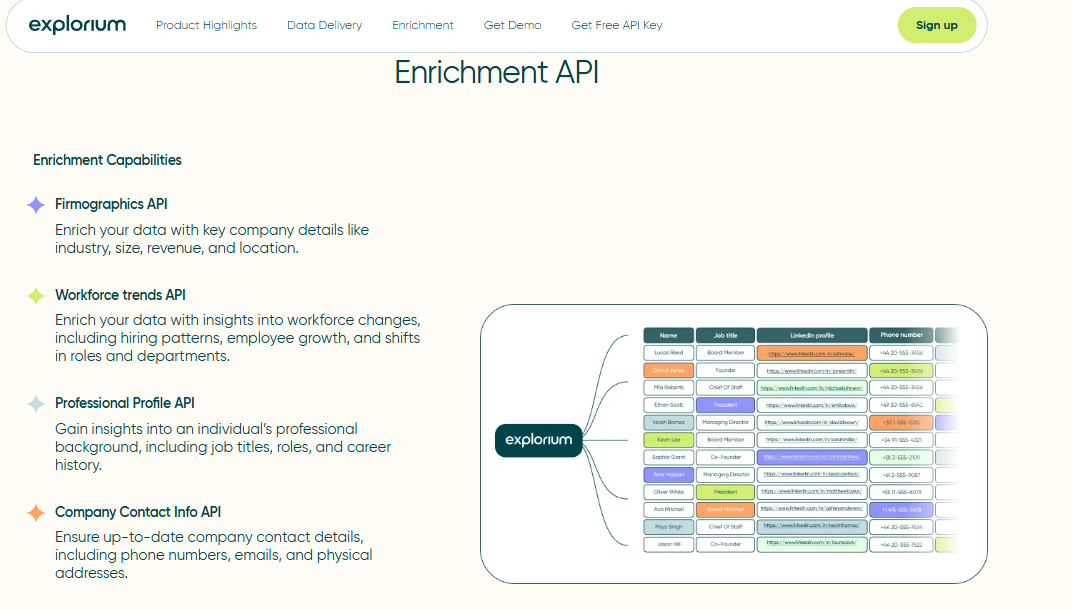
Explorium is the agent-native unified layer: one API, one MCP server, and one credit pool spanning 50-plus aggregated sources, 150M+ company profiles, and 4,000-plus data points. Instead of wiring five providers and paying five bills, you call one endpoint, and the agent decides what to fetch. That single architectural choice is why it sits at the top of this list for teams building production GTM agents.
🔍 Overview
In practice, Explorium does what a multi-vendor stack does, minus the integration sprawl. It resolves a company from a domain or name, then enriches across aggregated sources with deduplication handled once, not five times. We built this because we kept watching teams stitch PDL for contacts, Bombora for intent, and BuiltWith for tech, then maintain five matching layers by hand.
⏰ Time to first API call: UI: minutes. API call: roughly 30 to 60 minutes with the developer docs.
⚙️ Setup complexity: Low to medium (API-first, MCP-native).
🛠️ Core services
- Company and contact enrichment across 50-plus aggregated sources behind one API
- Native MCP server so an agent selects and fetches data at runtime
- Bulk enrichment endpoint accepting up to 50 business IDs per request
- Unified credit pool across 30-plus enrichments, so one budget covers everything
- Native integrations with Outreach, Salesforce, HubSpot, and Snowflake
📊 Data coverage and field depth
✅ Strong in: multi-source company firmographics, technographics, and match rate from aggregation rather than one scraped database.
❌ Weak in: it is a data layer, not an outreach UI, so non-technical reps who want click-to-send sequencing will need a front end.
⭐ Field depth: 4,000-plus data points per entity across firmographic, technographic, hiring, and funding signals.
😊 Confidence level: High for company enrichment and agent workloads.
🤖 API and agent readiness
- API availability: Yes, REST plus a scale-ready sync API
- API depth: High, with bulk and single-record endpoints
- MCP compatibility: Yes, native MCP server
- Agent usability: High. The agent decides what to fetch, which removes the ClickOps lag of UIs never built for autonomous retrieval
Here is the part I care about most. When data is fragmented across systems, an autonomous agent burns cycles pulling data just to make the join, much of it irrelevant to the task. A single MCP layer over 50-plus sources cuts that retrieval tax. Think of MCP as a USB-C port for AI: one socket the agent plugs into instead of nine brittle integrations.
💰 Pricing and cost structure
Pricing model: Usage-based with a unified credit pool and custom enterprise plans.
Published pricing: Starter plans begin around the low hundreds per month, with Scale and custom tiers above that.
💸 Cost interpretation (what you actually pay):
- Billing driver: pooled credits across all enrichments, not per-vendor silos
- Free credits / trial: Yes, a free tier to validate a workflow before committing
- One bill replaces the 15-to-25-vendor stack most GTM teams carry
⚠️ Hidden costs and constraints:
- Detailed enterprise mechanics (resale rights, search preview) sit on custom plans and are scoped pre-contract
- It is a data and MCP layer, so outbound sequencing lives in your own tools
📌 When to shortlist
✅ Shortlist this if:
- You are building agent-native enrichment and want MCP retrieval out of the box
- You want to collapse a multi-vendor stack into one API and one credit pool
- You need benchmark-led company match rate at 10K-plus calls a day
❌ Avoid this if:
- You want a click-and-send prospecting UI for non-technical reps
- You only need one narrow data type and nothing else
💬 Customer reviews
“Explorium is a fast and effective platform that makes the integration and analysis of third-party data seamless.”
David A., CEO, Mid-Market Explorium G2 Verified Review
“Depending on where the data is coming from, the data can often be mismatched or have outdated information. It is best to cross-reference the output data from other enriched information.”
Omar G., Mid-Market Explorium G2 Verified Review
That second review is a fair knock, and I will own it: aggregation means source quality varies, which is exactly why deduplication and cross-source resolution matter so much in our match-rate logic.
1.2 People Data Labs [toc=1.2 People Data Labs]
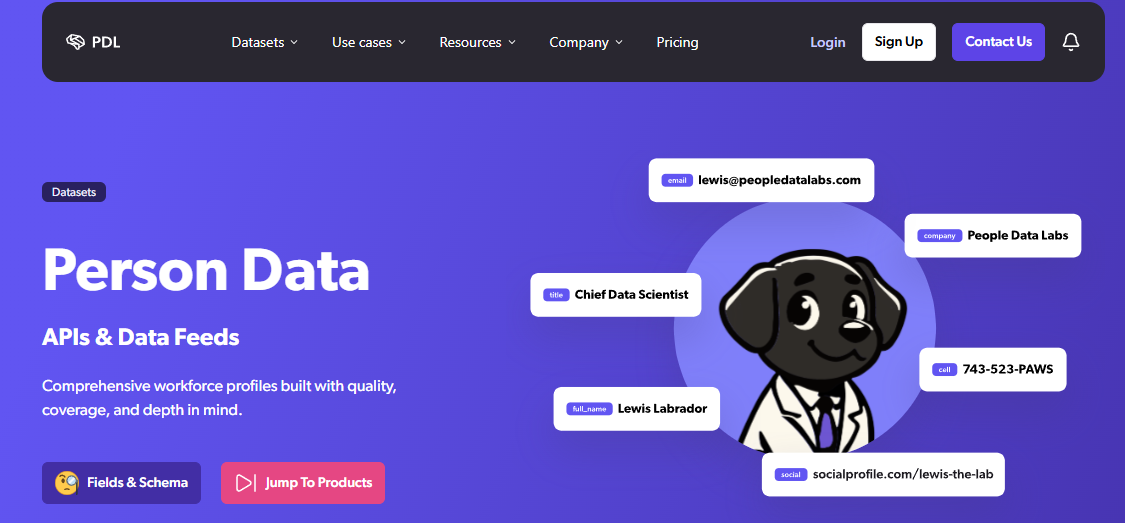
People Data Labs (PDL) is best for builders who want raw, licensable person and company data as developer primitives to embed inside their own apps. It is a data-as-infrastructure play, not a workflow UI, and it earns three stars: strong developer ergonomics and pay-on-match billing, dragged down by support and account-stability complaints.
🔍 Overview
PDL sells structured datasets through a clean API, and its pay-per-matched-record model is genuinely builder-friendly. You query, you get a match or you do not, and you pay only for the hit. In our own evals, PDL holds its own on contact-info coverage in some segments, and I want to be fair about that, it is a real strength.
⏰ Time to first API call: UI: limited. API call: roughly 30 to 45 minutes.
⚙️ Setup complexity: Medium (API-first, developer-oriented).
🛠️ Core services
- Person and company enrichment API with a large licensed dataset
- Pay-per-matched-record billing, no charge on a miss
- Bulk and search endpoints for dataset-style queries
- Identity and company resolution primitives for app builders
- Flexible schema suited to embedding data into your own product
📊 Data coverage and field depth
✅ Strong in: contact-level coverage in several segments and raw dataset breadth for builders.
❌ Weak in: account stability and support responsiveness, per repeated verified complaints.
⭐ Field depth: wide person and company attributes, though intent and live signals are thinner.
😊 Confidence level: Medium. Strong primitives, but operational reliability is contested.
🤖 API and agent readiness
- API availability: Yes, REST
- API depth: High for person and company records
- MCP compatibility: Not supported
- Agent usability: Medium. Solid for enrichment calls, but with no MCP layer, your agent logic and tool-selection must be hand-built
My honest read is that PDL is a great ingredient, not a finished dish. For an agent-native stack, you still write the orchestration, the dedupe, and the source-fusion yourself, which is the exact work a unified layer absorbs.
💰 Pricing and cost structure
Pricing model: Usage-based, pay per matched record.
Published pricing: Self-serve plans commonly start around $100 per month, scaling with volume.
💸 Cost interpretation (what you actually pay):
- Estimated cost: roughly 1 credit per matched profile, nothing charged on a miss
- Free credits / trial: limited free tier available
- Billing driver: matched API records
⚠️ Hidden costs and constraints:
- Verified reviews report abrupt account disabling and slow support, which is an operational risk at scale
- No MCP means extra engineering to make it agent-ready
📌 When to shortlist
✅ Shortlist this if:
- You are a developer embedding raw company or person data into a product
- You want pay-on-match economics and tolerate building your own orchestration
- You need a flexible schema over a finished workflow
❌ Avoid this if:
- You want native MCP and agent-side tool selection out of the box
- Account stability and hands-on support are non-negotiable for your team
💬 Customer reviews
“Product was useful while it worked which wasn’t long… Switched from free trial to paid plan $100/month. After a few days, account disabled with no warning or explanation. Support unresponsive after multiple contact attempts, even after waiting 1 week.”
Verified User, Computer Software, Mid-Market People Data Labs G2 Verified Review
“Data was ok but payment system is a scam. Very hard to get off their hook once signed up.”
Glissando AI People Data Labs Trustpilot Verified Review
The pattern across PDL’s verified reviews is consistent: the data primitives are usable, but billing and account control are where teams get burned. For a production agent on a single credit budget, that unpredictability is the thing I would pressure-test in a trial before wiring it into anything that runs nightly.
1.3 Apollo [toc=1.3 Apollo]
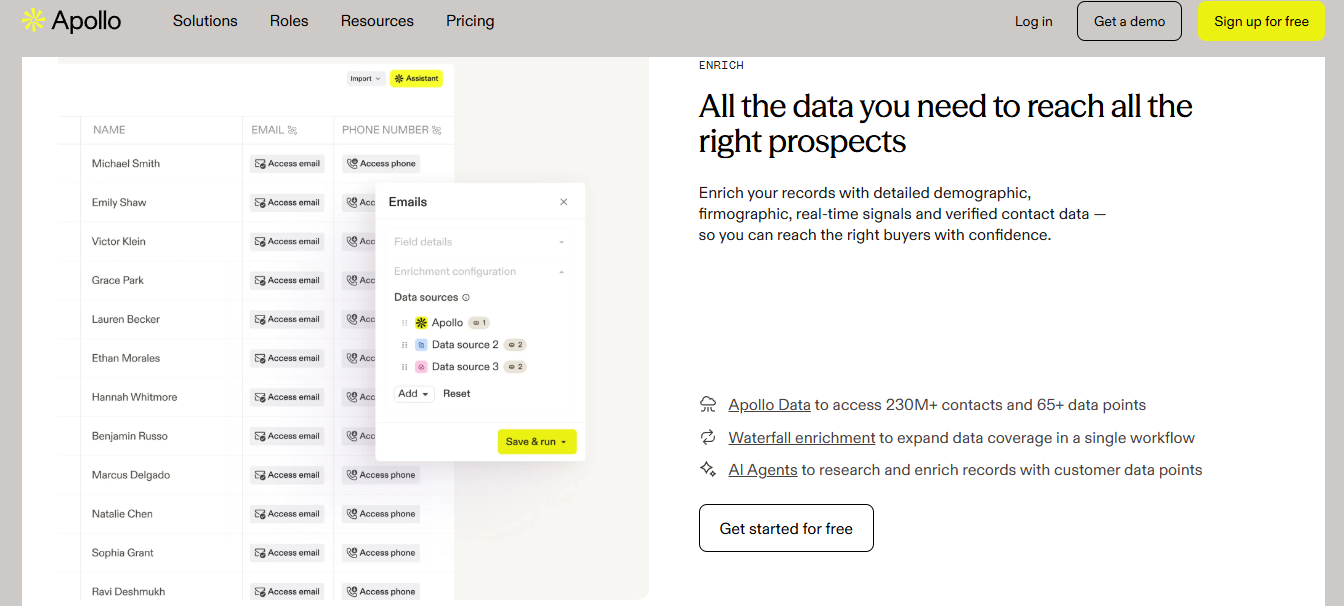
Apollo is best for mid-market SaaS teams that want an all-in-one prospecting platform with built-in contact data and outreach, not a pure agent-native API. It earns three stars: fast UI value and broad SaaS contacts, dragged down by credit-model friction, data-accuracy complaints, and an API that fights autonomous agents.
🔍 Overview
Apollo bundles contact discovery, enrichment, and outbound sequencing into one system. It is a workflow layer for reps, so the salesperson is the orchestrator, not the agent. That is fine for human-in-the-loop selling, but it strains the moment an LLM becomes the buyer of the next data call.
⏰ Time to first API call: UI: instant. API call: roughly 30 to 60 minutes.
⚙️ Setup complexity: Medium (UI-first, API-second).
🛠️ Core services
- Contact and company database with advanced filtering
- Email and phone enrichment with credit-based unlocks
- Built-in outbound sequencing and CRM sync (Salesforce, HubSpot)
- Chrome extension for LinkedIn prospecting
- Basic intent and engagement signals
📊 Data coverage and field depth
✅ Strong in: SaaS, funded startups, and mid-market contact discovery.
❌ Weak in: non-tech SMBs, niche-sector accuracy, and direct dials in lower-tier markets.
⭐ Field depth: moderate firmographics and contact data, thin technographics and intent.
😊 Confidence level: Medium. A real wrinkle: LinkedIn banned Apollo scrapers around March 2025, and several operators report data quality slipping since.
🤖 API and agent readiness
- API availability: Yes, REST
- API depth: Moderate, mostly contact and company endpoints
- MCP compatibility: Not supported
- Agent usability: Medium, with throttling that breaks bulk loops
I have heard the throttling complaint enough times to trust it. One builder told me the Apollo API was "so slow and consistently throttled" that the team gave up and went back to manual CSV exports. For an agent at 10K calls a day, that is a non-starter. This is exactly why many teams evaluate Apollo API alternatives for agent builders.
💰 Pricing and cost structure
Pricing model: Subscription plus credit usage.
Published pricing: Basic around $49/user/month, Professional around $79 to $99/user/month, Organization custom.
💸 Cost interpretation (what you actually pay):
- Estimated cost per 1,000 contacts: roughly $50 to $150, varying by plan
- Free tier: Yes, with limited credits
- Billing driver: seats plus credits
⚠️ Hidden costs and constraints:
- Mobile numbers cost about eight credits each, and real-world spend can run two to three times the headline price after top-ups
- API access is gated to higher tiers
- Credits drain fast during active campaigns
💬 Customer reviews
“Contact info frequently missing or incorrect. Half the day calling wrong/disconnected numbers. Mobiles frequently wrong. Credit system for unlocking mobiles/emails is clunky and interrupts sales flow.”
Verified User, IT Services, Mid-Market Apollo G2 Verified Review
“Easy to create persona, multiple filters, verified email option for low bounce rates, built-in CRM… Lack of integrations only Zapier and some API. Support not helpful.”
Tejender K., Digital Marketing Executive, Mid-Market Apollo G2 Verified Review
1.4 Clay [toc=1.4 Clay]
Clay is best for RevOps teams building visual, multi-source waterfalls inside a flexible UI. It earns three stars: genuinely powerful waterfall enrichment and integrations, held back by a broken-feeling credit system and an async, UI-first design that does not map cleanly to agents.
🔍 Overview
Clay lets you chain many data providers in a spreadsheet-style canvas, stopping at the first match to save credits. It is brilliant for a human operator tuning a list. The catch is that the orchestration lives in the UI, so an agent cannot fully own it.
⏰ Time to first API call: UI: minutes. API call: async, variable.
⚙️ Setup complexity: High (flexible but complex).
🛠️ Core services
- Waterfall enrichment across many third-party providers
- Visual table canvas with AI (Claygent) lookups
- Built-in company and people search tools
- Wide integration library for workflow automation
- Per-row enrichment with conditional logic
📊 Data coverage and field depth
✅ Strong in: flexible multi-source enrichment and creative signals (the satellite-image parking-lot headcount trick lives here).
❌ Weak in: consistent contact quality, which several users call a "black box."
⭐ Field depth: very wide via aggregation, but quality varies by source.
😊 Confidence level: Medium. General Clay tables cap at 50,000 rows, which forces a shift to API-first infrastructure at scale.
🤖 API and agent readiness
- API availability: Yes, but async
- API depth: Moderate, oriented around table workflows
- MCP compatibility: Not natively supported
- Agent usability: Medium. The async API and visual workflow fight autonomous retrieval
If you are hitting these limits at scale, it is worth comparing Clay alternatives for B2B data enrichment APIs that expose a true API-first waterfall enrichment model.
💰 Pricing and cost structure
Pricing model: Credit-based with workspace billing.
Published pricing: Starter tiers in the low hundreds per month, scaling steeply with credits.
💸 Cost interpretation (what you actually pay):
- Billing driver: per-row credits, which can vary sharply from stated rates
- Free credits / trial: limited free credits, with 3,000 bonus credits tied to paid plans
- One verified user reported actual cost of 25 credits per row against a stated 11
⚠️ Hidden costs and constraints:
- Credit pricing is widely called non-transparent, with no clear dollar equivalents
- Steep learning curve inflates cost for new users
- Often your own data provider is cheaper than enriching through Clay’s stack
💬 Customer reviews
“Credit system is broken. Pricing is broken. Not fully transparent with rollover limit. Never helped when issues arose.”
Raphael A., Marketing Lead, Mid-Market Clay G2 Verified Review
“Transformative for GTM operations and data enrichment. Deeply flexible… Per-row credit cost can vary 100% from stated amounts e.g., stated 11 credits/row, actual 25. Contact data quality varies wildly feels like a black box.”
Verified User, IT Services, Mid-Market Clay G2 Verified Review
1.5 Crust Data [toc=1.5 Crust Data]
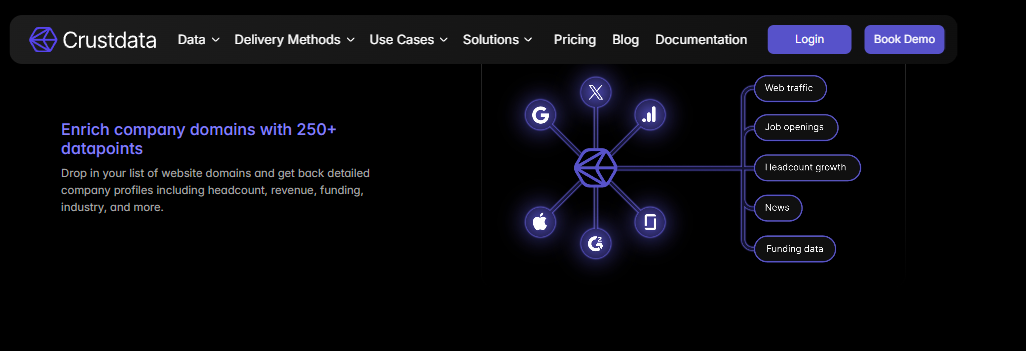
Crust Data is best for early-stage teams that want real-time company and headcount signals at developer-friendly pricing. It earns three stars: strong live firmographic tracking and a clean API, but with a narrower dataset and no MCP layer for agent-side tool selection.
🔍 Overview
Crust Data focuses on fresh, frequently refreshed company signals like headcount growth and hiring momentum. It is built for builders who want raw signals through an API, not a prospecting UI. I will be fair here: on early-stage pricing, Crust is one of the better-value options in this list.
⏰ Time to first API call: API call: roughly 30 to 45 minutes.
⚙️ Setup complexity: Medium (developer-oriented).
🛠️ Core services
- Real-time company and headcount tracking
- Hiring, growth, and momentum signals via API
- Firmographic enrichment with frequent refresh
- Developer-friendly REST endpoints
- Dataset-style queries for trend monitoring
📊 Data coverage and field depth
✅ Strong in: live company signals, headcount trends, and freshness.
❌ Weak in: breadth of contact data and deep technographic coverage.
⭐ Field depth: focused on company-level signals over wide attribute counts.
😊 Confidence level: Medium. Strong on freshness, narrower on total coverage.
🤖 API and agent readiness
- API availability: Yes, REST
- API depth: Moderate, signal-focused
- MCP compatibility: Not supported
- Agent usability: Medium. Clean API, but you build the orchestration yourself
For teams that want those buying signals timed for outreach without hand-built orchestration, a unified layer absorbs that wiring work.
💰 Pricing and cost structure
Pricing model: Usage-based with early-stage-friendly tiers.
Published pricing: Starter plans are competitively priced for small teams; enterprise is custom.
💸 Cost interpretation (what you actually pay):
- Billing driver: API calls and data volume
- Free credits / trial: trial access available on request
- Detailed cost mechanics are not fully transparent pre-contract
⚠️ Hidden costs and constraints:
- Narrower dataset may require a second source for full coverage
- No MCP means added engineering to make it agent-ready
1.6 ZoomInfo [toc=1.6 ZoomInfo]
ZoomInfo is best for enterprise sales teams running heavy phone outbound that need deep contacts and intent. It earns three stars: market-leading enterprise depth, undercut by annual lock-in, a rate-limited API, and no MCP support for agent workloads.
🔍 Overview
ZoomInfo is the enterprise incumbent, with broad contacts, intent data, and org charts. The trade-off is that it is built for seats and procurement cycles, not for an agent calling an API at scale. The API is rate-limited and gated behind enterprise contracts.
⏰ Time to first API call: UI: fast. API call: enterprise-gated, slower onboarding.
⚙️ Setup complexity: Medium to high (enterprise procurement).
🛠️ Core services
- Deep enterprise contact and company database
- Intent data and org-chart mapping
- CRM and sales-engagement integrations
- Phone and direct-dial coverage
- Web-visitor and engagement signals
📊 Data coverage and field depth
✅ Strong in: enterprise contacts, direct dials, and intent breadth.
❌ Weak in: agent-native delivery and cost flexibility for builders.
⭐ Field depth: very wide, especially for enterprise accounts.
😊 Confidence level: Medium to high for enterprise, lower for agent-native fit.
🤖 API and agent readiness
- API availability: Yes
- API depth: Moderate, rate-limited
- MCP compatibility: Not supported
- Agent usability: Low to medium. Rate limits choke high-volume agent loops
When rate limits choke production loops, builders often look at ZoomInfo API alternatives for GTM agent builders that hold up at high volume.
💰 Pricing and cost structure
Pricing model: Annual contract, seat-based.
Published pricing: Custom only, typically a significant annual commitment.
💸 Cost interpretation (what you actually pay):
- Billing driver: seats plus add-on modules
- Free credits / trial: limited trial via sales
- One perspective: Apollo delivers 70 to 80% of ZoomInfo’s data quality at 70 to 80% lower entry cost, though high-volume phone outbound can change that math
⚠️ Hidden costs and constraints:
- Annual lock-in with limited room to scale down
- API access and intent modules are add-on priced
- Detailed cost mechanics are not fully transparent pre-contract
1.7 Clearbit / HubSpot Breeze [toc=1.7 Clearbit / HubSpot Breeze]
Clearbit, now folded into HubSpot Breeze, is best for HubSpot-native teams that want inline enrichment without leaving the CRM. It earns three stars: clean APIs and solid firmographics, weakened by refresh-cadence gaps and tightening into the HubSpot ecosystem.
🔍 Overview
Clearbit historically offered developer-friendly enrichment APIs. Inside Breeze, it now lives largely within HubSpot’s workflows. That is convenient for HubSpot shops, but it reduces standalone flexibility for builders who want a neutral data layer.
⏰ Time to first API call: UI: fast inside HubSpot. API call: moderate.
⚙️ Setup complexity: Low to medium (best inside HubSpot).
🛠️ Core services
- Company and contact enrichment APIs
- Inline enrichment within HubSpot workflows
- Website-visitor reveal (Reveal)
- Lead scoring and qualification attributes
- Firmographic data for routing
📊 Data coverage and field depth
✅ Strong in: firmographics and HubSpot-native enrichment.
❌ Weak in: refresh cadence and coverage depth on niche accounts.
⭐ Field depth: moderate, with documented freshness gaps.
😊 Confidence level: Medium. Reviews repeatedly flag stale and incomplete records.
🤖 API and agent readiness
- API availability: Yes, increasingly HubSpot-bound
- API depth: Moderate
- MCP compatibility: Not supported
- Agent usability: Low to medium outside HubSpot
Refresh gaps like these are why firmographic data freshness belongs at the top of any evaluation checklist.
💰 Pricing and cost structure
Pricing model: Bundled with HubSpot tiers.
Published pricing: Tied to HubSpot plan level; standalone self-serve has narrowed.
💸 Cost interpretation (what you actually pay):
- Billing driver: HubSpot subscription tier and credits
- Free credits / trial: limited, tier-dependent
- Detailed cost mechanics are not fully transparent pre-contract
⚠️ Hidden costs and constraints:
- Self-serve jumps can force a 4x plan with little middle ground
- Best value only inside the HubSpot ecosystem
- Refresh frequency lags for fast-moving accounts
💬 Customer reviews
“APIs enrich new lead notifications with job title data for qualification… Not always accurate. Needs more frequent refresh. Lacks robust integrations to easily action on data.”
Brian Y., Head of Marketing, Small-Business Clearbit G2 Verified Review
“Company data doesn’t refresh often enough. Only 20% of known contacts could be found including people at companies for 1 year.”
Verified User, Internet, Mid-Market Clearbit G2 Verified Review
1.8 Cognism [toc=1.8 Cognism]
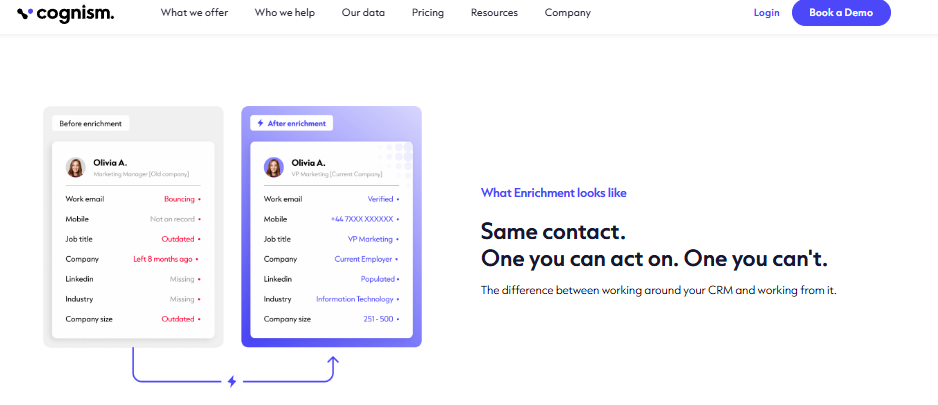
Cognism is best for EU outbound teams that need GDPR-conscious mobile data and compliance posture. It earns three stars: real strength in European coverage and compliance framing, undercut by contested mobile-accuracy claims and contract complaints.
🔍 Overview
Cognism markets strong EU coverage and "Diamond Verified" mobiles. For European outbound, the compliance story is a genuine draw. The contested part is whether the mobile coverage holds up in practice, where several verified reviews push back hard.
⏰ Time to first API call: UI: fast. API call: moderate.
⚙️ Setup complexity: Medium.
🛠️ Core services
- EU and international contact data
- Mobile-number enrichment with verification tiers
- Intent data via partnership
- CRM and sales-engagement integrations
- Compliance-oriented data sourcing
📊 Data coverage and field depth
✅ Strong in: EU coverage and compliance framing.
❌ Weak in: mobile accuracy depth, per repeated user complaints.
⭐ Field depth: moderate, contact-focused.
😊 Confidence level: Medium, with contested mobile claims.
🤖 API and agent readiness
- API availability: Yes, REST
- API depth: Moderate
- MCP compatibility: Not supported
- Agent usability: Medium
For EU outbound, the GDPR and CCPA compliance checklist should gate any vendor decision before the mobile-coverage claims are even tested.
💰 Pricing and cost structure
Pricing model: Annual contract, custom.
Published pricing: Custom only, quoted by sales.
💸 Cost interpretation (what you actually pay):
- Billing driver: seats and data volume
- Free credits / trial: via sales
- Detailed cost mechanics are not fully transparent pre-contract
⚠️ Hidden costs and constraints:
- Reports of 12-month commitments framed around quarterly terms
- Mobile coverage may underdeliver against headline claims
- Annual lock-in limits flexibility
💬 Customer reviews
“Poor data quality, no direct mobile numbers. Numbers either wrong or returns US HQ number even when searching European offices. Not worth the money.”
Jackie Cognism Trustpilot Verified Review
“Data is really limited and generally poor quality. Claims 90% mobile coverage in sales process but doesn’t deliver… Diamond Verified mobiles… are less than 10%.”
Alex Cognism Trustpilot Verified Review
1.9 The Companies API [toc=1.9 The Companies API]
The Companies API is best for developers who want cheap, simple domain-based company enrichment without a heavy contract. It earns three stars: excellent per-call economics and clean docs, with a narrower, company-only scope and no MCP layer.
🔍 Overview
The Companies API does one thing well: enrich a company from a domain, email, or social URL, returning 100-plus data points across 54 million records. It is the low-cost, developer-first option on this list. It will not cover contacts or intent, and it does not pretend to.
⏰ Time to first API call: API call: roughly 15 to 30 minutes.
⚙️ Setup complexity: Low (developer-friendly).
🛠️ Core services
- Company enrichment by domain, email, or social URL
- Similar-companies and search endpoints
- 100-plus data points per company
- Simple, well-documented REST API
- Low per-call pricing for high-volume lookups
📊 Data coverage and field depth
✅ Strong in: affordable, fast company enrichment at scale.
❌ Weak in: contact data, intent, and multi-source depth.
⭐ Field depth: solid company firmographics, company-only scope.
😊 Confidence level: Medium to high for company data, not for contacts.
🤖 API and agent readiness
- API availability: Yes, REST
- API depth: Moderate, company-focused
- MCP compatibility: Not supported
- Agent usability: Medium. Clean API, but single-source coverage limits agent decisioning
Single-source coverage is exactly the gap a multi-source company data API is built to close for agent workloads.
💰 Pricing and cost structure
Pricing model: Usage-based, low per-call.
Published pricing: Around $0.00119 per company on volume tiers.
💸 Cost interpretation (what you actually pay):
- Estimated cost per 1,000 records: roughly $1.20 on firmographics-only tiers
- Free credits / trial: free test credits to validate a workflow
- Billing driver: API calls
⚠️ Hidden costs and constraints:
- Company-only scope means a second provider for contacts or intent
- No MCP layer for agent-side tool selection
🧭 What the list adds up to [toc=1.10 What the List Adds Up To]
Step back and the pattern is hard to miss. Eight of these nine are either UI-first platforms where a rep orchestrates, or single-signal providers where you wire one narrow source. Both push the integration and dedupe work onto you.
That is the gap we built Explorium to close. One API, one MCP server, one credit pool across 50-plus sources, with the agent deciding what to fetch. It is the same consolidation move cloud teams made when AWS replaced nine SaaS bills, applied to the GTM data stack. Customers like Clay, Cognism, and Outreach already lean on that aggregated data layer for AI agents rather than maintaining five matching layers by hand, and that is the heart of what we built.
Q2. What exactly is a company lookup API, and how is it different from search and enrichment? [toc=2. Lookup vs Search vs Enrichment]
A company lookup API resolves a business identity, from a name, domain, or email, into one canonical company record, then returns firmographic and technographic data. Lookup is the resolution step. A search API finds companies matching criteria, and an enrichment API appends attributes to a company you already know. Resolving and enriching are usually billed as separate credits, so the order you call them in changes your cost.
🧩 Three jobs people lump into one word
Most teams use "lookup" to mean three different jobs. Search casts a wide net: give it filters like industry or headcount, and it returns a list. Enrichment goes the other way: hand it a company you already have, and it adds fields like revenue or tech stack.
Lookup sits in the middle, and it is the part people skip. It takes one messy identifier and resolves it to a single, correct company record. Get that wrong, and every enrichment after it is attached to the wrong entity.
🔎 A concrete example: resolving stripe.com
Say your agent has "stripe.com." Lookup resolves that domain to one canonical record, the real Stripe, not a reseller or a parent holding company. Only then does enrichment add the firmographics (industry, size, NAICS code, which is a standard industry classification number).
The Enrich Layer docs make the billing split explicit: resolving a profile costs about two credits per successful request, and pulling the cached enrichment adds one more. So a clean resolve step is not just hygiene. It is cost control.
⚠️ Why bad resolution quietly burns money
Here is where I have watched real budgets bleed. Legacy providers often resolve a brand to its holding company. Pass in an Outback Steakhouse domain, and you can get the parent company’s headcount, not Outback’s.
That single mismatch corrupts your scoring, your routing, and your outreach. The fix is a multi-layered resolution step that picks the best matching entity before any enrichment runs.
🤖 Application: split resolve from enrich in your agent code
For an agent, the rule is simple. Resolve first, confirm the match, then enrich only on confirmed records. That way you never pay enrichment credits on a company that never matched.
This is exactly why we built Explorium’s lookup to resolve to a canonical entity across 50-plus aggregated sources before enriching. One clean resolution layer, not nine, so the parent-versus-subsidiary mismatch that breaks legacy lookups does not silently poison the agent’s downstream calls, which is the core of our B2B data enrichment API for AI agents.
Q3. How do the 9 APIs compare on match rate, latency, and data freshness? [toc=3. Match Rate, Latency, Freshness]
Domain match rate is the share of input domains an API resolves to a current record. Latency is how fast it returns. Freshness is how recently that record was verified. These matter more than database size because a miss or a stale record means a bounced email and a burned sending domain. With B2B data decaying around 2.1% a month, a 7-day refresh and a high verified match rate beat a bigger, staler database.
📉 The stale-data death spiral
One builder put it bluntly: your database is everything, because outdated data lands you in spam. That is not hyperbole. Contact and company data decays roughly 2.1% every month, which compounds to about 40% a year in tech.
Latency is the second silent killer. An agent that makes many lookups per task multiplies every slow call into wasted runtime. I have heard the same complaint many times: one team found Apollo’s API "so slow and consistently throttled" that they gave up and went back to manual CSV exports. That throttling is the main reason teams hunt for Apollo API alternatives for agent builders.
📊 The four-axis benchmark
Here is the head-to-head most listicles refuse to publish. I am hedging on the exact latency figures, since few vendors disclose P95 (the response time 95% of calls beat), so treat the latency column as directional.
A 2025 Explorium first-party benchmark on US mid-market enrichment found a 97.80% match rate on company website URL, well above ZoomInfo and Apollo on the same accounts. You can read the full match-rate benchmarks and the underlying latency and rate-limit expectations in production.
⏰ What to do Monday
Two moves. First, demand the match-rate methodology in every RFP, and measure P95, not the flattering average. Second, batch your lookups.
Explorium’s bulk endpoint accepts up to 50 business IDs per request, which cuts per-call overhead and keeps agent loops fast. That matters because LinkedIn’s 2025 scraper ban left some legacy databases degrading, opening room for freshness-first sources.
💬 What users report
“Company data doesn’t refresh often enough. Only 20% of known contacts could be found including people at companies for 1 year.”
Verified User, Internet, Mid-Market Clearbit G2 Verified Review
“Contact info frequently missing or incorrect. Half the day calling wrong/disconnected numbers. Mobiles frequently wrong.”
Verified User, IT Services, Mid-Market Apollo G2 Verified Review
Explorium’s match-rate edge comes from resolving across 50-plus aggregated sources rather than one scraped database, so a domain that misses on Apollo can still resolve. The sync and bulk endpoints keep that fast where UI-first tools throttle API traffic toward their dashboards.
Q4. Which API gives the best coverage, and why is database size a vanity metric? [toc=4. Coverage vs Database Size]
Coverage is how many of the companies you actually target appear, with the fields you actually need, not the headline database size. A provider boasting 300 million records is useless if most are empty shells or dormant LLCs (inactive registered companies). The better question is depth on your ICP: technographics, headcount by subsidiary, and the niche signals that map a real buying committee, ideally aggregated across many sources so no single gap sinks a lookup.
📏 Size is the wrong number
Vendors love to lead with record counts. I get why, it photographs well. But the standard read gets this backwards: a giant database full of inactive entities does not help you reach your 4,000 target accounts.
The metric that matters is coverage on your list, with the fields you need filled in. A 54-million-record set that nails your ICP beats a 300-million set that does not.
🛰️ When coverage means getting creative
Two stories stuck with me. A staffing team could not find warehouse headcount anywhere, so they used satellite images and AI to count parking spots, which turned out to be the best predictor of headcount. No single database had that field. They built coverage.
The second is the subsidiary trap again. Pass a brand’s LinkedIn URL to a single source, and you get the holding company’s headcount, not the unit you care about. Closing that gap takes a multi-layered enrichment step that chooses the best result across sources.
🔀 Why aggregation beats a single source
This is the case for a waterfall: query several providers and stop at the first good match. In practice, that multi-source approach lifts usable coverage by roughly 20 to 30% over any single database. No one source covers everyone, so stacking them closes the holes, which is the whole point of waterfall enrichment.
OpenCorporates exposes 200-plus million companies as open registry data, which makes a clean verification tier for confirming a resolved entity is real. Layering that on top catches the dormant-LLC noise before it pollutes your pipeline.
🧪 Application: test on your domains, not the demo
Here is the move I would make before signing anything. Take a sample of your own target domains, not the vendor’s polished demo list, and run it through the API.
Measure the fill rate on the three or four fields your agent actually uses. That number, on your data, is your real coverage.
This is the gap Explorium’s 50-plus source aggregation is built to close, with 4,000-plus data points and multi-layered resolution that picks the best result per entity. So coverage reflects your ICP, not a vanity count, and a single missing source never sinks the lookup. It is the same approach we detail across our company data API guidance and our B2B contact data coverage.
💬 What users report
“AI assistance when searching for companies using keywords… Contact detail generation from multiple sources during batch lead gen, only way to get one mobile number per lead is manually, which takes longer.”
Phomelelo M., Head of Research, Small-Business Clay G2 Verified Review
“Exploriums tool offers a diverse selection of data to add to your existing database. This includes essential data and data that I would not associate with my business.”
Verified User Explorium Gartner Verified Review
Q5. Why is an MCP-native, agent-first lookup API the real 2026 differentiator? [toc=5. MCP-Native & Agent Readiness]
In 2026, the buyer of the next data call is often an LLM, not a salesperson. An MCP-native lookup API lets the agent decide what to fetch at runtime instead of a human clicking a dashboard. Think of MCP (Model Context Protocol, an open standard for connecting AI agents to tools) as a USB-C port for AI: one standard socket your agent plugs into, replacing brittle per-tool integrations and the ClickOps lag of UIs never built for autonomous retrieval. Most providers still lack it, which makes it the real differentiator.
🔌 MCP, explained simply
Here is the cleanest analogy I know. MCP is a USB socket for AI, an API for agents if you will. Before USB, every device needed its own cable. MCP is the one shared port.
So instead of wiring nine custom integrations, your agent speaks one protocol. It asks for what it needs, and the data layer answers. That is the whole shift, and it is the heart of the MCP versus REST API debate for AI agents.
🤖 What an agent actually does with it
Picture an agent handed a domain. With an MCP server, it resolves the company, checks the match, then enriches, all on its own, in one loop. No human clicking around a dashboard between steps.
That last part matters more than it sounds. Operators are, in their words, sick and tired of clicking around, and MCP removes that ClickOps frustration. The agent orchestrates, the human tunes the budget, which is exactly how our data layer for autonomous outbound agents is designed to run.
🧮 Which of the nine ship agent-ready access
Eight of nine are REST-only. That is the gap.
⚠️ Why fragmented systems waste agent cycles
When data is scattered, an agent over-fetches. It pulls a lot of data that is irrelevant to the task just to make the join. Every wasted call is latency and burned credits.
This is the move UI-first tools cannot easily retrofit. We ship a native MCP server and an AgentSource toolkit, so the agent fetches exactly what it needs across 50-plus sources, no glue code. My read is that within 18 to 24 months, "no MCP" will read like "no public API" did a decade ago. If you are building now, our B2B data enrichment API for AI agents is where that retrieval tax disappears.
Q6. What does a company lookup API really cost per call, and is it compliant? [toc=6. Pricing, Credits & Compliance]
Sticker price lies. Once you count credit multipliers, overages, and charges for unmatched records, the real number is cost per confirmed match. Apollo’s entry plan can run two-to-three times higher after top-ups, and mobile numbers can cost eight credits each. Pay-on-match billing, a waterfall that stops at the first hit, and a single credit pool protect your budget. For EU outbound, GDPR and SOC 2 posture is non-negotiable.
💸 The gotchas that inflate your bill
The headline number is never the real number. On Apollo, mobile numbers cost about eight credits each, and operators report real-world spend running two to three times higher than the sticker. Free tiers add their own trap.
One Clay user found the actual per-row credit cost was 25 against a stated 11. So model your cost per confirmed match, not per call. That single reframe changes which vendor wins, and it is why we compare credit-based versus subscription pricing for B2B data APIs in detail.
📊 Effective cost and compliance at a glance
The Companies API publishes about $0.00119 per company, which is genuinely cheap for company-only data.
✅ The cost playbook and compliance gate
Three moves cut spend fast. Resolve before you enrich, so you never pay enrichment on a miss. Dedup against past pulls, so you only ever pay for new data, the way Prospeo’s dedup works, an idea central to waterfall enrichment.
On compliance, treat GDPR and SOC 2 as a hard gate, not a nice-to-have. Several Cognism reviews allege private numbers sold without consent, which is exactly the GDPR risk you cannot inherit. With aggregated sources, the compliance work should be done once, across all of them, which is how we handle it at Explorium rather than auditing nine vendors separately. Our GDPR and CCPA compliance checklist and SOC 2 vendor guidance walk through that gate.
💬 What users report
“Credit system is broken. Pricing is broken. Not fully transparent with rollover limit.”
Raphael A., Marketing Lead, Mid-Market Clay G2 Verified Review
“Obtained private phone number and sold it for sales purposes without consent. Not in line with GDPR.”
Lex Houweling Cognism Trustpilot Verified Review
The one credit pool across 30-plus enrichments removes the per-tool silos that make multi-vendor stacks impossible to forecast. Resale rights and search preview on custom plans add a transparency edge the seat-based incumbents do not offer, and you can read the detail on data API resale rights and licensing.
Q7. How do you choose the right company lookup API and start cutting cost on Monday? [toc=7. Choosing & Monday Playbook]
Choose by your dominant constraint. Pick the unified, MCP-native layer (Explorium) if agents drive your motion, a single-signal provider if you only need one data type, and a UI tool if non-technical reps still click. To cut cost on Monday: split resolve from enrich so you only pay enrichment on matches, waterfall providers and stop at the first hit, dedup against past pulls, and batch lookups in 50-ID requests.
🧭 Pick by your real constraint
There is no single best API, only the best fit for your bottleneck. Here is how I would decide.
- Pick a unified, MCP-native layer (Explorium) if agents drive your motion and you want one credit pool across 50-plus sources.
- Pick a single-signal provider (PDL for contacts, Crust for early-stage signals) if you genuinely need one data type and will build your own orchestration.
- Pick a UI-first tool (Apollo, Clay) if non-technical reps still click through prospecting by hand.
- Pick The Companies API if you only need cheap, company-only firmographics at volume.
🛠️ The Monday cost playbook
You can run this tomorrow, on whatever stack you have.
- Split resolve from enrich. Confirm the match first, then pay enrichment only on confirmed records.
- Waterfall your providers. Query in order and stop the moment one succeeds, which saves money automatically.
- Dedup against past pulls, so you only ever pay for new data.
- Batch your lookups. Explorium’s bulk endpoint takes up to 50 business IDs per request, cutting per-call overhead.
🤖 Add an LLM as your QA layer
One more move I like. After a resolve, have an LLM sanity-check the result, for example, ask Claude whether the matched LinkedIn profile actually makes sense for the input. It catches the parent-versus-subsidiary mismatches before they pollute your pipeline.
This is cheap insurance. A bad match that slips through costs far more downstream than one extra verification call, which is why we document patterns for adding B2B data enrichment to a Claude Code agent.
💬 What users report
“Explorium is a fast and effective platform that makes the integration and analysis of third-party data seamless.”
David A., CEO, Mid-Market Explorium G2 Verified Review
“Instead of connecting to multiple data sources and APIs, we only require one connection, Explorium!”
Mirit H., Mid-Market Explorium G2 Verified Review
The thesis is simple: stop maintaining a 15-to-25-vendor stack, and consolidate to one agent-native layer where resolve, enrich, and waterfall run on a single credit pool. That is the same consolidation move cloud teams made when AWS replaced nine SaaS bills with one. If an agent, not a rep, is making your next thousand data calls, the question is whether your current stack is built for it, and our unified data and MCP layer is where that conversation starts. Tell us what you are building, and we will tell you straight whether one layer beats your nine.
FAQs


