


TL;DR
- We ranked 12 person lookup APIs for agent-native GTM on match rate, coverage depth, latency, and per-lookup pricing, with Explorium first for unified API and MCP delivery.
- Single-source APIs return nulls for 20% to 40% of inputs, while waterfall, multi-source enrichment lifts match rates to 65% to 85%.
- Match accuracy matters more than match rate, since over-matching writes the wrong person into your CRM, and a false positive is worse than a null.
- True cost is list price divided by realized match rate, plus credit multipliers, so mobile numbers at 8 credits each can push real spend two to three times above the sticker.
- Agent-native means a native MCP server, which most providers like Apollo, RocketReach, and PDL still lack, leaving humans to hand-wire integrations.
- Before signing, benchmark match rate and accuracy on 100 known accounts, test latency under sequential calls, and confirm GDPR, CCPA, and DNC posture in writing.
Q1. What Are the 12 Best Person Lookup APIs for GTM in 2026? [toc=1. Best Person Lookup APIs]
A few weeks ago, a GTM engineer at a Series B sales-tech company pinged me at midnight. His CRM showed one contact for a ten-person buying committee, and his reps were stuck hunting emails by hand instead of selling. That is not a rare story. When your CRM is missing basic fields, reps spend hours hunting emails, researching titles, and piecing together org charts. That is not selling. That is data entry. I have watched this break teams, and the root cause is almost always the data layer, not the rep.
Choosing a person lookup API is a high-stakes decision for SaaS, FinTech, and sales-tech teams building go-to-market agents, handling enrichment at scale, and tightening data-accuracy requirements. We analyzed 25+ providers offering API-based enrichment, MCP-native delivery, contact and company data, and multi-source aggregation, then ranked the 12 that hold up for production agent workloads.
🎯 The 12 Best Person Lookup APIs at a Glance
The order below reflects fit for agent-native GTM work, not brand recognition. The four axes that matter, the ones named in this article’s title, are match rate, coverage depth, latency, and per-lookup pricing.
- Explorium
- People Data Labs
- Apollo
- RocketReach
- ContactOut
- Clay
- Cognism
- Clearbit / HubSpot Breeze
- Coresignal
- Crustdata
- Proxycurl
- FullContact
Single-source APIs return nulls for 20% to 40% of inputs, because no one database covers everyone. Waterfall, multi-source enrichment, which queries several providers per contact and stops on the first hit, lifts match rates to 65% to 85%. Keep that gap in mind as you read each profile below.
📊 Person Lookup API Comparison Table
Ratings use a 100-point rubric weighting Data Coverage and Match Rate (30%), Agent and API Readiness (25%), Field Depth and Signal Quality (20%), Commercial Model Transparency (15%), and User Reviews and Customer Validation (10%). The methodology behind these stars is in the next section.
1. Explorium [toc=1.1 Explorium]
Best for agent-native GTM teams that want one API, one MCP server, and one credit pool instead of a nine-vendor stack.
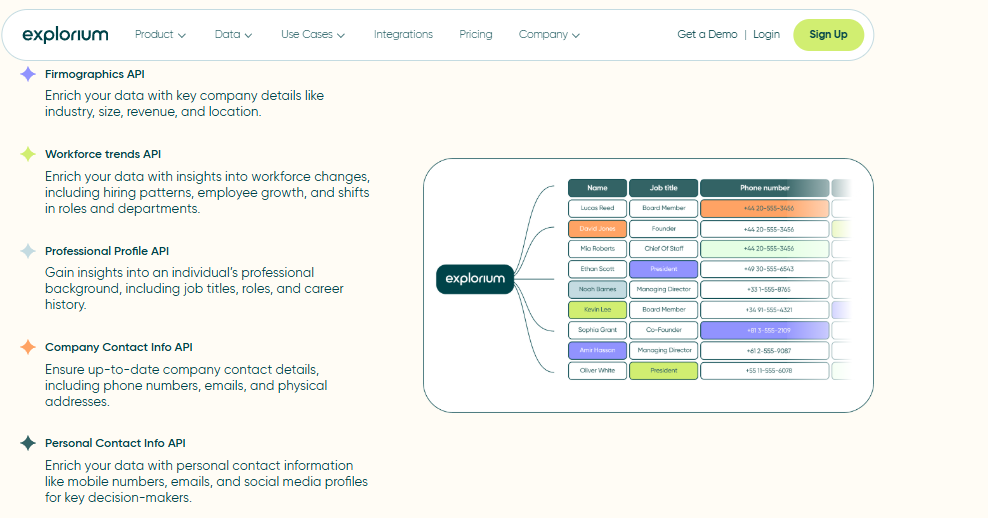
🔎 Overview
Explorium is an agent-native B2B data layer. It aggregates 50+ data sources behind a single API and a single MCP server, so an agent, not a salesperson, decides what to fetch. Instead of wiring five providers and paying five bills, you call one endpoint and the resolution happens underneath. We built it this way because the next buyer of a data call is an LLM, and LLMs do not click through dashboards.
In our experience hardening match-rate logic across 150M+ company profiles and 800M+ people profiles, the hard part is never the first lookup. It is the join across sources at scale. That is the layer we own so your agent does not have to.
⏰ Time to first API call: UI: instant. API: about 15 to 30 minutes with SDK.
⚙️ Setup complexity: Low to medium (API-first, MCP-native).
🧩 Core Services
- Person and company enrichment across 50+ aggregated sources through one call.
- MCP server so agents autonomously select which source to query.
- Unified credit pool spanning 30+ enrichments, billed once.
- Sync-ready API engineered for 10K+ calls/day workloads.
- Native integrations with Salesforce, HubSpot, Outreach, and Snowflake.
📊 Data Coverage & Field Depth
- Strong in: company enrichment, firmographics, multi-signal joins (firmographic, technographic, intent, hiring, and funding), and cross-source deduplication.
- Weak in: very long-tail individual consumer records outside the B2B graph. This is a B2B-first layer, and I would say that honestly rather than overclaim.
- Field depth: wide, because signals from 50+ sources resolve to one entity.
- Confidence level: High for B2B company and contact enrichment, benchmark-led.
🤖 API & Agent Readiness
- API availability: Yes, full REST.
- API depth: High, 30+ enrichment endpoints under one credit system.
- MCP compatibility: Yes, native MCP server.
- Agent usability: High. The agent decides what to fetch, which removes human-in-the-loop orchestration.
💰 Pricing & Cost Structure
- Pricing model: Custom, built on a unified credit pool across enrichments.
- Published pricing: Custom / contact sales. Resale rights and search preview are available on custom plans.
💸 Cost interpretation (what you actually pay): One credit pool covers many enrichment types, so you avoid the per-signal multiplier that inflates spend elsewhere. When teams move from per-vendor billing to a pooled model, the credit-burn math gets far more predictable.
⚠️ Hidden costs & constraints: Pricing is custom, so exact mechanics depend on volume and plan. Detailed per-record cost is set during the eval, not published upfront.
✅ When to Shortlist
Shortlist this if:
- You are building agent-native enrichment and want MCP retrieval, not a dashboard.
- You want to consolidate a 15-to-25 vendor stack into one API and one bill.
- You run high-volume enrichment (10K+ calls/day) and need sync-ready scale.
Avoid this if:
- You only need a handful of one-off consumer lookups a month.
- You want a fixed, self-serve published price tag before any conversation.
❤️ Customer Reviews
“Instead of connecting to multiple data sources and APIs, we only require one connection, Explorium.”
Mirit H., Mid-Market Explorium G2 Verified Review
“Depending on where the data is coming from, the data can often be mismatched or have outdated information. It is best to cross-reference the output data from other enriched information.”
Omar G., Mid-Market Explorium G2 Verified Review
2. People Data Labs [toc=1.2 People Data Labs]
Best for developers who want raw access to a massive person dataset and will build their own matching layer.
🔎 Overview
People Data Labs (PDL) is a data-as-infrastructure provider. It gives developers programmatic access to a large person and company dataset through clean endpoints, rather than a prospecting UI. You filter the full Person Dataset with a search query, or you enrich a record you already have. It is a builder’s tool, and credit to PDL, the documentation is genuinely good.
Where Explorium resolves 50+ sources for you, PDL hands you one large, well-structured dataset and expects you to do the joining and validation. That is a real trade-off, and which side you want depends on your team. For teams weighing this build-versus-buy choice, our take on the MCP versus REST API decision is worth a read.
⏰ Time to first API call: UI: not the focus. API: about 30 to 45 minutes.
⚙️ Setup complexity: Medium (API-first, schema-driven).
🧩 Core Services
- Person Enrichment, Person Search, and Person Identify endpoints.
- Company Enrichment and Company Search.
- IP Enrichment for visitor resolution.
- Python, JS, and Go SDKs.
- Schema-based querying across the full dataset.
📊 Data Coverage & Field Depth
- Strong in: sheer scale, 1.5B+ profiles, and contact-info coverage in many segments. PDL self-reports about 95% email and about 90% phone accuracy.
- Weak in: freshness and deliverability can vary, and you own the validation layer.
- Field depth: wide schema, but it is single-source, so coverage gaps fall to you to fill.
- Confidence level: Medium to high for raw coverage, with the caveat that single-source nulls run 20% to 40%.
🤖 API & Agent Readiness
- API availability: Yes, full REST.
- API depth: High, multiple person and company endpoints.
- MCP compatibility: Not native. REST and SDK only.
- Agent usability: Medium to high for code-first teams, though the agent cannot natively decide what to fetch without your glue code.
💰 Pricing & Cost Structure
- Pricing model: Usage-based, per-match credits.
- Published pricing: Free tier available. Paid plans commonly start around $100/month with usage scaling.
💸 Cost interpretation (what you actually pay): You pay per successful match, so effective cost is list price divided by your realized match rate. A single-source null rate of 20% to 40% raises true cost per usable record. Our match-rate benchmark breakdown explains why this matters.
⚠️ Hidden costs & constraints: Some users report abrupt billing and account issues. One reviewer flagged a paid account disabled days after upgrading, with slow support response.
✅ When to Shortlist
Shortlist this if:
- You are a developer who wants raw dataset access and will build your own matching.
- You need broad contact-info coverage and can validate freshness yourself.
- You want documented endpoints and SDKs for a code-first workflow.
Avoid this if:
- You want multi-source resolution and dedup handled for you.
- You need native MCP retrieval where the agent picks the source.
❤️ Customer Reviews
“Product was useful while it worked, which wasn’t long. Switched from free trial to paid plan $100/month. After a few days, account disabled with no warning or explanation.”
Verified User, Computer Software People Data Labs G2 Verified Review
“Data was ok but payment system is a scam. Very hard to get off their hook once signed up.”
Glissando AI People Data Labs Trustpilot Verified Review
3. Apollo [toc=1.3 Apollo]
Best for mid-market SaaS teams that want all-in-one prospecting with built-in contact data.
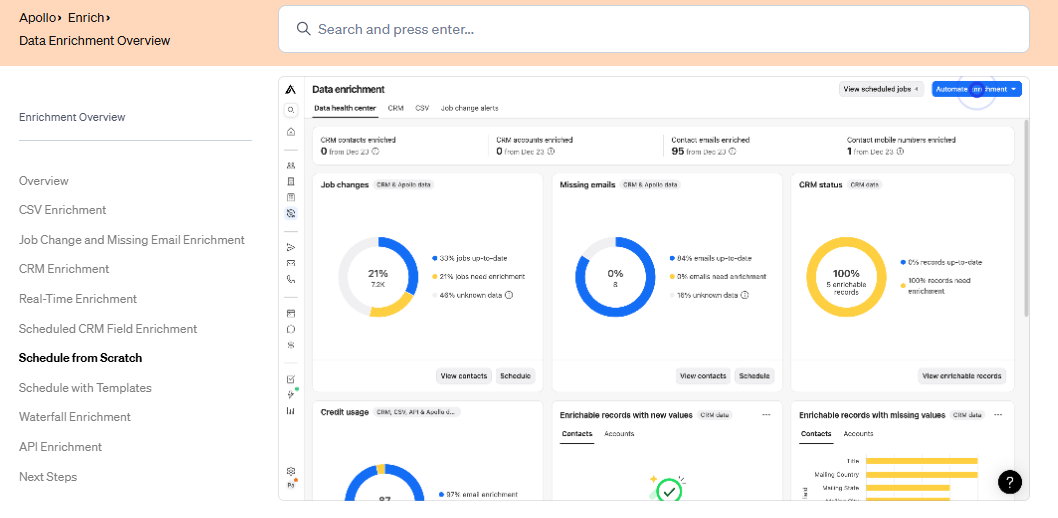
🔎 Overview
Apollo is a bundled GTM platform, not a pure data API. It combines contact discovery, enrichment, and outreach in one system. Most users start prospecting in the UI within minutes, while API workflows take more setup. I have watched teams love the speed and then hit a wall when they try to run it inside an agent. For builders hitting that wall, we cover Apollo API alternatives for AI agent builders in depth.
A practitioner who sends over a million cold emails a month put it bluntly to me. Apollo’s API was so slow and consistently throttled that the team gave up and went back to manual CSV exports. That is the agent-scale problem in one sentence.
⏰ Time to first API call: UI: instant. API: about 30 to 60 minutes.
⚙️ Setup complexity: Medium (UI-first, API-second).
🧩 Core Services
- Contact and company database with advanced filtering.
- Email and phone enrichment.
- Built-in outbound sequencing and automation.
- CRM integrations (Salesforce, HubSpot).
- Chrome extension for LinkedIn prospecting.
📊 Data Coverage & Field Depth
- Strong in: SaaS, funded startups, and mid-market contact discovery.
- Weak in: non-tech SMBs, founder-level accuracy in niche sectors, and freshness. One practitioner noted Apollo’s data grew “questionable at best” after LinkedIn’s 2025 scraper bans.
- Field depth: moderate. Firmographics, contacts, and limited technographics.
- Confidence level: Medium (strong in SaaS, weaker in SMB and traditional sectors).
🤖 API & Agent Readiness
- API availability: Yes.
- API depth: Moderate, mostly contact and company endpoints.
- MCP compatibility: Not supported.
- Agent usability: Medium. Rate-limiting fights autonomous agent loops.
💰 Pricing & Cost Structure
- Pricing model: Seat-based subscription plus credit usage.
- Published pricing: Basic about $49/user/month, Professional about $79 to $99/user/month, Organization custom.
💸 Cost interpretation: One email costs one credit, but mobile numbers cost eight credits each, so real-world spend can run two to three times the headline subscription. Estimated cost per 1,000 contacts: about $50 to $150. Free tier: yes, limited credits. Our breakdown of credit-based versus subscription pricing explains why this compounds.
⚠️ Hidden costs & constraints: Credits burn fast on unlocks and exports, and API access sits in higher tiers. One reviewer reported a bug where a removed user’s task kept running and consumed all credits twice.
✅ When to Shortlist
Shortlist this if:
- You want all-in-one prospecting with minimal setup.
- Your focus is SaaS or tech-driven outbound.
- You prioritize speed over data-infrastructure flexibility.
Avoid this if:
- You are building agent-native enrichment systems.
- You need accuracy across non-tech industries.
- You want fully usage-based, scalable pricing.
❤️ Customer Reviews
“Contact info frequently missing or incorrect. Half the day calling wrong/disconnected numbers. Mobiles frequently wrong. Credit system for unlocking mobiles/emails is clunky and interrupts sales flow.”
Verified User, IT Services Apollo G2 Verified Review
“Easy to create persona, multiple filters, verified email option for low bounce rates, built-in CRM to track replies and calls.”
Tejender K., Digital Marketing Executive Apollo G2 Verified Review
4. RocketReach [toc=1.4 RocketReach]
Best for quick name, employer, or location lookups through a documented endpoint.
🔎 Overview
RocketReach exposes a People Lookup API. You pass identifiers like a name, employer, or location, and it returns matching professional profiles. It is straightforward and well-documented, which developers appreciate for one-off lookups.
It is single-source in spirit, so coverage and freshness vary by segment. For agent decisioning, you will still build your own validation layer on top.
⏰ Time to first API call: UI: instant. API: about 30 to 45 minutes.
⚙️ Setup complexity: Low to medium.
🧩 Core Services
- People Lookup API keyed on name, employer, or location.
- Email and phone enrichment.
- Bulk lookup endpoints.
- CRM and Zapier integrations.
📊 Data Coverage & Field Depth
- Strong in: broad professional email coverage, and quick lookups.
- Weak in: multi-signal depth and freshness in long-tail segments.
- Field depth: moderate, contact-centric.
- Confidence level: Medium.
🤖 API & Agent Readiness
- API availability: Yes, documented People Lookup endpoint.
- API depth: Moderate.
- MCP compatibility: Not supported.
- Agent usability: Medium.
💰 Pricing & Cost Structure
- Pricing model: Subscription with lookup tiers.
- Published pricing: Tiered plans by lookup volume, enterprise custom.
💸 Cost interpretation: Billing driver is lookup volume. Effective cost rises with null rates, so benchmark match rate on your own list first.
⚠️ Hidden costs & constraints: Detailed cost mechanics vary by tier and are not always transparent pre-contract.
✅ When to Shortlist
Shortlist this if:
- You need fast, documented name-to-profile lookups.
- You want a simple REST endpoint without a heavy platform.
- You run moderate-volume enrichment.
Avoid this if:
- You need multi-source resolution and dedup handled for you.
- You require native MCP agent retrieval.
5. ContactOut [toc=1.5 ContactOut]
Best for recruiting teams that need strong personal email coverage.
🔎 Overview
ContactOut is a LinkedIn-centric contact-finding tool with an API. It is known for personal email coverage, which recruiters value. It works well as a sourcing layer but is narrow as a full enrichment provider. Teams automating talent sourcing should review our take on a B2B data API for recruiting automation agents.
For agent work, it covers one slice of the data need, so you will likely pair it with other sources.
⏰ Time to first API call: UI: instant. API: about 30 to 60 minutes.
⚙️ Setup complexity: Medium.
🧩 Core Services
- Personal and work email enrichment.
- LinkedIn profile contact lookup.
- Phone number coverage.
- Chrome extension and bulk export.
📊 Data Coverage & Field Depth
- Strong in: personal email, and recruiting use cases.
- Weak in: firmographic and intent signals, and multi-source depth.
- Field depth: narrow, contact-focused.
- Confidence level: Medium for emails, lower for firmographics.
🤖 API & Agent Readiness
- API availability: Yes.
- API depth: Moderate, contact-centric.
- MCP compatibility: Not supported.
- Agent usability: Medium.
💰 Pricing & Cost Structure
- Pricing model: Subscription plus credits.
- Published pricing: Tiered by reveals, enterprise custom.
💸 Cost interpretation: Billing driver is contact reveals. Detailed per-record cost mechanics are not fully transparent pre-contract.
⚠️ Hidden costs & constraints: Reveal caps and tier-based API access apply.
✅ When to Shortlist
Shortlist this if:
- You are sourcing candidates and need personal emails.
- You work primarily from LinkedIn profiles.
Avoid this if:
- You need firmographic, technographic, or intent signals.
- You want one unified, agent-native data layer.
6. Clay [toc=1.6 Clay]
Best for RevOps teams building enrichment tables with waterfall logic.
🔎 Overview
Clay is a spreadsheet-style enrichment platform with a built-in waterfall, which means it queries several data providers in sequence and stops on the first hit. It is powerful and flexible, and teams genuinely love what it unlocks. The trade-off is complexity and an async, visual workflow that was built for humans, not autonomous agents. We map the options for builders in our guide to Clay alternatives for a B2B data enrichment API.
I will be fair here. Clay’s waterfall enrichment is a smart pattern, and we use the same idea under the hood. The difference is that with an agent-native layer, the agent calls one endpoint instead of you maintaining the table.
⏰ Time to first API call: UI: minutes. API: async, about 1 hour or more.
⚙️ Setup complexity: High (steep learning curve).
🧩 Core Services
- Waterfall enrichment across many providers.
- People and company search tools.
- AI research agent (Claygent).
- 100+ integrations and automations.
- Per-row enrichment logic.
📊 Data Coverage & Field Depth
- Strong in: breadth via many providers in one subscription.
- Weak in: transparency. Contact data quality “varies wildly,” per one reviewer.
- Field depth: wide, but provider-dependent.
- Confidence level: Medium. It depends on which sources you enable.
🤖 API & Agent Readiness
- API availability: Yes, but async and visual-workflow first.
- API depth: Moderate.
- MCP compatibility: Not native.
- Agent usability: Low to medium. The UI expects a human orchestrator.
💰 Pricing & Cost Structure
- Pricing model: Credit-based, tiered.
- Published pricing: Free tier, paid plans scale by credits.
💸 Cost interpretation: Per-row credit cost can vary up to 100% from stated amounts. One reviewer noted 25 credits where 11 were quoted. General Clay tables also carry a 50,000-row limit.
⚠️ Hidden costs & constraints: Credit pricing is not fully transparent, and credits can be misused on wrong operations.
✅ When to Shortlist
Shortlist this if:
- You want flexible, visual enrichment with waterfall logic.
- Your RevOps team will own and tune the tables.
Avoid this if:
- You are building autonomous agents that call data directly.
- You need predictable, transparent per-record pricing.
❤️ Customer Reviews
“Transformative for GTM operations and data enrichment. Deeply flexible and integrated with modern GTM toolstack… Per-row credit cost can vary 100% from stated amounts e.g., stated 11 credits/row, actual 25. Contact data quality varies wildly feels like a black box.”
Verified User, IT Services Clay G2 Verified Review
“Credit system is broken. Pricing is broken. Not fully transparent with rollover limit. Never helped when issues arose.”
Raphael A., Marketing Lead Clay G2 Verified Review
7. Cognism [toc=1.7 Cognism]
Best for EU-focused phone-led outbound teams.
🔎 Overview
Cognism is a sales-intelligence platform known for EU phone coverage and "Diamond-verified" mobile numbers, which it markets as multi-party verified. It is a real contender for European outbound, but reviewers push back hard on whether the coverage matches the pitch.
It is a UI-first license model, so agent and bulk-API economics are not its strength.
⏰ Time to first API call: UI: instant. API: about 1 hour.
⚙️ Setup complexity: Medium.
🧩 Core Services
- Mobile and direct-dial phone data.
- Company and contact search.
- Intent data via partners.
- CRM integrations.
📊 Data Coverage & Field Depth
- Strong in: EU coverage and phone-led workflows, in theory.
- Weak in: delivered accuracy. Reviewers report wrong or out-of-date numbers.
- Field depth: moderate.
- Confidence level: Medium, with EU caveats.
🤖 API & Agent Readiness
- API availability: Yes, rate-limited.
- API depth: Moderate.
- MCP compatibility: Not supported.
- Agent usability: Low to medium.
💰 Pricing & Cost Structure
- Pricing model: Annual seat-based license.
- Published pricing: Custom, annual contracts.
💸 Cost interpretation: Billing driver is seats and annual commitment. Detailed cost mechanics are not transparent pre-contract.
⚠️ Hidden costs & constraints: Reviewers cite 12-month lock-ins despite quarterly framing. For phone-led timing, our notes on buying signals and outreach timing are relevant.
✅ When to Shortlist
Shortlist this if:
- You run EU phone-led outbound and need direct dials.
- You want a UI-first sales-intelligence platform.
Avoid this if:
- You are building agent workflows at scale.
- You need verified accuracy you can audit on your own list.
❤️ Customer Reviews
“Poor data quality, no direct mobile numbers. Numbers either wrong or returns US HQ number even when searching European offices. Not worth the money.”
Jackie Cognism Trustpilot Verified Review
“Data is really limited and generally poor quality. Claims 90% mobile coverage in sales process but doesn’t deliver… Diamond Verified mobiles… are less than 10%.”
Alex Cognism Trustpilot Verified Review
8. Clearbit / HubSpot Breeze [toc=1.8 Clearbit Breeze]
Best for HubSpot-native teams wanting firmographic enrichment inside the CRM.
🔎 Overview
Clearbit, now HubSpot Breeze Intelligence, is an enrichment provider tightly tied to HubSpot. It is easy to use for firmographic and technographic enrichment if you live in HubSpot. Outside that orbit, refresh frequency and accuracy are common complaints.
For agent builders, it is a clean API but single-source in feel, so coverage gaps fall to you. When this happens, our guide on migrating a B2B data enrichment provider without downtime can help.
⏰ Time to first API call: UI: instant. API: about 30 to 60 minutes.
⚙️ Setup complexity: Low to medium.
🧩 Core Services
- Company and contact enrichment.
- Reveal (visitor de-anonymization).
- Firmographic and technographic data.
- Native HubSpot integration.
📊 Data Coverage & Field Depth
- Strong in: firmographics, technographics, and HubSpot workflows.
- Weak in: refresh frequency and contact completeness. Reviewers cite stale company data.
- Field depth: moderate.
- Confidence level: Medium.
🤖 API & Agent Readiness
- API availability: Yes.
- API depth: Moderate.
- MCP compatibility: Not supported.
- Agent usability: Medium.
💰 Pricing & Cost Structure
- Pricing model: Tied to HubSpot tiers.
- Published pricing: Bundled with HubSpot plans, standalone limited.
💸 Cost interpretation: Billing driver is HubSpot tier and credits. Self-service caps jump steeply at the next tier.
⚠️ Hidden costs & constraints: One reviewer noted jumping to a 4x plan once over the self-service limit, with no realistic middle step.
✅ When to Shortlist
Shortlist this if:
- You are HubSpot-native and want enrichment in-CRM.
- You need firmographic and visitor data.
Avoid this if:
- You need fresh, multi-source contact coverage.
- You want agent-native, MCP-driven retrieval.
❤️ Customer Reviews
“Easy-to-use APIs. Good self-service pricing for small-medium volumes… Once over self-service limit, must jump to 4x plan, no room to grow realistically. Clearbit X requires yearly agreement with no trial and is very secretive.”
Dan T., Mid-Market Clearbit G2 Verified Review
“APIs enrich new lead notifications with job title data for qualification… Not always accurate. Needs more frequent refresh. Lacks robust integrations to easily action on data.”
Brian Y., Head of Marketing Clearbit G2 Verified Review
9. Coresignal [toc=1.9 Coresignal]
Best for teams that want bulk firmographic and employee datasets via API.
🔎 Overview
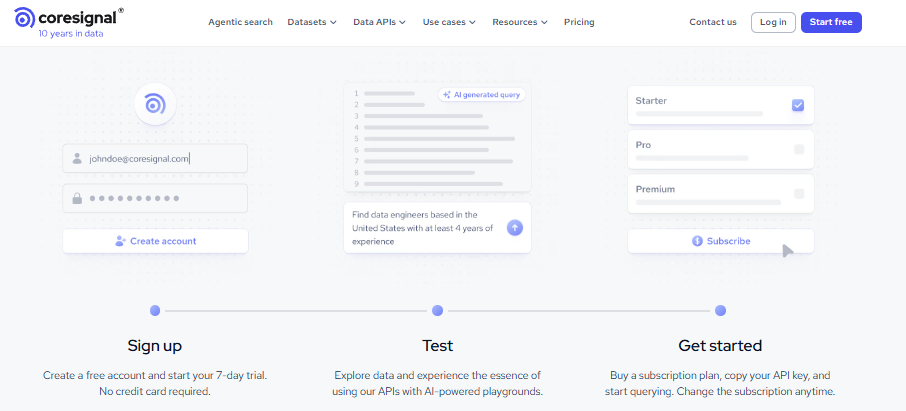
Coresignal sells large, raw datasets and refresh feeds through an API. It is built for data teams that want volume and will handle parsing and resolution themselves. It is infrastructure, not a prospecting tool. Teams weighing this against managed options should compare business enrichment API providers side by side.
For agents, it is a strong raw input but expects you to build the matching layer.
⏰ Time to first API call: API: about 30 to 60 minutes.
⚙️ Setup complexity: Medium to high.
🧩 Core Services
- Company, employee, and job-posting datasets.
- Firmographic and headcount data.
- Refresh feeds for bulk pipelines.
- REST API access.
📊 Data Coverage & Field Depth
- Strong in: bulk firmographic and employee data.
- Weak in: turnkey resolution. You parse and dedup.
- Field depth: wide raw fields.
- Confidence level: Medium to high for raw coverage.
🤖 API & Agent Readiness
- API availability: Yes.
- API depth: High for raw data.
- MCP compatibility: Not supported.
- Agent usability: Medium. It needs a resolution layer.
💰 Pricing & Cost Structure
- Pricing model: Usage-based.
- Published pricing: Custom by dataset and volume.
💸 Cost interpretation: Billing driver is data volume. Detailed per-record mechanics are set by contract.
⚠️ Hidden costs & constraints: Parsing and resolution costs sit on your side.
✅ When to Shortlist
Shortlist this if:
- You are a data team wanting raw, bulk datasets.
- You will build your own resolution and dedup.
Avoid this if:
- You want turnkey, resolved enrichment.
- You need native agent retrieval.
10. Crustdata [toc=1.10 Crustdata]
Best for early-stage teams wanting real-time people and company signals.
🔎 Overview
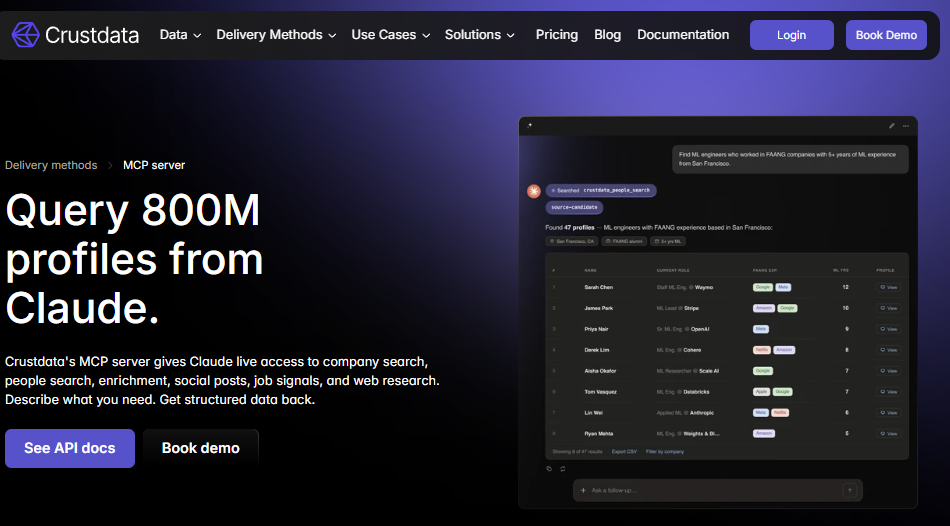
Crustdata provides real-time people and company data via API, and it is developer-friendly. Early-stage teams like the pricing and the freshness angle. Credit where due, Crust Data tends to win on early-stage pricing, and I will say that plainly.
It is still a single provider, so multi-signal depth and dedup are on you. For event-driven freshness, see how we approach intent data for AI sales agents.
⏰ Time to first API call: API: about 30 minutes.
⚙️ Setup complexity: Low to medium.
🧩 Core Services
- Real-time people and company data.
- Headcount and growth signals.
- Firmographic enrichment.
- Developer-friendly REST API.
📊 Data Coverage & Field Depth
- Strong in: real-time signals, and early-stage value.
- Weak in: breadth versus aggregators, and dedup.
- Field depth: moderate.
- Confidence level: Medium.
🤖 API & Agent Readiness
- API availability: Yes.
- API depth: Moderate to high.
- MCP compatibility: Not native.
- Agent usability: Medium.
💰 Pricing & Cost Structure
- Pricing model: Usage-based, early-stage friendly.
- Published pricing: Tiered by usage.
💸 Cost interpretation: Billing driver is API usage. It is generally more affordable to start than enterprise vendors.
⚠️ Hidden costs & constraints: Coverage gaps may require a second source.
✅ When to Shortlist
Shortlist this if:
- You are early-stage and price-sensitive.
- You want real-time signals via a clean API.
Avoid this if:
- You need broad, multi-source coverage in one call.
- You want native MCP retrieval.
11. Proxycurl [toc=1.11 Proxycurl]
Best for developers needing LinkedIn-derived profile data.
🔎 Overview
Proxycurl provides LinkedIn-derived profile and company enrichment via API. It is popular with developers for structured profile data without running a scraper. The trade-off is platform-dependency risk, which grew after the 2025 LinkedIn scraper crackdowns.
For agent work, it is one focused input, not a full data layer. Builders wiring profile data into code can follow our LangGraph B2B data API agent tutorial.
⏰ Time to first API call: API: about 30 minutes.
⚙️ Setup complexity: Low to medium.
🧩 Core Services
- Person profile enrichment.
- Company profile lookup.
- Email and role data.
- Pay-as-you-go credits.
📊 Data Coverage & Field Depth
- Strong in: LinkedIn-style profile data.
- Weak in: non-LinkedIn signals, and platform-dependency risk.
- Field depth: moderate, profile-centric.
- Confidence level: Medium.
🤖 API & Agent Readiness
- API availability: Yes.
- API depth: Moderate.
- MCP compatibility: Not supported.
- Agent usability: Medium.
💰 Pricing & Cost Structure
- Pricing model: Pay-as-you-go credits.
- Published pricing: Per-credit tiers.
💸 Cost interpretation: Billing driver is per-profile credits. It is predictable for small volumes.
⚠️ Hidden costs & constraints: Sourcing risk tied to a single platform.
✅ When to Shortlist
Shortlist this if:
- You need structured LinkedIn-style profile data.
- You want simple pay-as-you-go credits.
Avoid this if:
- You need multi-source resolution.
- You want sourcing insulated from one platform’s policy changes.
12. FullContact [toc=1.12 FullContact]
Best for identity resolution and multichannel matching.
🔎 Overview
FullContact focuses on identity resolution, stitching fragmented records into a single person or household via an identity graph. It leans toward marketing and identity use cases more than B2B sales prospecting. It is a real entity-resolution play, which I respect, since that is the hard part of this whole category.
For B2B agent enrichment, coverage of firmographic and intent signals is thinner than aggregators. For embedded product use cases, see our notes on a B2B data API for embedded product intelligence.
⏰ Time to first API call: API: about 30 to 60 minutes.
⚙️ Setup complexity: Medium.
🧩 Core Services
- Identity resolution and matching.
- Person and demographic enrichment.
- Multichannel identifier stitching.
- REST API access.
📊 Data Coverage & Field Depth
- Strong in: identity resolution, and demographic data.
- Weak in: B2B firmographic and intent depth.
- Field depth: moderate.
- Confidence level: Medium.
🤖 API & Agent Readiness
- API availability: Yes.
- API depth: Moderate.
- MCP compatibility: Not supported.
- Agent usability: Medium.
💰 Pricing & Cost Structure
- Pricing model: Usage-based.
- Published pricing: Custom by volume.
💸 Cost interpretation: Billing driver is API calls. Detailed mechanics are set by contract.
⚠️ Hidden costs & constraints: B2B signal gaps may need a second source.
✅ When to Shortlist
Shortlist this if:
- Your core need is identity resolution across channels.
- You run marketing or household-level matching.
Avoid this if:
- You need deep B2B firmographic and intent data.
- You want one agent-native layer for GTM.
🧭 The Pattern Across All 12
Step back, and the field splits cleanly. UI-first platforms (Apollo, Clay, Cognism, and Clearbit) make a human the orchestrator, which breaks at agent scale. Single-source providers (PDL, RocketReach, ContactOut, Coresignal, Crustdata, Proxycurl, and FullContact) hand you one slice and leave the joining, dedup, and validation to you.
That is the gap we built Explorium to close. ✅ One API and one MCP server replace five integrations. ✅ A unified credit pool across 30+ enrichments replaces nine bills. ❌ The cost of the fragmented approach is five matching layers and unpredictable credit burn. ✅ A sync-ready B2B data enrichment API for AI agents handles 10K+ calls/day so the agent, not a rep, buys the next data call. The rest of this article tests these vendors on the four axes that actually decide the bill: match rate, coverage depth, latency, and per-lookup pricing.
Q2. How Did We Score and Select These Person Lookup APIs? [toc=2. Scoring Methodology]
We scored every API on a 100-point rubric across five criteria: Data Coverage and Match Rate (30%), Agent and API Readiness (25%), Field Depth and Signal Quality (20%), Commercial Model Transparency (15%), and User Reviews and Customer Validation (10%). Tools earn one star (0 to 20), two stars (21 to 40), three (41 to 60), four (61 to 80), or five stars (81 to 100). Explorium earns five on match-rate leadership and native MCP delivery.
🧮 The Five Criteria, and Why Each One Earns Its Weight
I weighted this rubric the way I would actually buy. Data Coverage and Match Rate sits at 30%, because a low match rate quietly raises your true cost per usable record. Agent and API Readiness sits at 25%, which is the number that reframes "best" away from pretty dashboards toward production-agent fit. We unpack this in our look at the best B2B data enrichment API for AI agents.
Field Depth and Signal Quality is 20%, since one resolved entity with firmographic, technographic, and intent signals beats five thin records. Commercial Model Transparency is 15%, because credit multipliers hide the real bill. Real-world spend can run two to three times the headline price once overages and credit top-ups land, which is why we favor credit-based versus subscription pricing clarity.
⚖️ How the Stars Map, and How to Re-Weight for Yourself
The star bands are simple, so you can audit them. Add the weighted scores, then read the band. Nothing is a black box here, which matters, because "show, don’t tell" is the only honest way to publish a ranking.
You should re-weight for your own use case. If you run human-led EU phone outbound, push Coverage higher and Agent Readiness lower. If you build autonomous agents, do the reverse. This is the one criterion where Explorium’s unified credit pool across 30+ enrichments scores full marks on Commercial Model Transparency, because there is no per-signal multiplier to surprise you later.
Q3. How Do Match Rate and Coverage Depth Actually Differ Across Providers? [toc=3. Match Rate & Coverage]
A person lookup API retrieves a person’s profile, email, phone, and employer from identifiers like a name, email, domain, or LinkedIn URL. People search is discovery, finding profiles when you lack identifiers by filtering on role or company. Enrichment appends data to a record you already own. Underneath all three sits identity resolution, the matching layer that decides "who is who" and drives your match rate.
🩸 Why Coverage Gaps Burn Real Money
Bad data is not a spreadsheet problem. It is a deliverability problem. A practitioner who sends over 1.5 million cold emails a month told me plainly, your database is everything, and if your data is outdated, you land in spam.
That is the stakes cue. Wrong contacts waste spend and torch domain health. So match rate is not a vanity metric. It is the difference between reaching a buyer and burning an inbox. Our take on B2B contact data goes deeper on this.
📊 Single-Source vs. Waterfall, and the Phone Problem
Single-source APIs return nulls for 20% to 40% of inputs, because no one database covers everyone. Waterfall enrichment queries several providers in sequence and stops on the first valid hit, lifting match rates to 65% to 85%. As one practitioner described it, the waterfall runs across four providers and stops the moment one succeeds, which saves money automatically.
Coverage also splits by field. Strong US email coverage often hides weak EU mobile data, so treat direct-dial phone as its own axis.
🧪 What to Do Before You Scale
Do not trust headline numbers. Benchmark match rate on your own list, on your own accounts, before you commit budget. A 95% claim on someone else’s sample tells you little about your segment. Our match-rate benchmark guide shows how to run this test.
This is the gap we built Explorium to close. Built-in cross-source resolution across 50+ sources delivers waterfall-grade match rates from a single call, so you stop hand-stitching four providers in n8n to chase email and mobile coverage. See how this works as a data layer for autonomous outbound AI agents.
❤️ What Operators Say
“Signal studio has provided me with great tools to enrich my data even further than I ever thought. While the overall data coverage isn’t completely perfect, Explorium has done a great job hitting the main data points needed.”
Verified User Explorium Gartner Verified Review
“Only 20% of known contacts could be found, including people at companies for 1 year. Company news section not as comprehensive as other sources.”
Verified User, Internet Clearbit G2 Verified Review
Q4. Why Is Match Accuracy More Important Than Match Rate? [toc=4. Match Accuracy vs Rate]
A high match rate can hide over-matching, where the system links records that do not describe the same person and writes someone else’s phone or title into your CRM. A false positive is worse than a null, because it silently corrupts outreach and reporting. Always measure match accuracy, by auditing a sample on known accounts, separately from headline match rate.
🎯 The Number Everyone Sells, and the One Nobody Mentions
Every vendor quotes match rate. Almost none quote accuracy. That gap is the contrarian heart of this whole category, and the standard read gets it backwards.
I have watched an agent confidently return the wrong person in a live demo. The reaction said it all, "that’s not my email address, and I don’t live in Canada anymore." That is over-matching in the wild. Reliable B2B leads data depends on avoiding exactly this.
🔬 How Matching Actually Works Under the Hood
Identity resolution does not string-match a name. It generates a candidate list from multiple attributes, builds a composite query, then applies resolution rules to confirm "who is who". When a key is too generic, mature systems abort the query rather than return a bloated, low-precision set. This discipline is core to how we upgrade your data pipeline.
Over-matching is the failure mode on the other side. A SAS patent describes records wrongly linked to one entity, then split apart using a minimum-cut method. In plain terms, aggressive matching inflates your rate while injecting wrong data.
🛠️ The Monday Audit
Here is what I would do Monday. Pull 100 accounts you already know cold, run them through any shortlisted API, and check each result by hand. A simple automated check, confirming the returned LinkedIn profile makes sense, catches most false positives before they reach a rep. To wire this into a workflow, see our LangChain B2B data API integration.
This is exactly why Explorium leans on disciplined resolution rules rather than chasing a vanity match rate. The goal is that an agent acts on a confirmed identity, not a plausible-but-wrong candidate.
Q5. What Does a Person Lookup Really Cost, Per-Lookup Pricing and Latency? [toc=5. Cost & Latency Economics]
Your true cost is not the list price. It is the list price divided by your realized match rate, plus any credit multipliers for premium fields like mobile numbers. A $0.10 lookup at a 60% match rate really costs about $0.17 per usable record. Latency matters just as much, since a throttled API forces teams back to manual CSV exports. Our notes on B2B data API latency and rate limits in production expand on this.
💸 The Credit Multiplier Nobody Budgets For
Here is where the bill surprises people. One email might cost one credit, but a mobile number can cost eight credits each. Stack overages and top-ups, and real-world spend lands two to three times above the headline subscription. This is the core argument in our breakdown of credit-based versus subscription pricing.
I have watched this catch sharp teams. They model the sticker price, not the multiplier. So the credit pool drains weeks before anyone expected, mid-campaign.
🧮 A Worked True-Cost Example
Let me show the math, not just assert it. Say a vendor lists records at $1.50 per thousand, a common floor. At a 70% match rate, your effective cost is about $2.14 per thousand usable records.
Now add deduplication, which means removing contacts you already pulled before. A good pipeline eliminates anyone you have pulled before, so you only ever pay for new data. That single rule can cut a repeat-heavy bill by a third, which is one reason teams upgrade their data pipeline.
⏰ Latency Is a Cost Too
Speed is not a vanity metric for agents. An agent makes high-frequency sequential calls, so a slow or throttled API stalls the whole loop. One practitioner told me Apollo’s API was so slow and consistently throttled that the team gave up and stuck with CSV exports. Teams hitting this often review Apollo API alternatives for AI agent builders.
There is also a quieter design lesson from identity systems. Mature matching engines abort a query when the key is too generic, rather than returning a bloated set, which protects both latency and precision. Wasted calls cost credits and time.
✅ How to Budget Before You Scale
Three moves before you commit. First, compute effective cost per usable record on your own list, not the vendor’s sample. Second, separate premium-field credits into their own line. Our match-rate benchmark guide covers how to run this.
Third, match the API to your call pattern, batch versus real-time. This is where Explorium’s single credit pool keeps effective cost close to list price, because there is no per-signal multiplier, and the sync API sustains the high-frequency calls agents make without the throttling that pushes teams back to manual CSVs.
❤️ What Operators Say
“Removed a user from the plan but a task by that user kept running and consumed all credits. Happened twice. Bug cost $1000. Support refused responsibility. No refund.”
Amulya P. Apollo G2 Verified Review
“Explorium is a great tool for getting data from multiple subscriptions, databases but at a consolidated cost for Finance and Data professionals.”
Omar G., Mid-Market Explorium G2 Verified Review
Q6. Which Person Lookup APIs Are Built for AI Agents and MCP? [toc=6. Agent & MCP Readiness]
An agent-native API exposes a Model Context Protocol (MCP) server, which is a standard interface that lets an AI agent discover and call data tools directly. Most providers, including Apollo, RocketReach, and PDL, offer REST and SDKs but no native MCP server. Explorium ships an MCP server and an AgentSource toolkit, so the agent decides which sources to call.
🔌 Why Fragmented Data Wastes Agent Calls
Here is the failure mode I see most. Agents spend a lot of time just pulling data that is irrelevant to the actual task. Each wrong fetch burns a call, a credit, and latency budget.
Think of MCP as the USB-C port for AI. One standard socket, and any compliant tool plugs in. Without it, you hand-wire every integration and the agent cannot choose for itself. Our comparison of MCP versus REST API for AI agents goes deeper.
🤖 Who Exposes MCP Natively, and Who Does Not
Most of the field is REST-only today. That is fine for scripted pipelines but weak for autonomous agents that must select tools at runtime.
🧭 How to Wire MCP Into Your Agent
Keep it observable and scoped. I keep MCP servers scoped within a project, so an agent sees only the tools it needs, which cuts wrong fetches. In LangGraph, CrewAI, or Claude, register the MCP server once, then let the agent route calls itself. Our LangGraph B2B data API agent tutorial walks through this end to end.
This is the core architectural edge. With Explorium, the agent autonomously decides which of 50+ sources to call through one MCP server, instead of a human pre-wiring five REST endpoints. ✅ One integration. ✅ The agent chooses. ❌ The REST-only alternative forces human orchestration that breaks at agent scale. See how this powers a data layer for autonomous outbound AI agents.
I will hedge one thing. MCP is young, and the spec is still maturing, so I would treat any vendor’s "agent-ready" claim as something to test, not take on faith. The question I am sitting with, in 18 months, will REST-only data providers even be in the agent buying conversation?
Q7. How Do You Choose the Right Person Lookup API for Your GTM Stack? [toc=7. Choosing Your API]
Match the API to your dominant use case, not the loudest brand. Map your need, agent, batch, real-time, or EU phone, to a vendor profile, then screen for compliance and sourcing risk before you sign. The right pick depends on call pattern, segment, and how much matching you want to own yourself.
🗺️ Use-Case-to-Vendor Mapping
Here is the mapping I would hand a GTM engineer on day one. It is directional, and your own benchmark always overrides it.
The cost debate is genuinely contested. Apollo can be 70% to 80% cheaper than ZoomInfo at roughly 70% to 80% of the data quality, but for enterprise high-volume phone outbound, the calculation can flip. We map this in our guide to ZoomInfo API alternatives for GTM agent builders.
✅ Compliance and Sourcing Checklist
Compliance is an eval dimension, not a footnote. Confirm GDPR and CCPA coverage, plus Do-Not-Call (DNC) handling for phone outreach. Ask where the data comes from. Our GDPR and CCPA compliance checklist is a good starting point.
Sourcing risk is real now. After LinkedIn banned several scrapers in 2025, some providers saw data quality slowly get questionable at best. A vendor over-reliant on one platform is a fragile bet, which is why resale rights and licensing terms matter.
🛠️ The Monday-Morning Eval Checklist
Before any signature, run these five. They take an afternoon and save a quarter.
- Benchmark match rate and accuracy on 100 of your known accounts.
- Compute effective cost per usable record, including premium-field credits.
- Test API latency under sequential agent-style calls.
- Confirm GDPR, CCPA, and DNC posture in writing.
- Check sourcing diversity and resale or data-ownership terms.
🧱 The Consolidation Logic
Most teams are not short one tool. They are drowning in 15 to 25 of them, with reps doing data entry instead of selling. Only a small fraction of teams, roughly 11% by one practitioner’s read, have actually made AI work, usually because their data layer is too fragmented to feed an agent.
That is the case for consolidation. Replacing nine bills with one mirrors what AWS did for infrastructure and Stripe did for payments. For teams collapsing a fragmented stack, Explorium fits as the unified API plus MCP layer, with compliant 50+ source aggregation, benchmark-led match rate, and resale rights on custom plans. This is the foundation of the best B2B data enrichment API for AI agents.
❤️ What Operators Say
“Finally, a platform that conveniently and intuitively provides data that makes business decisions easier.”
K B., Corporate Data Manager Explorium G2 Verified Review
“Affordable pricing. Data relatively accurate for the price. Half of exported data was on spam lists. Phone/email get flagged as spam if you use Apollo regularly.”
Verified User, Insurance Apollo G2 Verified Review
FAQs


